Forum Replies Created

Page 28 of 126
  • Hey Chris,

    It might be possible to find something similar to what you want on Envato or MotionArray or similar.

    But, if you are on a learning curve, and depending on the file format that your logo(s) is in?
    Blender 3D is free to use, and have plenty of free tutorials on how to Morph logos and anything else.
    A Google search for blender morph logos will give you plenty of choice, even from within the last 12 months.

    Hope that this helps.

    Atb
    Mads

  • Hey Thomas,

    Have you investigated whether the clips is actually in your media folder?
    As, you need to locate them manually, before looking for them from inside Davinci.

    Also, it would be helpful if you tell us a bit about your hardware and software set-up?

    Atb
    Mads

  • Hey Thomas,

    Have you tried to highlight the missing clips, and then select relink footage?
    (You are likely to have to browse to the folder with the clip ion, rather than use search)

    Atb
    Mads

  • Hey Viktor,

    I’m with Kirk and Devrim on this.

    But want to add that the “enclosure” for Samsung SSDs are not always as good as forexample a Samsung T9 drive.
    The other thing to check is what Samsung SSD deive you have inside the enclosure, and if the connection to the Mac is USB-C or Thunderbolt 4 (or higher).

    I Have used Samsung 990 Pro SSD’s, and been happy with those. (That was until my HP Fury 16 G10 stopped working, which in my opinion was due to HP “forgetting” to install the right cooling system)

    If you haven’t already got it, it is also worth installing Samsung Magician.
    This will help with keeping the firmware on your drive up to the latest version, and detect problems.
    Although, I would advice to that you make sure to have a seperate copy before messing with any kind of drive…
    https://semiconductor.samsung.com/consumer-storage/magician/

    Hope that this helps.

    Atb
    Mads

  • Mads Nybo jørgensen

    January 24, 2025 at 12:33 pm in reply to: Resolution or ??????? in DaVinci Export

    Hey Van,

    Used to deal with this back in the early days of HD.
    What you see is contouring happening as a result of your image being “down-graded” to 8-Bit or lower.

    Not sure why you are going 720, unless it is equipment specific?

    Maybe try a different codec (container) for export, like H264 (MP4).
    Or check if you have imported your rushes in full resolution?

    Last time I dealt with it was on a test production for an experimental digital camera, made by a major Film-Camera manufacturer. I had a real technical expert sitting in on the grade, and we adjusted the grade to make the contouring “dissappear”.

    It may be that it is also present in your 1080 footage, but not easily to spot as a result of the bigger frame.

    Have included article below on the subject.

    Hope that this helps.

    Atb

    Mads

    https://www.thebroadcastbridge.com/content/entry/10654/8-bit-downstream-artifacts-and-what-shooters-can-do-about-them

  • Mads Nybo jørgensen

    January 21, 2025 at 5:48 pm in reply to: MXF / XF-AVC Preview in Mac OS

    Hey Philip,

    Apple and everybody else has retired Quicktime (sadly).

    Out of interest, are you on Davinci free, or the studio version?

    If on free, you might not be able to import it.
    This thread over on Blackmagic could be of interest to you:
    https://forum.blackmagicdesign.com/viewtopic.php?f=21&t=203322

    Hope this helps?

    Atb
    Mads

  • Mads Nybo jørgensen

    January 21, 2025 at 5:27 pm in reply to: Splitting Audio

    I’m with Bob on this one.

    Fastest way is to copy on to 2nd track, and then fill right or left.
    Often, my camera operator has put camera mic in one channel, so I can discard that altogether.

    Ovbiously, if it is a recurring problem, you might want to check import settings.

    Atb
    Mads

  • I know of bussinesses that are running succesfully on old AVID software.

    Trick, as I understand it, is to make sure that your hardware (Mac in this case) are not connected to the internet…

    But they are not in the market to buy or sell, so makes no difference to them.

    Having said that, even though the perpetual licence option would have been attractive, I think that through learning how to “game” online streamers by only taking 1-month subscriptions. There is the thought that taking an AVID subscription for the length of the job, and bake it into the charges to the client, could be a way to go.

    For transperency, I took 3-years, because I want to move my own productions on to AVID MC.

    Atb
    Mads

  • Mads Nybo jørgensen

    January 14, 2025 at 3:31 pm in reply to: Thunderbolt 4 dock for better speed

    Hey David,

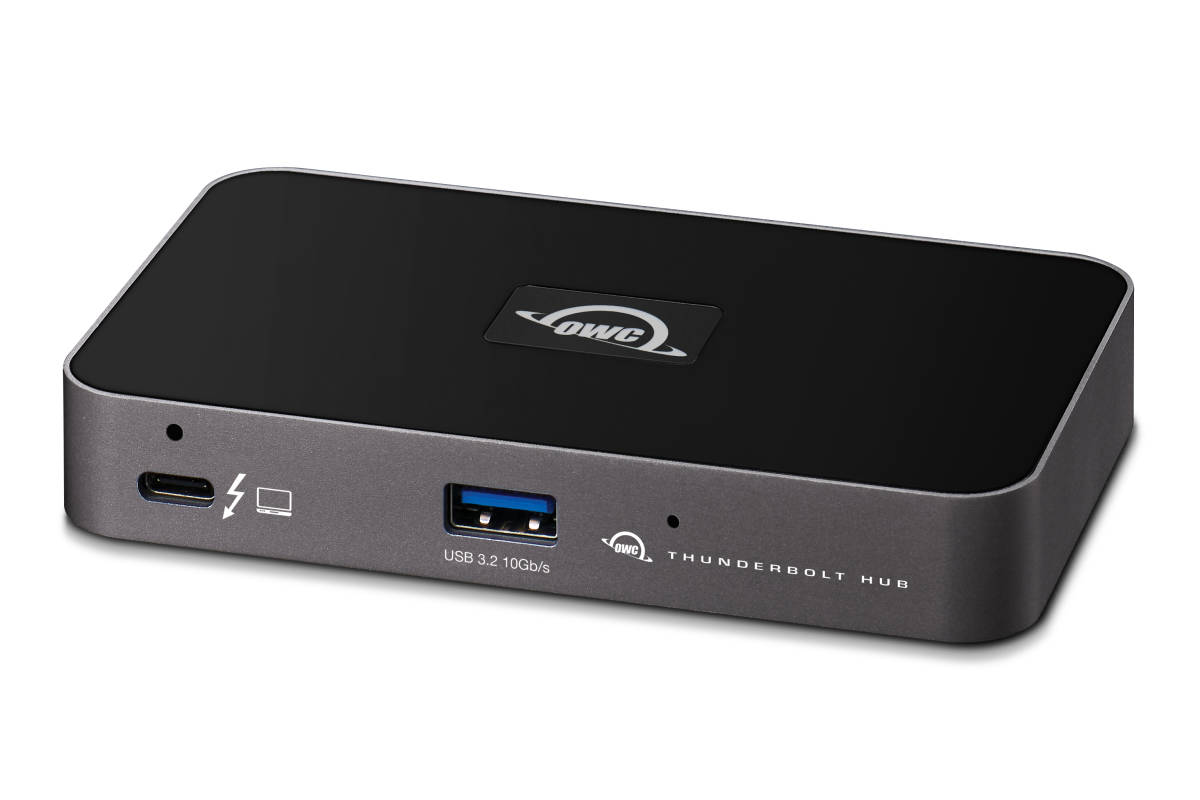
    Back in the day for my Mac Mini M1 I added a OWC Thunderbolt 4 hub.
    Works great with Samsung T7 and T9 SSD drives.
    https://www.owc.com/solutions/thunderbolt-hub

    But you may consider Thunderbolt 5, which is being rolled out, and should hopefully be backward compatible (Do check before purchasing).
    https://www.owc.com/solutions/thunderbolt-5

    Atb
    Mads

  • Mads Nybo jørgensen

    January 14, 2025 at 3:25 pm in reply to: Questions for Long Time Vegas Pro users

    No, I am waiting for a new workstation to install Vegas 22 on.
    But in a past life, I worked on a predecessor to Vegas.
    Back in the day News Broadcasters found Vegas easier to roll out and use, than Avid and FCP.
    I suspect that cost was a factor too in that decision.

    Atb
    Mads

Page 28 of 126

We use anonymous cookies to give you the best experience we can.
Our Privacy policy | GDPR Policy