Forum Replies Created

Page 1 of 5
  • Hans Castrop

    December 5, 2024 at 5:35 pm in reply to: unroll a cylinder to flat plane

    Thank you Kouraib for taking the time to answer and make screen recording.

    it is not what I want to do.

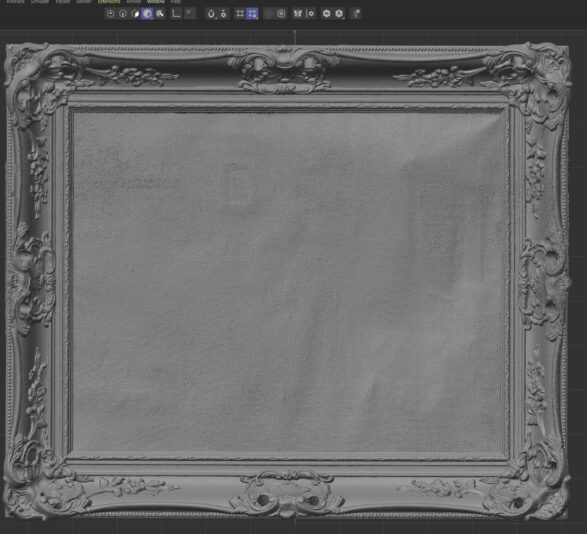
    I only have mesh from a scan. about 3 million polys. I want to cut this vase open like a toilet roll and unfold it so all polys are visible. I want to see the structure of this poly in a flat object with structure. I want to make it orthomosaic.

    like included pictures.

    Thanks anyway.

    Hans.

  • Hans Castrop

    October 29, 2024 at 8:07 am in reply to: selecting problem

    Thank you for your effort to answer.

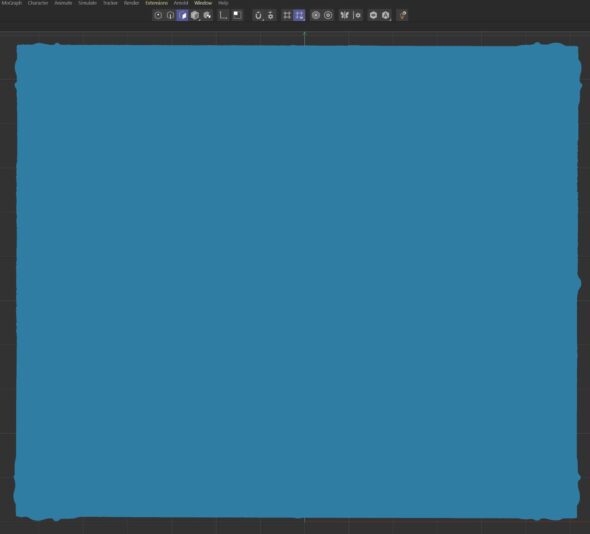
    The problem is: The object has to be selected (made orange) in object window. active.

    When it’s not active we can see the shape. selected it’s blue and I can’t see where canvas starts.

    zooming in only shows area of the first point of my polygon selection. I can’t go to the other corners of the canvas while in polygon selection to select the next point.

    kind regards,

    Hans.

  • Hans Castrop

    September 27, 2024 at 9:09 am in reply to: editing 82 million polys

    Thanks Kouraib,

    I’ve tried it on a small piece of geometry and that seems to work! I’ve created a landscape also and converted it to mesh. After your workflow I put both pieces together with ‘Connect objects’ and it worked. It looks like this was what I was looking for. I’m going to try with my 82million mesh now 🙂

    so thank you,!

    regards

    Hans

  • Hi Kouraib,

    regarding volume builder; I tend to not use it too often, because my source is photogrammetry and scanning, with as a result of tens of millions of faces in the 3D object. I want to keep the detail of my source. (for instance a chair with fine woodcarvings). volume builder is a bit rough for my purpose (on my PC :).)

    Now I’m remeshing the chair as a prop in a cloth dynamics setup to get some workable object.

    Zbrush: I’m not using so I was looking into my main tool for 3D: C4D.

    Thanks for giving the indepth explanation of the programs.

    Kind regards,

    Hans.

  • Hi Kouraib,

    not the answer I was hoping for…

    maxon was so proud they could texture with remesh, …but this is useless. Yes, I know I can use different programs to do just that. I’m using metashape since my textures come from photogrammetry. That works fine. I was hoping C4D could as well so I can add it to my workflow.

    Mind you, your answer is very welcome, the disappointment is with c4d.

    Thanks for your help.

    Hans.

  • @ Michael

    I would think so too. baking would be the way to go. I’m glad you came up with that too so I’m looking in the right direction. but;

    I’ve tried many ways and looked at many tuts. up to now these are my findings:

    substance painter: can’t do base color transfer because you can only transfer 1 material to the base color slot. I imported the model with auto unwrap everything. same model as high poly mesh. then I imported the 2 textures and only 1 can be applied to the first model.

    And in C4D: I’m not that familiar with the UV edit, but I somehow managed to bake the texture in place. problem is the texture has hundreds of ilands and lots of small lines all over the model.

    In designer it is possible so I’m told, but I don’t own the software.

    So it looks like a straightforward thing to do, also in C4D, but bake 2 materials and merge it to 1: I’m not there yet.

    thanks,

    Hans

  • Hans Castrop

    January 17, 2023 at 2:31 pm in reply to: combine polygonal mesh and spline

    Hi Michael,

    I couldn’t add the attachment because of the added picture. but here is my project, decimated so you can have a look if you want.

    I’ve never tried voxels, so I’m going to give that a try.

    Thanks for your help

    Hans

  • Hans Castrop

    January 17, 2023 at 11:03 am in reply to: combine polygonal mesh and spline

    Thanks Michael,

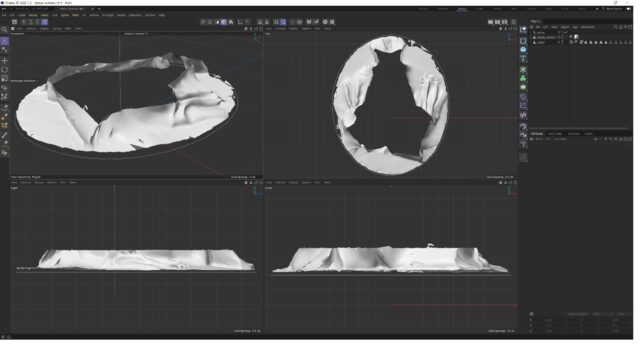
    It’s mesh from photogrammetry, very heavy, so this is remeshed to 1% of what I’m using and only the bottom part of the sculpture. I’ve got no experience in sculpting and modeling. What i’m trying to do is get some mesh around the statue until its shape is like the oval spline from the top view. Whenever I try to make new polygons with the polygon pen I get polygons but can’t really connect them to the original mesh. The polygons jump all over the place and intersect. I was hoping to create the oval around the statue and with “Close polygon hole” fill the space to a nice and even oval mesh. Or do I have to work with all thousands of polygons seperately?

    (How do I upload my project file to you?)

    Kind regards

    Hans.

  • Hans Castrop

    February 17, 2022 at 2:25 pm in reply to: 3D scanning // texture re mapping

    I don’t know about meshroom. I use metashape. What I do possibly can be done in meshroom too: import the retopologized and altered mesh. generate the textures on that. For this to work the mesh can’t be scaled, relocated or rotated. so exactly same place and rotation. For this a different forum might be useful.

    In cinema 4D: look into texture baking.

  • Hans Castrop

    December 6, 2021 at 10:08 pm in reply to: axis on bottom of model

    I’ve tried it again. create cube, make editable, menu>mesh>axis center…. “Y -100% >execute” drops axis to bottom of cube. Save cube as .obj with default settings. delete cube. open cube.obj. and cube opens with axis in center of the cube. I’ve tried it in R20 and R25. Both with same result. The axis always pops up at the center of the grid. the cube shows up where I left it, so that’s also center of grid, or any other place for that matter if I moved it, but never with axis in the bottom of the cube.

Page 1 of 5

We use anonymous cookies to give you the best experience we can.
Our Privacy policy | GDPR Policy