Forum Replies Created

Page 22 of 27
  • Cinema is drawing those extra lines as the surface is nonplanar and there are tons of extra points across the top edges. It basically needs those edges to be able to render/ draw the polygons or n-gon as it is. If you use mesh checking ( in the attribute manager menus) it can highlight issues. I think you’ll have to re-top it, the poly pen is great for this.

  • Andy Kiernan

    July 2, 2021 at 11:08 am in reply to: Need Help Animating Ready CAD Conveyor Belt

    Hi David,

    You can perhaps split up the cad model for use with cloner/ wrap.

    Assuming the conveyor belt is made of multiple repeating sections, you can select one section (polygon mode, then select one poly in that section and hit u then w keys to select connected, or select them manually) then run the split command. this will copy the selection to a new object and leave the selection in the original. Then you can clone them or copy them in a line and spline wrap. You can do this to the cogs also so they can be animated too.

    Hope this is of some help.

    AK

  • Andy Kiernan

    June 24, 2021 at 8:06 am in reply to: Shape Animation

    it could be a pre-defined line that is then revealed with mattes or trim paths. then doubled up and inverted etc.

    I saw this vid today might get you close, but I think basing it all off one line and revealing it would give more simple control.

    Make a Wavy Path With Expressions in After Effects – YouTube

  • Andy Kiernan

    June 18, 2021 at 9:36 am in reply to: Pinching Joints Mixamo Rig

    I don’t have the newer versions of C4D, but if you do, I think there’s a new deformer called Delta mush or something that can address these kinds of issues.

  • Andy Kiernan

    June 10, 2021 at 2:22 pm in reply to: Moving object to music on y-axis only?

    I think the easiest way is to right-click the layer and set ‘separate dimensions’, so that x and y are individually keyframable, then you can pickwhip only the Y to the sound keys

  • shift+V, is this what youre after?

  • in the end, I used a volume mesher and an octane falloff in the opacity channel, times 4!

  • Andy Kiernan

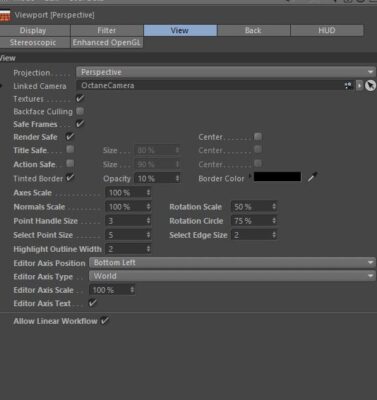
    April 29, 2021 at 8:23 am in reply to: Camera selector thing

    Thanks Jim that is true, but lazy me wants it exposed at all times, I tried ripping the menu off of that, but it doesn’t update as cams added.

    But, I think I got what I wanted, if I drag the cam onto the viewport, a double click on it activates and deactivates it, so good enough I guess!

    Thanks again man.

    AK

  • maybe reverse the normals of the sphere?

  • Andy Kiernan

    April 20, 2021 at 12:43 pm in reply to: AE has started crashing a lot 🙁

    purge all memory (edit menu)… close all other apps… change to mercury only…update drivers if on PC… if on mac, buy PC ?

Page 22 of 27

We use anonymous cookies to give you the best experience we can.
Our Privacy policy | GDPR Policy