Forum Replies Created

Page 14 of 36
  • Hector Vera

    April 29, 2024 at 2:56 pm in reply to: 4070 ti super vs 7900 xtx

    In my opinion from what I have researched, your graphics card is from 2019 (The 2070 Super) and its still a pretty good graphics card but yeah any of the 2 graphics you choose to buy will be quite a big leap in performance indeed!

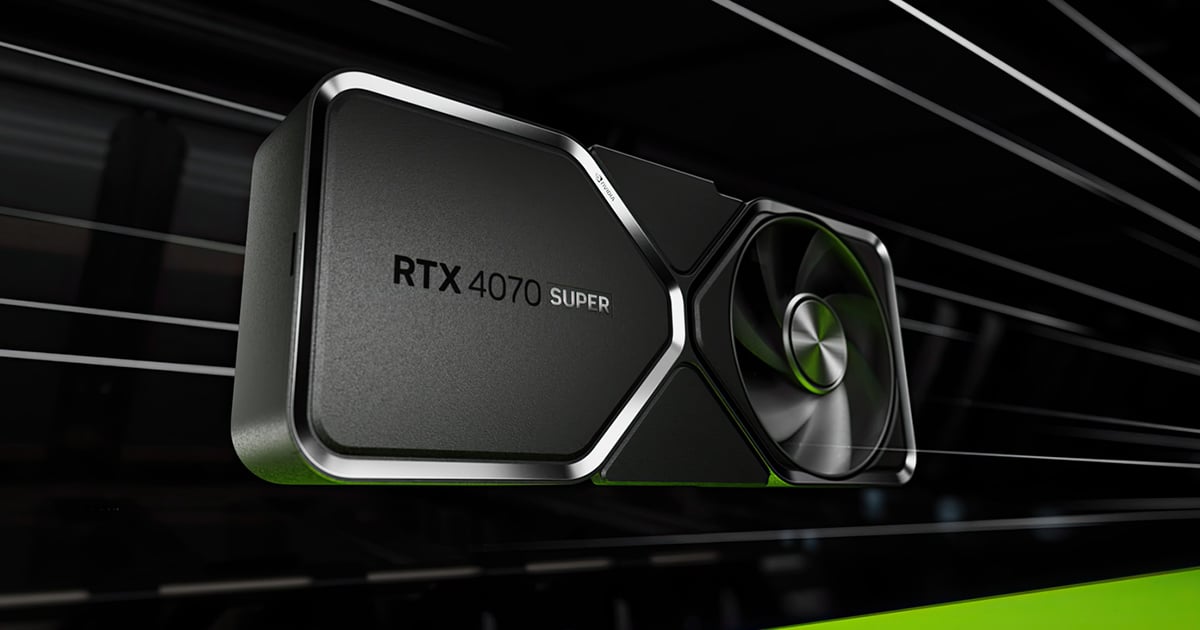
    Be sure to compare the specs of your own Graphics card you have now to the 2 on the market. If you are looking for a budget-friendly current graphics card, then the GeForce RTX 4070 should help with that! AMD Radeon seems to be more expensive.

    But here are some resources I found that you can do your research on to help with your buying decisions:

    https://www.nvidia.com/en-us/geforce/graphics-cards/40-series/rtx-4070-family/

    https://www.amd.com/en/products/graphics/amd-radeon-rx-7900xtx

    eBay Listings of these items:

    https://www.ebay.com/sch/i.html?_from=R40&_trksid=p4432023.m570.l1311&_nkw=geforce+rtx+4070+super&_sacat=0

    https://www.ebay.com/sch/i.html?_from=R40&_trksid=p4432023.m570.l1313&_nkw=AMD+Radeon%E2%84%A2+RX+7900+XTX&_sacat=0

    I wish you the best of luck on your decision of your purchase! 🙂

  • Seems you are using a Mac computer since you mentioned the CMD key, I have used Free Transform a lot and you can freely play around with stretching the image to your liking if you press Ctrl and hold it while moving the mouse to stretch it in all 8 points on the middle and corners of the image outside to adjust it to your liking. In Mac, it should translate from holding ctrl to CMD. If you can show me a video on how its behaving on your end, I can have an even better idea on whats going on. Hope to hear from you soon!

    Here is a link I found for more information just incase: https://www.photoshopessentials.com/basics/transform-and-warp-images-with-free-transform-in-photoshop-cc-2019/

  • Hector Vera

    April 25, 2024 at 4:15 pm in reply to: AE via RDP bug

    Question, is the issue I am seeing on the screen due to the black wireframes like looks on your project image that should not look like that from RDP?

    If that is the case, its possible that its not RDP’s doing but the GPU-accelerated effects that you could be using in your composition.

    Try doing this to fix this issue, you can try disabling GPU performance in After Effects by going to Edit > Preferences > Performance > Preview > renderer -> Software Only.

    Hope it works for you. It could be the settings on AE’s GPU performance that could be triggering it but since you said Teamviewer works fine from there, perhaps it could be fact that Teamview is optimized for file sharing and remote desktop unlike RDP not getting along with After Effects.

  • Hector Vera

    April 22, 2024 at 7:41 pm in reply to: Auto Path saved my life

    Yeah, I also hated using the pen tool as well! Using the magic wand tool is more quicker as well if you wish to mark drawings to save and ones you wish to erase to put it in a different background as well. But it all depends if the whites does not interfere with the other colors of the image because some black outlines of a white image cannot be grabbed well by the Magic Tool sadly, so auto path should work better in that case. Glad you found a work around this man!

  • Hector Vera

    April 22, 2024 at 7:36 pm in reply to: Preparing clips for VFX

    You could cut the clips to small portions and compress them to a .zip folder to lower the storage of the files you plan to send them. And you can also send these movie files via Google Drive and Dropbox. Thats how I send and receive files from my clients whenever I need to receive files for me to edit for him and any changes you do in cloud storage can be instantly synched after saving and if your Dropbox is currently online. Hope it helps, let me know if you have other questions.

  • Hector Vera

    April 15, 2024 at 6:34 pm in reply to: Hide/Show Shape Layer Group by Script

    I would probably say try using the keyframes on the path section of your file, being the final keyframe to take the shape off the screen or you can find something to fade out using keyframes as well to animate the shape to fade from the screen. Hope it helps and best of luck!

  • Hector Vera

    April 15, 2024 at 6:30 pm in reply to: AMD Radeon 780M can use element3D ?

    That AMD Graphics card seems to be one of the more recent releases from AMD on January 2023. I would imagine it should be compatible with Elements 3D since it supports a lot of the older Graphics cards before 2022. Here is more info on the GPU just incase: https://www.techpowerup.com/gpu-specs/radeon-780m.c4020

    That pdf file you provided seems to be from before 2022 since 780M was not on the list at the time. And I found a 2022 list and it was not there either. Best of luck!

  • Hector Vera

    April 15, 2024 at 6:18 pm in reply to: Unknown plugin(s) in old project

    After looking up online for the developers of these plugins, it took me a while to find something connected to it but I found a developer with the name Red Giant Software. I cannot be 100% certain that they are the developers but I recommend you try to reach out to them via their website: https://www.maxon.net/en/red-giant

    These plugins I heard were part of their trapcode suite of animation and visual effects for Adobe After Effects.

    You can contact them directly here: https://www.maxon.net/en/support-center To ask if they know anyone who developed these plugins in the past. Best of luck!

  • You mean like a more simple texture within those 100 layers?

  • Hector Vera

    April 11, 2024 at 3:45 pm in reply to: 29.97 loop issue with shape layer / trim paths

    I would love to help and analyze this thing but I am unable to open the file since so you know, in order for me to view all the elements, if you have imported any image files to the project for example, I would also need access to those image files in the correct directory in order to view it so ideally you can attach a zip file with the After Effects projects alongside all the files associated with the project so I can locate it when me or anyone else wanting to help you on this can open it. Hope it helps, if I can see screenshots or a video clip of the issue, I can see what I can do to analyze the problem better and help, not just with words. Hope to hear from you soon!

Page 14 of 36

We use anonymous cookies to give you the best experience we can.
Our Privacy policy | GDPR Policy