

Activity › Forums › Adobe After Effects › AE via RDP bug
-
AE via RDP bug
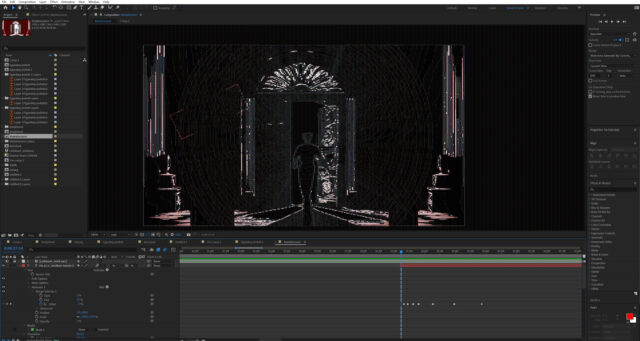
Posted by Saji Takashiwa on April 25, 2024 at 1:47 pmI work via RDP on my laptop and AE has this bug only with RDP.
I did try TeamViewer and everything is fine with that but I more prefer RPD.
I already changed the color depth, resolution, default graphic settings but nothing good result, can you tell me pls how can I fix it? Brie Clayton replied 2 years, 5 months ago 4 Members · 5 Replies
 -
5 Replies
-

Hector Vera
April 25, 2024 at 4:15 pmQuestion, is the issue I am seeing on the screen due to the black wireframes like looks on your project image that should not look like that from RDP?
If that is the case, its possible that its not RDP’s doing but the GPU-accelerated effects that you could be using in your composition.
Try doing this to fix this issue, you can try disabling GPU performance in After Effects by going to Edit > Preferences > Performance > Preview > renderer -> Software Only.
Hope it works for you. It could be the settings on AE’s GPU performance that could be triggering it but since you said Teamviewer works fine from there, perhaps it could be fact that Teamview is optimized for file sharing and remote desktop unlike RDP not getting along with After Effects.
-

Saji Takashiwa
April 25, 2024 at 5:33 pmI didn’t find the option what you wrote me before, I use Windows 11 maybe that’s why.
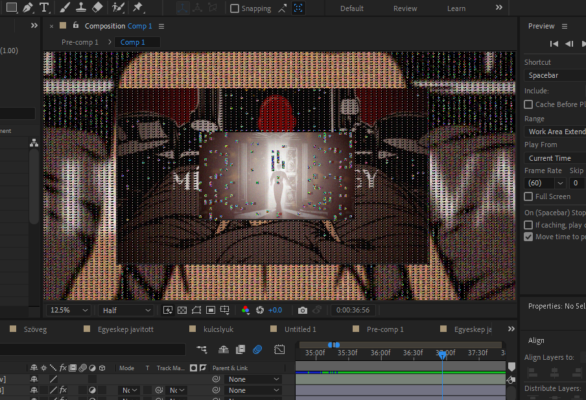
Here is an another screenshot, as you can see if I zoom it’s still has frozen frame around and faulty pixels appears on the preview.
-

Walter Soyka
April 25, 2024 at 7:17 pmHector might be on the right track. What if you disable Edit > Preferences > Display > “Hardware accelerate composition, layer, and footage panels”?
Also, I like Parsec better than RDP or TeamViewer for remote control — might be worth a look. Very responsive, great visual quality, easy to use.
-
Saji Takashiwa
April 26, 2024 at 6:48 amThis solved my problem! Thank you!
About RDP: I use Wacom tablet and the pen pressure sensitivity works well, not like on Teamviewer. I don’t know Parsec but probably have to pay for it.


Reply to this Discussion! Login or Sign Up