Forum Replies Created

Page 32 of 51
  • Kouraib Abdmalek

    May 15, 2024 at 9:31 am in reply to: Can not move any 3D, on C4D_R20- please help

    I don’t know if changing the Layout will fix that, but this seems strange. I was almost certain that the reason was Quantizing. I was surprised that it was not activated on your device. I will try to search again for the reason. I googled about that and you must before me, but I did not find anyone who came across something like this. I see that your grid spacing is relatively high (1000 cm) I don’t know if this has anything to do with it if you unintentionally make the model’s movement according to the spacing.

  • Kouraib Abdmalek

    May 14, 2024 at 9:16 am in reply to: Can not move any 3D, on C4D_R20- please help

    Hi Mauricio,

    I think the problem is in the value of movement in Quantiz. On the right panel, go to Mode>Modeling>Quantiz. You should find the Enable Quantizing box checked, with a large value next to Movement. All you have to do is change the value to one so that it does not cause you problems in the future, and disable Quantizing if you don’t need it, as in the attached video.

    I hope this will solve your problem.

  • Kouraib Abdmalek

    May 8, 2024 at 8:39 am in reply to: Converting an old old C4D file

    Hi Michal,

    With pleasure! I am happy to help you. This is your file after the update. I have confirmed that it works on 2024 version. Please let me know if you have any problems.

    Thanks

  • Kouraib Abdmalek

    May 4, 2024 at 8:37 am in reply to: how select grup of polygons in c4d 2024?

    Hi Mauricio,

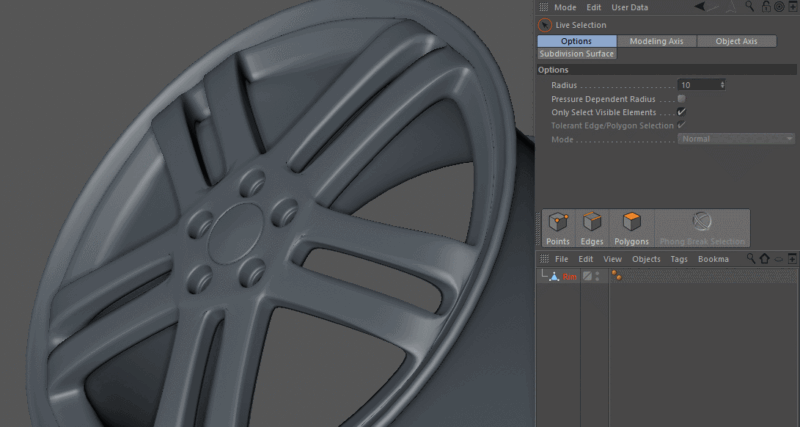
    I don’t know if this is exactly what you are looking for, but you could select the group of polygons by clicking on one of them twice without the need to hold Ctrl. I don’t know about R18 but that has been the case since R19. You can also use the phong break selection tool, as it makes it easier for you to choose a specific level of the group of polygons, as in the GIF below.

    I hope this helps you.

  • Hi Jack,

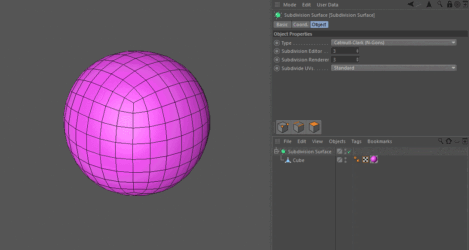
    I don’t think that Boston is talking about the presence of a creases option in Redshift, but rather he means the property found in the Subdivision Surface, is called weighting or creasing, you can select points, edges, and polygons and ‘crease’ or weight them so they don’t get rounded. Simply select the components of your base mesh, and hold down the period key as you drag left and right. All the weighted information gets saved in a new SDS Weight tag like in the GIF blow.

  • Thank you for sharing this with us Maxim! I hope it is useful to Ryan.

  • Hi Ryan,

    It seems like Maxim is pointing out that the cause of the problem is the different nature between the coordinates that the Xpresso rig controls with it the wheel controller; and the coordinates transfer to the mesh. Maybe the modification he made is to make both coordinates local or both global.

  • Kouraib Abdmalek

    April 18, 2024 at 8:30 am in reply to: Cinema 4D version 16

    Thank you too, John! You are right that this harms users of old versions. I will not be defending Maxon here, but I think that this is beyond their control because due to the updates on the MacOS and their imposition of more security restrictions on old programs, Maxon has become obligated to do more than just support old versions, It is a matter of radical modifications to make it compatible with Mac updates, and when you make radical modifications to an old version of a program, what you get will only be a new version of the program, and this is what Maxon originally does by releasing a new version every time, you could realize that in this paragraph from the Maxon website.

    Note – It is no longer possible to install Cinema 4D R19 or older under Catalina/Big Sur because the installation programs of R19 or older were 32 Bit applications that Catalina/Big Sur no longer supports.

    Note 2 – It is no longer possible to install Cinema 4D R20 under macOS 13 Ventura. MacOS has introduced higher security restrictions for older programs, that prevent the installer from running, especially if you use an Apple Silicon system.
    If you have your previous Cinema 4D installed on an older macOS already, you may be able to copy and paste the entire MAXON Folder from the old Applications folder of the old macOS to the new macOS.
    We cannot guarantee the stability of older software, working on new hardware architecture than it was designed for.

    I hope this makes sense.

    So you will find on Internet forums many people who suffer from problems even with relatively recent releases on the Mac and they are forced every time to seek help from the support team to solve the problem. Mac systems are effective and attractive, but you must always be prepared to use the latest versions of your programs, unlike Windows. Not long ago I needed to use R13 on Windows 10 and it worked perfectly I did not encounter any problems with it after using it for more than two months in a project.

  • Kouraib Abdmalek

    April 17, 2024 at 8:23 am in reply to: Position of intersecting Spline lines

    I think I created something similar by using a Null that follows the Spline path by using Align to Spline tag and controlling that through Expresso, then connecting the second Spline to this Null. To make the second Spline move straight and not follow the windings of the first Spline, I created a second Null. Still, if I made it follow a straight path, there would be no synchronization between the two Nulls, so I resorted to a trick by using the same path but rotating it 90 degrees so that you will get exactly what you want if you do not need to see it in the Perspective view. I have attached a file and a video to make the matter more clear.

  • Kouraib Abdmalek

    April 16, 2024 at 8:53 am in reply to: Cinema 4D version 16

    Hi John,

    If you have recently updated the system, this will most likely be the reason for the problem, because older versions of Maxon are no longer supported, so these versions have begun to suffer from problems with Mac system updates. The reason may also be the installation of other programs that may cause overlap in system files with Cinema 4D, here are some troubleshooting tips for resolving the issue with Cinema 4D on Mac:

    1. Reinstall Cinema 4D: Try downloading the installer from the Maxon website and running it again.

    2. Try running Cinema 4D in Safe Mode: Restart your Mac and hold down the Shift key as it boots up.

    3. Check for software conflicts: Close any other open applications and disable any third-party system extensions.

    I put below a link to an article on the Maxon website about the topic, and another link on the forum explaining how to solve some R16 problems with Mac system. I hope it will be useful to you.

    https://support.maxon.net/hc/en-us/articles/1500006403322-macOS-10-15-Catalina-macOS-11-01-Big-Sur-macOS-12-Monterey-and-Cinema-4D-Caution-with-R20-and-older

    https://creativecow.net/forums/thread/cinema-4d-r16-gui-bug/page/2/

Page 32 of 51

We use anonymous cookies to give you the best experience we can.
Our Privacy policy | GDPR Policy