

Activity › Forums › Maxon Cinema 4D › Position of intersecting Spline lines
-
Position of intersecting Spline lines
Posted by Ronny Traufeller on April 15, 2024 at 11:38 amHi there,
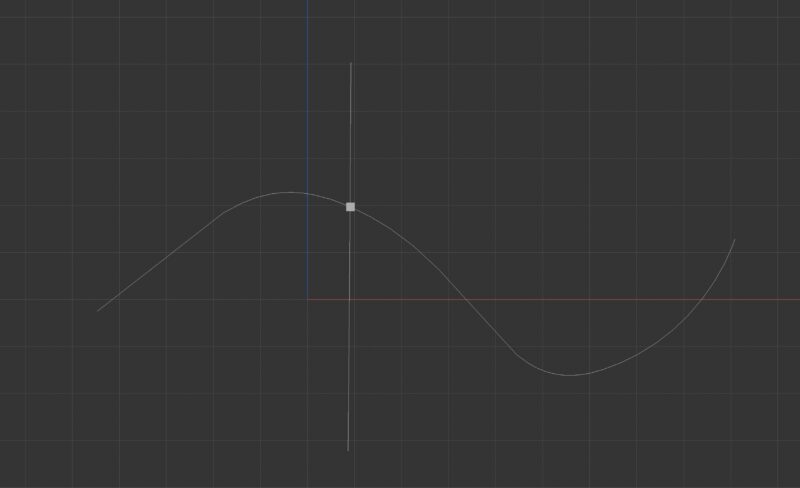
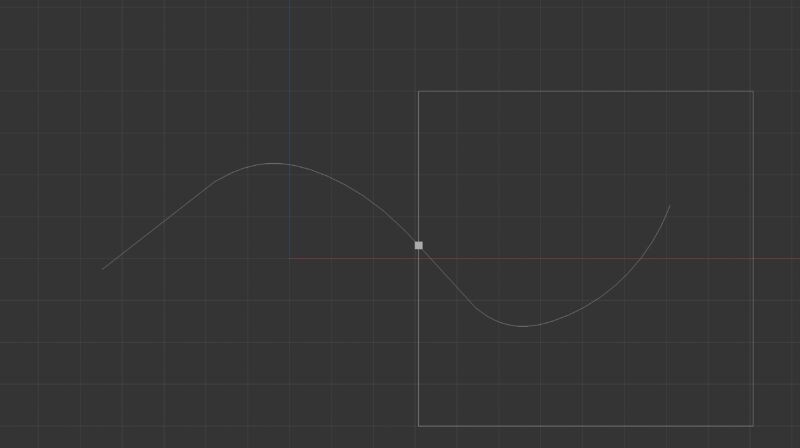
i need to either get the intersection point of two splines,
or trim the spline with an object, not with the percentage.
the spline isnt closed and its important to keep it that way.
 Ronny Traufeller replied 2 years, 5 months ago 2 Members · 6 Replies
 -
6 Replies
-

Kouraib Abdmalek
April 15, 2024 at 12:17 pmHi Ronny,
I have tried to explain in the video below how to determine the intersection point of the two Splines. I would just like to point out that the intersection with a curved line requires the arc to have a large number of segments in order for the cutting position to be accurate.
-

Ronny Traufeller
April 15, 2024 at 12:24 pmoh wow thanks!
i didnt mention that i want to animate one of the objects so the intersection must be dynamic.
i tried to look into expresso and “nearest point on spline ” but with no success
hope we find a way
-
Kouraib Abdmalek
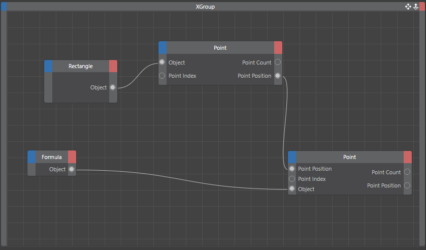
April 15, 2024 at 2:16 pmWell, I think you could use the Point Position in XPresso to make the intersection point dynamic, I hope this is what you are looking for.
-
Ronny Traufeller
April 15, 2024 at 2:48 pmthanks again!
its a bit of a misunderstanding. i made a video that explains what i am after,
i feed the spline into a matrix and used a plain effector to cut it using visibility
and applied a tracer, then i used an align to spline.
its a bit messy and i would love to get to know a different technique.
-
Kouraib Abdmalek
April 17, 2024 at 8:23 amI think I created something similar by using a Null that follows the Spline path by using Align to Spline tag and controlling that through Expresso, then connecting the second Spline to this Null. To make the second Spline move straight and not follow the windings of the first Spline, I created a second Null. Still, if I made it follow a straight path, there would be no synchronization between the two Nulls, so I resorted to a trick by using the same path but rotating it 90 degrees so that you will get exactly what you want if you do not need to see it in the Perspective view. I have attached a file and a video to make the matter more clear.
-
Ronny Traufeller
April 18, 2024 at 2:17 pmexellent! i will take a close look later, thanks a thousend times mate
Reply to this Discussion! Login or Sign Up