

Activity › Forums › Maxon Cinema 4D › Baking Expression – Rotation values jumping around
-
Baking Expression – Rotation values jumping around
Posted by Maxim Fischer on January 23, 2024 at 9:33 pmHi,
For my recent project, I purchased a fantastic car rig with some dynamics, and I plan to render the animation on a cloud network, so I need to bake the animation.
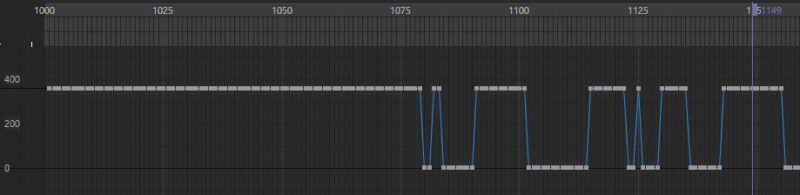
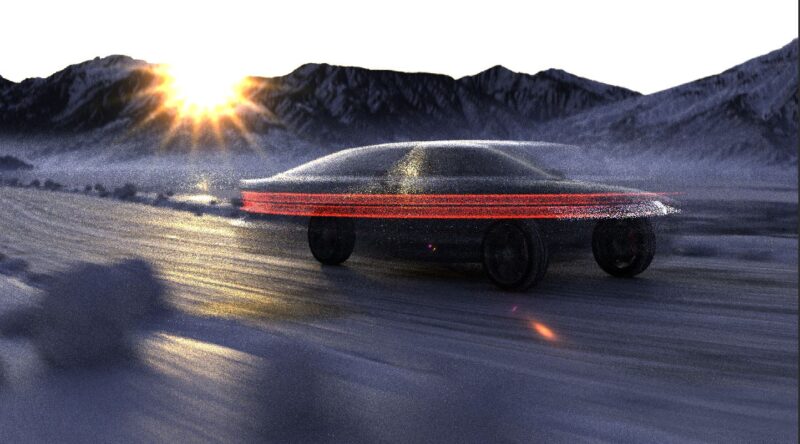
Here’s my issue: when I, for example, bake the animation of the chassis, it looks fine until I hit render. The chassis rotates itself every few seconds in a single frame, and it gets completely blurred from motion blur, going from 0.23° to something like 369.89°.
The same issue occurs with all wheels when baked.
I used this rig: https://matteoforghieri.gumroad.com/l/carrigc4d
Is there a way to bake the rotation correctly?
 Maxim Fischer replied 2 years, 4 months ago 3 Members · 14 Replies
 -
14 Replies
-

Kouraib Abdmalek
January 24, 2024 at 9:19 amHi Maxim,
just consider that with Cinema 4D you can bake every object and so freeze its movement, even if created by Expresso. For that, you just need to select the object in the timeline and then select Functions -> Bake objects…, It may also cause some problems during baking because the car or some of its parts are the child of a null, and the null is animated.
I hope it helps.
-

Maxim Fischer
January 24, 2024 at 12:58 pmI took a closer look and noticed that the Xpresso rig controlls the wheel controller with local rotation coordinates but transfers global rotation coordinates to the mesh. It works great until you bake it. At the end I had to adjust a few things in rig and now it works.
-

Ryan Enos
April 24, 2024 at 12:48 amMaxim,
I am having a very similar issue with the same rig.
I am trying to bake a car animation and port over to Unreal with Datasmith but the wheel/tire rotation isn’t carrying over ( except for one time, no clue why it worked that one time! ) and I am pulling my hair out.Can you share what changes you made to the rig to make it work for you?
-
Kouraib Abdmalek
April 24, 2024 at 8:25 amHi Ryan,
It seems like Maxim is pointing out that the cause of the problem is the different nature between the coordinates that the Xpresso rig controls with it the wheel controller; and the coordinates transfer to the mesh. Maybe the modification he made is to make both coordinates local or both global.
-
Maxim Fischer
April 24, 2024 at 5:49 pmHi Ryan,
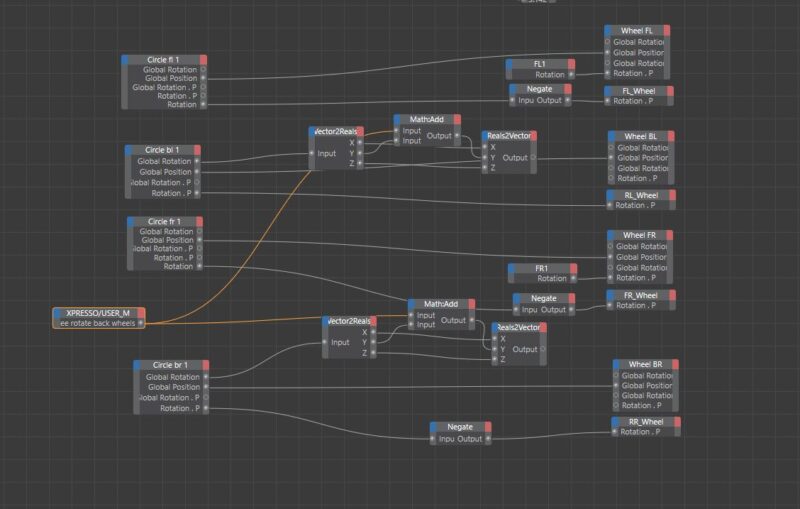
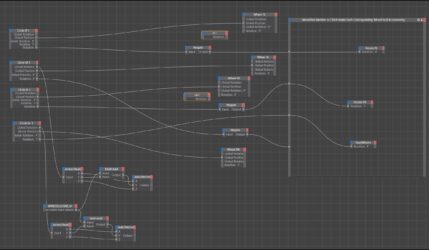
In the end, I found it necessary to add some extra nodes in the XPressor. For instance:
By default, the “Wheel FL” null, containing the mesh, had a global rotation constraint with the “Circle fl 1” controller. This controller manages both the rolling and steering rotations, but it’s limited to global rotations, causing issues with motion blur.
To address this, I separated the steering rotation from the rolling rotation.
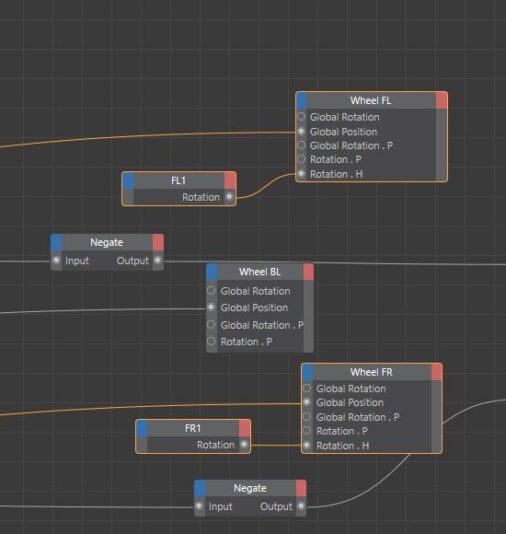
In XPressor, I added a transform rotation to the “Circle fl 1” and connected it to the rotation P of the “FL_Wheel” null. This ensures that the rolling rotation matches the controller. If the rolling direction needs to be reversed, you can add a “Negate” node to invert the rotation.
For the steering, you can add the “FL1” null to XPressor with a transform rotation and connect it to the rotation P of “Wheel FL”.
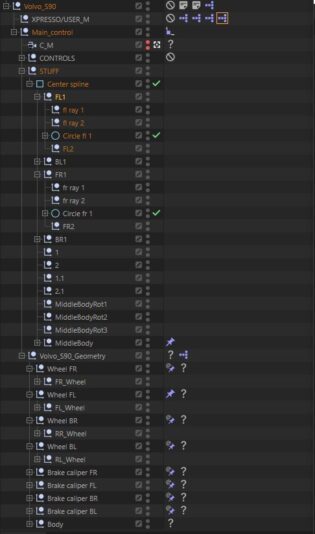
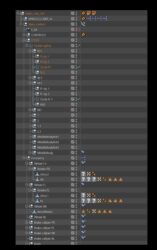
I hope this solution proves helpful. I’ve also attached a screenshot of my outliner and the XPressor.
Cheers,
Maxim
-
Kouraib Abdmalek
April 25, 2024 at 9:12 amThank you for sharing this with us Maxim! I hope it is useful to Ryan.
-
Ryan Enos
April 25, 2024 at 8:49 pmMaxim,
Thank you immensely for your detailed write-up and shared images of your Xpresso setup!I think I need to rebuild my whole setup as these updates created some weird rotation results.
Pretty sure my axis’ aren’t properly aligned with the controllers.I will report back when I have it rebuilt and finally to share if it successfully bakes then!
Thank you again! -
Maxim Fischer
April 25, 2024 at 10:14 pmI’d be glad to assist you.
Hmm, did you create a new XPressor tag or modify the existing one?
I recall encountering issues with positioning the controllers on the wheels. I believe I disconnected the controllers from the rig, adjusted their placement, and then reconnected them.
Regardless, if you’re still experiencing difficulties, I could send you my project.
-
Ryan Enos
April 26, 2024 at 6:59 amI would like to see your file Maxim.
I separated the steering and wheel rotation as you showed.
After many attempts, the front wheel steering doesn’t work for me when connected to Wheel FL’s Rotation.P and Wheel FR’s Rotation.PI’ve also got my rearWheels joined to one mesh and rear brake calipers to one mesh respectively which works fine (This is for my UE setup so I can create smoke off of the rear wheels from one mesh eventually).
Photos of setup and .c4d file attached. I am working in C4D R23 but hat shouldn’t matter afaik.
I really appreciate your help.
-
Maxim Fischer
April 26, 2024 at 7:53 pmOh man… this is a bit embarrassing. It doesn’t work on my car either, and I never noticed because I used a relatively straight road for my animation.
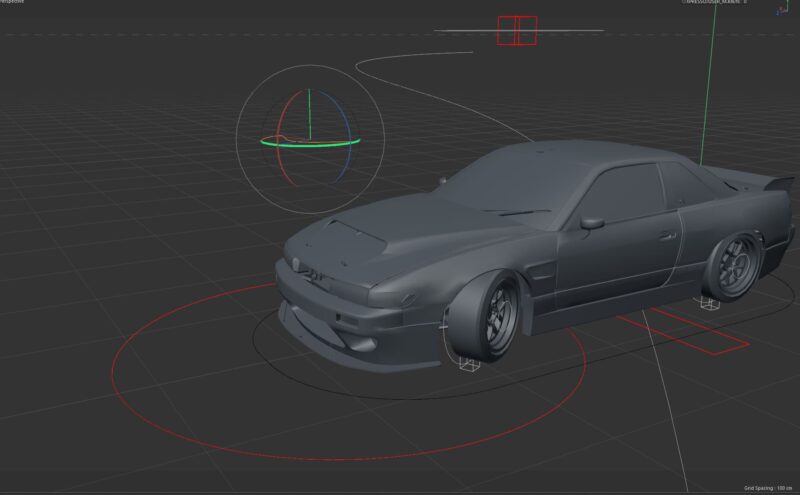
I realized I had to connect the rotation of FL1 to the “rotation H” of Wheel FL, not “P”. After making this adjustment, the controller constraint is functioning correctly again. However, when animating on a spline, automatic steering still isn’t working. I’m not sure if this feature was included in the default rig or if it needs to be enabled somewhere.
Reply to this Discussion! Login or Sign Up