Creative Communities of the World Forums

The peer to peer support community for media production professionals.

Activity Forums Maxon Cinema 4D Cinema 4D version 16

  • Cinema 4D version 16

    Posted by John Richards on April 15, 2024 at 8:13 pm

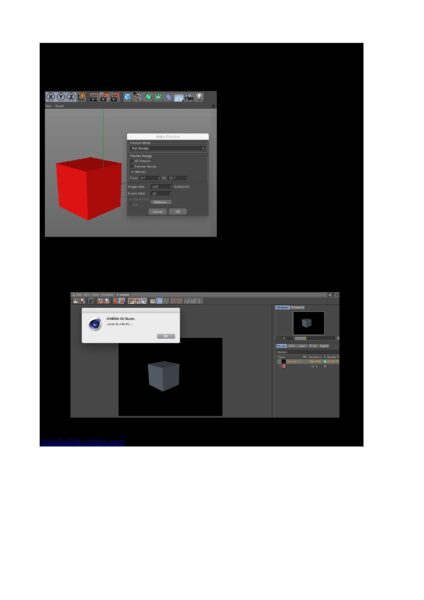
    Hi…is there anyone who could throw me a life line….I have a trusty copy of Cinema 4D version 16 which has been a faithful companion to me for many years, but recently My Mac has thrown up a fault that does not allow me to render any animation material. When I go into either Picture viewer or Preview it comes up with a unable to write file error message and also when I’m setting up the settings for the render the Quicktime and AVI options are greyed out. My Mac is using OS 10.14.

    I have contacted Maxon and they tell me that they don’t support Version 16 anymore.

    Kind regards John R

    John Richards replied 2 years ago 2 Members · 4 Replies
  • 4 Replies
  • Kouraib Abdmalek

    April 16, 2024 at 8:53 am

    Hi John,

    If you have recently updated the system, this will most likely be the reason for the problem, because older versions of Maxon are no longer supported, so these versions have begun to suffer from problems with Mac system updates. The reason may also be the installation of other programs that may cause overlap in system files with Cinema 4D, here are some troubleshooting tips for resolving the issue with Cinema 4D on Mac:

    1. Reinstall Cinema 4D: Try downloading the installer from the Maxon website and running it again.

    2. Try running Cinema 4D in Safe Mode: Restart your Mac and hold down the Shift key as it boots up.

    3. Check for software conflicts: Close any other open applications and disable any third-party system extensions.

    I put below a link to an article on the Maxon website about the topic, and another link on the forum explaining how to solve some R16 problems with Mac system. I hope it will be useful to you.

    https://support.maxon.net/hc/en-us/articles/1500006403322-macOS-10-15-Catalina-macOS-11-01-Big-Sur-macOS-12-Monterey-and-Cinema-4D-Caution-with-R20-and-older

    https://creativecow.net/forums/thread/cinema-4d-r16-gui-bug/page/2/

  • John Richards

    April 17, 2024 at 4:56 pm

    Dear Kouraib….thank you for your detailed response to the problem I have with my version (R16) of Cinema 4D.

    I appreciate your time taken to answer my question.

    It would seem that Maxon have chosen to disadvantage users of the older versions. Which is regrettable as Cinema 4D is such a brilliant programme.

    My best wishes

    John Richards

  • Kouraib Abdmalek

    April 18, 2024 at 8:30 am

    Thank you too, John! You are right that this harms users of old versions. I will not be defending Maxon here, but I think that this is beyond their control because due to the updates on the MacOS and their imposition of more security restrictions on old programs, Maxon has become obligated to do more than just support old versions, It is a matter of radical modifications to make it compatible with Mac updates, and when you make radical modifications to an old version of a program, what you get will only be a new version of the program, and this is what Maxon originally does by releasing a new version every time, you could realize that in this paragraph from the Maxon website.

    Note – It is no longer possible to install Cinema 4D R19 or older under Catalina/Big Sur because the installation programs of R19 or older were 32 Bit applications that Catalina/Big Sur no longer supports.

    Note 2 – It is no longer possible to install Cinema 4D R20 under macOS 13 Ventura. MacOS has introduced higher security restrictions for older programs, that prevent the installer from running, especially if you use an Apple Silicon system.
    If you have your previous Cinema 4D installed on an older macOS already, you may be able to copy and paste the entire MAXON Folder from the old Applications folder of the old macOS to the new macOS.
    We cannot guarantee the stability of older software, working on new hardware architecture than it was designed for.

    I hope this makes sense.

    So you will find on Internet forums many people who suffer from problems even with relatively recent releases on the Mac and they are forced every time to seek help from the support team to solve the problem. Mac systems are effective and attractive, but you must always be prepared to use the latest versions of your programs, unlike Windows. Not long ago I needed to use R13 on Windows 10 and it worked perfectly I did not encounter any problems with it after using it for more than two months in a project.

  • John Richards

    April 18, 2024 at 2:09 pm

    Hi Kouraib

    Thank you for your in-depth response to the problem of OS compatibility with Cinema 4.

    Would I be better off in the future to abandon the Mac platform for Cinema 4D use and install further programmes on a PC.

We use anonymous cookies to give you the best experience we can.
Our Privacy policy | GDPR Policy