Forum Replies Created

Page 22 of 126
  • Hey Ann,

    Interestingly, just a few weeks ago, I came across that setting in Premiere Pro preferences or Sequence settings – can’t remember which, as Premiere Pro was crashing all over the place on the project I was trying to get out of the door.

    It is in there, but I do remember thinking “Why would I ever want to do that”?
    Which is obvious if you have a large amount of photo/graphics files that you need to scale.

    If not in preference, check your sequence settings.

    Hope that this helps.

    Atb
    Mads

  • Mads Nybo jørgensen

    June 5, 2025 at 11:18 pm in reply to: Camera movement

    Hey Mira,

    There are so many ways that you can recreate that shoot.
    You could use your phone and the gimbal that you have, but you would need to “pan/tilt” the phone whilst moving it.

    As your example is partly in a tight space, and it is out of Germany, I would lean towards using a camera slider.

    Using a mounted SLR (Canon/Panasonic/Sony/Nikon) or small Blackmagic/Canon/Sony video camera with the right lense (wide/macro, but not fish-eye, although that can be fixed in post).

    Use a Tripod fluid head + plan out your set of shots.

    If you look carefully, you will notice on several shots that the camera moves (tracks) in a forward direction, whilst the camera (imaging part, the lens) is panning in the opposite direction.
    You also need to take note of the composition of the shot, and distance to the subject.

    For extra control, you could use a motorised slider with a controlled panhead, either real-time or time-lapse.

    Hope that this help you get closer to your desired result.

    Atb
    Mads

  • Hey Jaanus,

    What you want is to even out the exposure?

    I would suggest that you head over to RevisionFX and look at Color Genius.

    “Automatic exposure compensation, Embedded anti-flicker unlike other machine-learning solutions.”

    They have a free trial for Vegas:
    https://revisionfx.com/products/colorgeniusplus/vegas-pro/#features
    The purchase cost is at a fair price.

    EDIT: Should have added that you might want to do your 3-hour video in chunks, rather than the full 3-hours in one go.

    With the added help that RevisionFX has a dedicated forum right here on the COW, which is often visited by the people programming the software:
    https://creativecow.net/forums/forum/revisionfx/

    Hope this helps solve your problem – please do let us know.

    Atb
    Mads

  • Mads Nybo jørgensen

    June 5, 2025 at 5:28 pm in reply to: Insert Edit Export function

    Hey Marcus,

    I am still new to the latest version of AVID (we are talking 15 years+ since I last worked on AVID).

    However, I know of standalone software that allows you to edit in wrappers such as MXF, but didn’t know that AVID did it.

    Found this short tutorial that may be of help to you:
    https://youtu.be/-2M8Gv8Y8lo?si=W1xQ93pQ9mdlJCsq
    It is 4 years old, but have a list of formats that was supported back then.

    Atb
    Mads

    Some contents or functionalities here are not available due to your cookie preferences!

    This happens because the functionality/content marked as “Google Youtube” uses cookies that you choosed to keep disabled. In order to view this content or use this functionality, please enable cookies: click here to open your cookie preferences.

  • Mads Nybo jørgensen

    June 2, 2025 at 4:15 pm in reply to: Scam Alert

    Hey Brock,

    You have little faith, although I suspect that there is a potentially something much bigger going on.
    Whether real, or a scam, but certainly some of the pictures in your video are not easy to find were one might expect them to be.

    A couple of links for you:
    https://www.facebook.com/brittikitty/photos

    https://www.instagram.com/brittikitty

    Atb
    Mads

  • Hey Jacob,

    Sorry, I stored this away in a tab amongst 1000s on FireFox, and today as destiny would have it, it was presented to me.

    You make some interesting points, and raise good questions.

    It is only in scripted productions (mainly drama) that you get a script. Some larger organisations create scripts from their unscripted shows at the end of the Post production. But to match it to the spoken word might be difficult – although, I’m sure someone could write a plug-in for that.

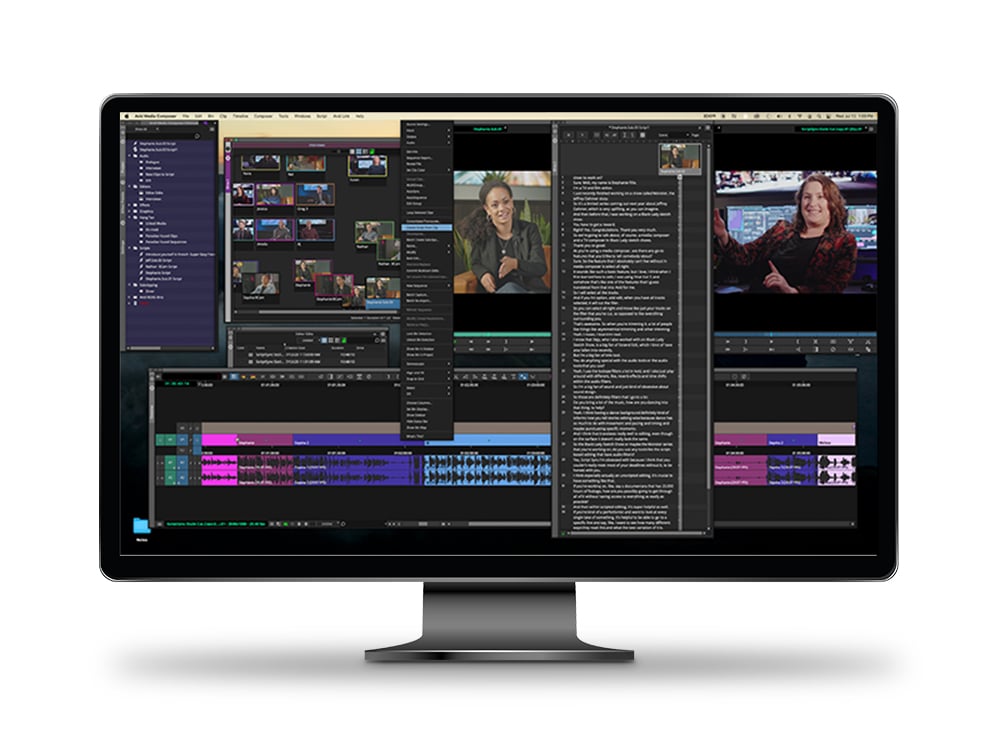
    Although I have not worked with it, yet (have got the licence), Avid Scriptsync might do what you are looking for:
    https://www.avid.com/products/media-composer-scriptsync-option

    On a wider note about speech to subtitles, I am not sure that A.I. is the right wording to use in the context of what is effectively “Machine Learning”?

    However, if you want to “reverse” the process. Where the SOT (Sound On Tape) is transcribed, then fixed for errors, and turned into a “new” voice that is inserted into the right places on the edit. And, spaced out to match lips. Then, you’ll get rid of the original speaker, but use A.I. to mimic their voice. Then you are looking at something very different, that might not be received well by the person with the actual voice.

    Only a week ago Epic games, with their new A.I. voice bots, walked into controversy on the subject of replacing the original voice actor with A.I. (Although some might argue that it will take a shovel and some amount of raising the ead from the Grave, to get Darth Vader’s original voice.

    https://www.bbc.co.uk/news/articles/cn844l3eznqo

    Just an opinion.

    Atb
    Mads

    PS: Love your AninagiN trailer, will watch the movie!

  • Mads Nybo jørgensen

    May 31, 2025 at 3:46 pm in reply to: Scam Alert

    Me think that you should do a image search on “someone’s daughter” and let her know privately that you are still owed the money.

    Would not be surprised if Daddy had claimed that he did it himself.

    Maybe blur out her face, and use the video on Instagram as an example…

    Just joking, but seriously, do not let that client slip away without ousting them on their professional social media – as not paying for goods is no different than fare-dodging on trains and shoplifting on the highstreet.

    Just an opinion.

    Atb
    Mads

  • Hey Mark,

    I hear you, and have to say that I am considering Mac. Not least that the Windows 11 Co-Pilot AI, NVidia AI and Adobe AI is currently having an almighty fight for my PC resources. That renders all three of those parts useless.

    And, that is me not even wanting to use AI, but is forced to be a bystander whilst those BIG TECH companies works hard to destroy my project (Adobe is the main perpetrator here, PPro). I’ve just done a call-out on LinkedIn for the politicians to enact a law where every software with AI should have a kill-switch installed for the user to be able to switch off the AI parts…

    Yes, I have not used AVID for many years, but on big projects and large scale editing, they are looking good for the money. But opted for MediaComposer Ultimatte on a 3-year software licence. Which is no where close to the days where the entry investment was up to $ 80,000 per workstation.
    They have new owners, who is there to make money = better product and competitive pricing.
    Check it out:
    https://www.avid.com/media-composer

    Avid, in combination with Davinci, I see no reason to stay with an Adobe that is spending all their marketing on Adobe Express, whilst not putting resources to keep PPro working solidly in a high-end post-production environment.
    In my last PPro project, I litterally had to delete all of the camera rushes inside the project, to make the project stable enough to pull a Master from it.

    In any case, over the years I’ve edited on so many systems, that it doesn’t matter what I work on. Yes, some has advantages that the others don’t, but those advantages are only good if the software is stable and working.

    Atb
    Mads

  • Hey Sibel,

    It sounds like you have done everything right, and taken great care to do so.

    Like you, I hate proxies if they can be avoided. But most of my work is on the master, rather than the off-line, so I rarely have that problem.

    Out of interest, have you tried to import the MKV file into Davinci Studio v19?

    I found this recent article, that may just give you the solution.
    https://beginnersapproach.com/davinci-resolve-mkv/

    Basic one, which I often used back in the day, is to check what happens if you rename the file format to MP4 or similar?
    Just a word of caution, as this may cause trouble later + at over 5 hours of recording, there is every chance that your timecode will slip.

    Atb
    Mads

  • Hey Mark,

    Problem with IA transcriptions, are just that. They keep getting better, but not perfect.
    Even spell checkers won’t know the difference in context between “hear” and “here”.

    I would suggest that you look around for a third party transcription that will allow you to copy and paste in to Premiere Pro.

    Or, if you have the luxury, get an assistant or colleague to do the changes manually.

    Maybe consider alternatives like AVID or Davinci?
    Just for a test to see if they do a better job of it.

    I am currently on what I hope will be my last ever job on Premiere – both Davinci Studio and AVID MC will initially be steep learning curves, but can’t be worse that what I currently experiencing. Where it kills the whole project because of issues with Windows 11 and NVidia.

    At least Adobe sometimes gives me a window to write messages to the engineers – words that can not be repeated here. But they might as well get rid of the other engineer, and just keep the one they left behind working, before they moved all of them to work on Adobe Express…

    Rant over – keep persevering, and you’ll get there.

    Atb
    Mads

Page 22 of 126

We use anonymous cookies to give you the best experience we can.
Our Privacy policy | GDPR Policy