Forum Replies Created

Page 11 of 126
  • Mads Nybo jørgensen

    December 14, 2025 at 12:50 am in reply to: JVC GY-HC500U Freezed up while filming live event

    Hey Anthony,

    What a nightmare, sorry to hear that you had to go through what is a total nightmare.
    Luckily, you only lost 4 minutes, but still 4 less minutes than you would have expected to have had.

    Initially, I thought that there might be a broken “fan” and the camera overheating.

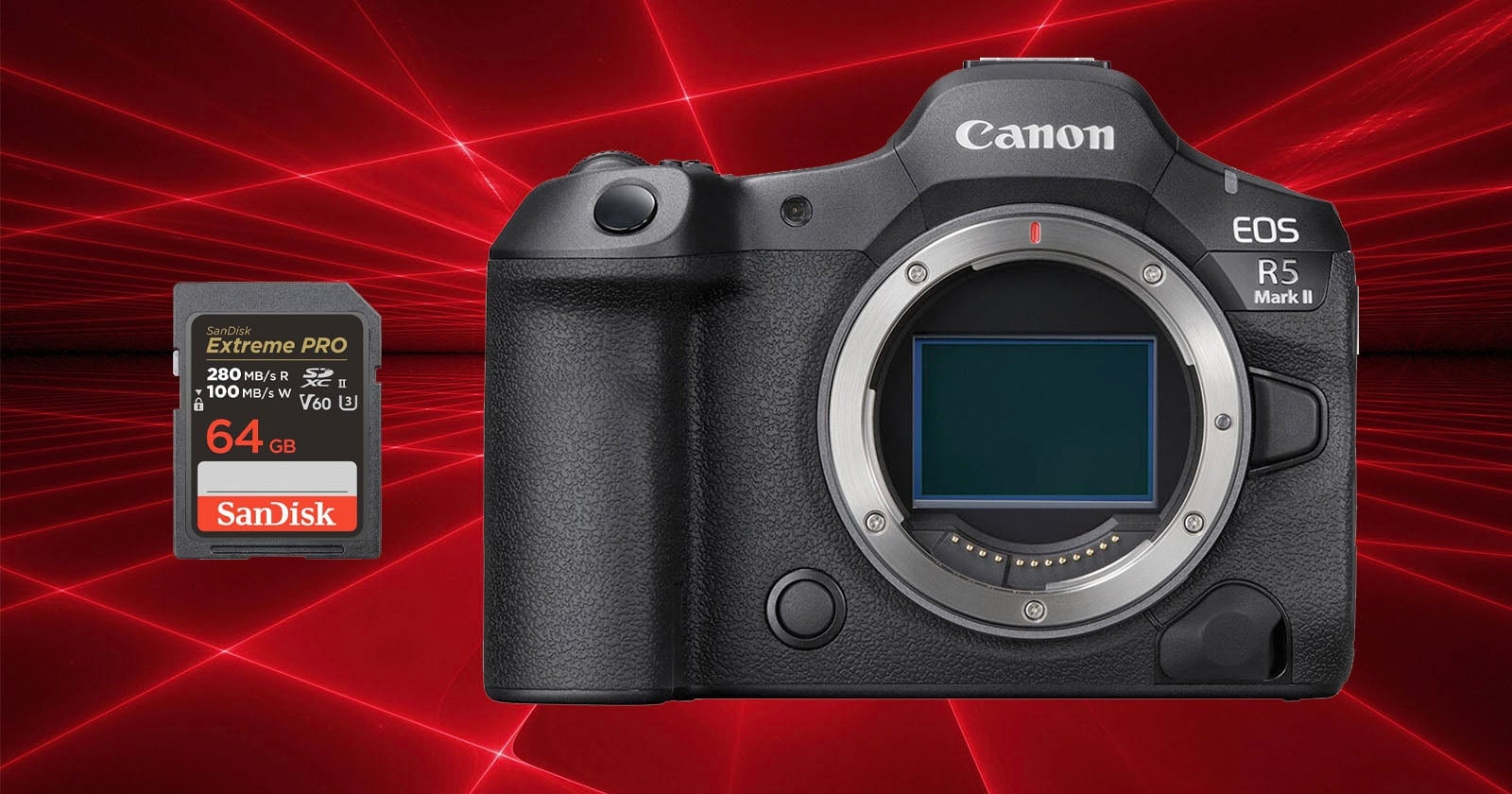
    Then you mentioned the SD, as you are SanDisk. [edited this line as I clearly speed read your post, sorry]

    You should read this article:
    https://petapixel.com/2025/01/09/sandisk-sd-cards-corrupt-when-paired-with-the-r5-mark-ii-canon-warns

    Just checked, and your camera is capable of recording to an external SSD drive. Don’t know if it can do both card and SSD simultaneously, but worth investigating.

    My preference would be a Samsung T9 external SSD, although there are other brands that can do a great job.

    Only issue with extrenal SSDs, is that the cables have a habit of easily falling out, or pulled out (I still have fond memories of using BNC cables, as they do not fall out 🤩).

    Hope this helps?

    Atb
    Mads

  • Mads Nybo jørgensen

    December 14, 2025 at 12:26 am in reply to: Exporting 8 Channel Stereo Audio for Broadcaster

    Hey Paul,

    FCP is the worst for managing a track output as it is built for using [random] magnetic magic tracks.

    Setting that aside, is it correct to understand from your post that you are exporting to a DV codec?

    If so, this is not what you would normally consider a Broadcast standard codec.
    Most broadcasters will have delivery standards either on their webpage and/or for the production to be given before delivery.
    Instead of DV, they normally have ProRes HQ or a higher format.
    There are other codecs such as AS-11 DPP file or DCP.
    But as you are on FCP, you are likely to be “forced” to use ProRes.

    To get the audio onto the right tracks, you are likely to have to use “Roles”. There is at Apple a basic explainer here:
    https://support.apple.com/en-gb/guide/final-cut-pro/verb71cb7e5/mac

    VLC is great for many things, except for checking your video file “export” structure.

    Best to re-import file back in to FCP to check if the audio are in the right tracks.

    Or better, import file in to an NLE where you can easily see the tracks in your timeline.

    Hope this helps?

    Atb
    Mads

  • Hey Mauro,

    If the feature is 24fps, and assuming that it is all camera rushes?

    If suddenly you get 50 and 100 Fps files, then you should go back to DIT and ask them to confirm the frame-rate on the original footage?

    If that is shot at 50 or 100 Fps, then ask Production/DOP for guidelines, as for the auto-conform (master), there has to be a trace back in order to make that a perfect high-resolution of your edit.

    Might also be worth checking with script or log-notes, to find out if it is done on purpose?

    But first up, you need to know what the frame-rate of the original footage is?

    Hope that this helps?

    Atb
    Mads

  • Mads Nybo jørgensen

    December 12, 2025 at 12:08 pm in reply to: Remove Tracking markers in a chroma key.

    Hey Jonathann,

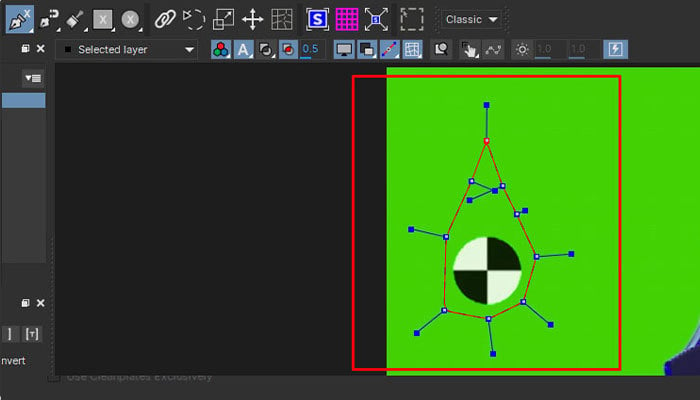
    Echo Devrim on using BorisFX Mocha.
    There are a lot of tutorials that might help you online.

    But my suggested starting point should be this BorisFX article, which gives you other options too, including Resolve Fusion and/or Blender:
    https://borisfx.com/blog/remove-tracking-markers-from-green-screen-4-methods/

    Hope this helps?

    atb
    Mads

  • Hey Matt,

    “Mimic” – you could either shoot the notifications with a green background, if possible?

    Or rotoscope (mask around them), and then composit on top of your insert picture on the screen.

    Do keep in mind that if you are looking for a general release of your short, to watch out if you are using Apple I/P / Design outside their guidelines.
    Where as you may be better of doing something that looks and sounds like, but isn’t a recording or exact copy of their notifications.

    Hope this answers your question?
    Atb
    Mads

  • Hey Mohamed,

    So writing first, then shooting, then editing, but not at the same time.

    As you are tight for money, and most likely to be 6-12 months before filming is complete, if started, I would go for either a Mac Mini, or even a refurbished form factor PC like this DELL:
    https://www.amazon.co.uk/OptiPlex-Desktop-Computer-Windows-Renewed/dp/B09XHQ7Y6F

    It is not perfect, but it is a 2022 model with an i7 processor and 16GB of Ram + you’ll have money left to buy an external SSD drive.

    Keep in mind that your ask is “off-line” on a small budget.
    I would rather that you spend money on back-up of project and source footage, and if your internet can handle it, a cloud storage solution like Google Drive, OneDrive, DropBox or what takes your fancy.

    You may even find that 6-12 months down the road that you have fixed your broken computer, or someone has spotted your brilliance and invested in a better setup for you.

    But sweating and procrastinating over it, will not get your movie made, right?

    I am sure that there is smarter people around here who will be able to share their experiences. Do listen out for those too.

    Atb
    Mads

  • Hey Mohamed,

    Fab that you are going to edit a feature film, tough times ahead, mixed with excitement, and happiness when you reach the other side of that experience.

    You are not going to get far with a $500 PC.

    Just stepping back, why are you using Premiere Pro for the job?

    Why not use the free version of Davinci or low-cost Vegas or similar, where you are not paying a monthly subscription fee? The money saved might help you finance a better PC or Mac to work on. And, PPro is just not stable enough to do a feature film on IMHO and from recent experience.

    Obviously you need something with enough power, memory and drive space that can run the software, without lag as you suggest.

    “Also, Heavy smooth browsing (+100 tabs) for researching my scripts and will be reliable for 3-4 years with no lag or freezing”

    Just forget about using your main editing system as a distraction for browsing and searching on the internet – even a 100+ tabs will eat your memory and slow down your project. Instead get a cheap tablet or Chrome book or old Mac Mini, but under NO circumstances run that kind of folly whilst offline editing a feature film on a minimum spec system – sorry for being blunt about it, but I too am one of those who will never think twice about running 1,000+ tabs in my web-browser. Do NOT do it whilst editing.

    The lag itself is mainly going to come down to the size of your files and the speed of your media drives – SSD is preferential for editing and HDD can be used for back-up.

    Off-line = proxy files, or down converted files for the purpose of working on a lower speed system and be able to store more.

    Before deciding what to do, run a test for what proxy file format works best for you, and if you can do an online from the data at the end of the project?

    Hope this helps get you started?

    Atb
    Mads

  • Mads Nybo jørgensen

    November 29, 2025 at 6:06 am in reply to: Bug – Premiere Exporting White

    Hey Steve,

    Great to hear that you found a fix, thank you for sharing.

    Atb
    Mads

  • Mads Nybo jørgensen

    November 26, 2025 at 7:41 am in reply to: Upgrading from Vegas 20 to Vegas 23

    Hey Zach,

    I’ve purchased the Vegas Pro latest upgrade.

    But from bitter recent experience in Adobe land on a feature film, do under NO circumstances this close to the finishing line, upgrade project to a new version. Unless you can roll back.

    I know that it is tempting, but in my case it was a combination of issues, and not least that Adobe, like the rest of the NLE software crowd, are desperate to include A.I. functionality. Which in some cases will mess with your computing power and attach useless files to your project, suce as A.I. search. I would expect same happening in Vegas.

    My situation had a number of unknown variables involved + Adobe conflicts with NVidia board, and NVidia and Microsoft battling it out. The main issue was that Adobe’s latest PPro version (in general) is never fully tested for long-form professional work, and their support are as useless as a chocolate teapot. There is a whole long list. But in general, same apply to most NLE software releases that are increasing their reliance on including new features and major steps like A.I.

    In any case, as I am sure that you are already doing, put all of your known good project and project files on an external frive, and have that locked away in in a cypboard. So you can always roll back to a good know point in time.

    Just an opinion.

    Atb
    Mads

    PS: Looking forward to seeing your finished project, please do come back and share.

  • Mads Nybo jørgensen

    November 26, 2025 at 7:26 am in reply to: Can’t Open Resolve on new Mac Mini

    Hey David,

    Mac Mini comes in many flavours.
    Please share the specs of your new box.

    Although, I don’t think that it is hardware related, but more likely a question of updating the OS and checking your security preferences to make sure that the Davinci and Blackmagic can “communicate”.

    There are tutorials on how to install both Davinci v19 and 20 on the same Mac, maybe choose one or the other and make that work first – unless you’ve already tried that?
    https://youtu.be/NdB0gw6Cjf0?si=wouTWgb9DQuHX5Fz

    Hope this helps?

    Atb
    Mads

    Some contents or functionalities here are not available due to your cookie preferences!

    This happens because the functionality/content marked as “Google Youtube” uses cookies that you choosed to keep disabled. In order to view this content or use this functionality, please enable cookies: click here to open your cookie preferences.

Page 11 of 126

We use anonymous cookies to give you the best experience we can.
Our Privacy policy | GDPR Policy