

Activity › Forums › Adobe Premiere Pro › Remove Tracking markers in a chroma key.
-
Remove Tracking markers in a chroma key.
Posted by Jonathann Launer on December 11, 2025 at 8:07 pmHey guys!!!!
Is there any way to lose the tracking markers when doing a chroma key in Premiere?
Mads Nybo jørgensen replied 9 months, 1 week ago 3 Members · 2 Replies -
2 Replies
-

Devrim Akteke
December 12, 2025 at 10:32 amHi,
I wish there were an easy way to remove those markers. If they are in a different shade of a green than the green box, it could be removed with keying. However, the most effective way is to track and remove afterwards. If you can use Mocha, it is very effective.
-

Mads Nybo jørgensen
December 12, 2025 at 12:08 pmHey Jonathann,
Echo Devrim on using BorisFX Mocha.
There are a lot of tutorials that might help you online.But my suggested starting point should be this BorisFX article, which gives you other options too, including Resolve Fusion and/or Blender:
https://borisfx.com/blog/remove-tracking-markers-from-green-screen-4-methods/Hope this helps?
atb
Mads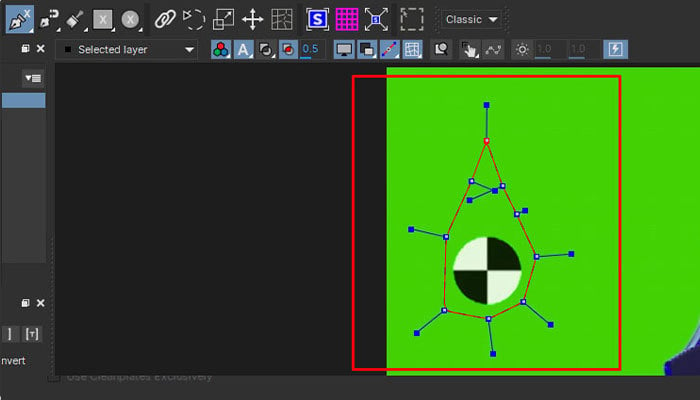
borisfx.com
Remove Tracking Markers from Green Screen: 4 Methods
Do you want to remove tracking markers from your green screen footage? Our tutorial will explain multiple methods using After Effects, DaVinci Resolve, Blender, and Mocha Pro.
Reply to this Discussion! Login or Sign Up