Forum Replies Created

Page 2 of 46
  • Jim Scott

    September 20, 2021 at 2:44 pm in reply to: how can I extrude a square face from a rectangular plane?

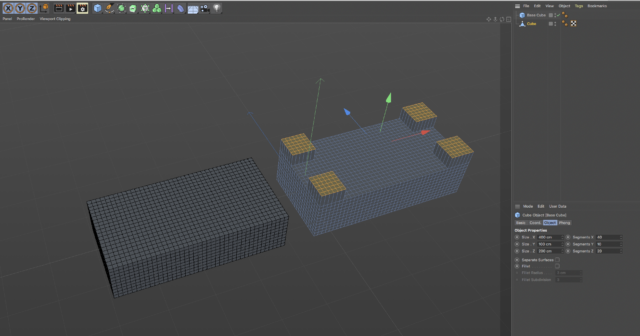
    Set up the dimensions and segments of the base cube so that its polygons will be squares when it’s made editable and you’ll be able to select a square of polygons to extrude. In your case, the Y segments aren’t important, but for my example I made them all proportional.

  • Jim Scott

    September 20, 2021 at 2:01 pm in reply to: Coordinates dialogue and object coordinates still don't jive

    I just hit the camera icon at the bottom of the reply window and dragged the screenshot into the resulting box. I think because it was a small screenshot it didn’t get cut off like larger ones will. The COW’s upload and display process has changed over the years and is sometimes less than optimal.

  • Jim Scott

    September 20, 2021 at 2:09 am in reply to: Coordinates dialogue and object coordinates still don't jive

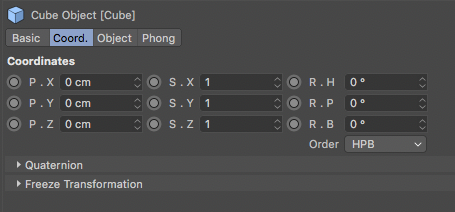
    The “why?” is because they want to mess with your head. I’m guessing that is a change in R24, because I don’t remember seeing a prior version (at least through R22) that had the Objects dialogue box in that order. Unless I’m losing my mind it’s always been PSR as pictured below. And I don’t know of any preference setting to change it.

  • Jim Scott

    September 19, 2021 at 8:31 pm in reply to: Tracer rendering sometimes, and sometimes not.

    Other than simple stuff, I’m basically ignorant concerning TP and your projects are definitely over my head. Good luck.

  • Jim Scott

    September 19, 2021 at 3:52 pm in reply to: Tracer rendering sometimes, and sometimes not.

    Hi Steve,

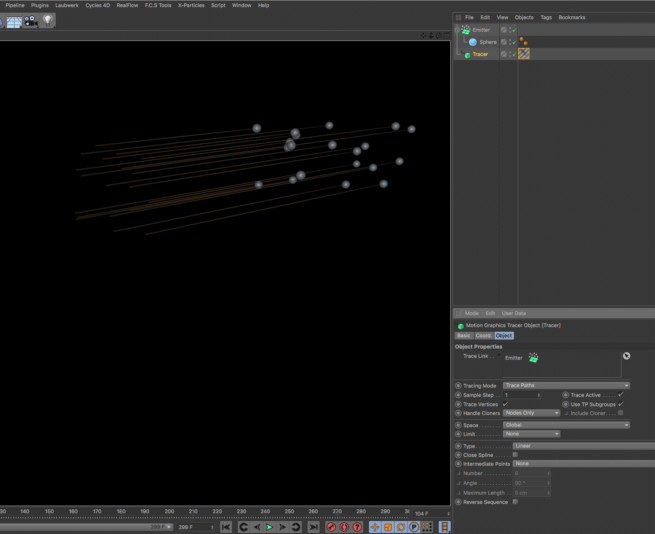
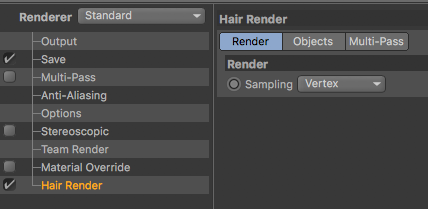
    I can’t recreate your issue, at least with older versions of C4D (R19-R22) and simple setups using the Standard or Physical renderers. When I create a hair material, “Hair Render” is automatically added and enabled in the Render Settings, and the tracer renders fine both in the Viewport and Picture Viewer. Are you using another renderer? If not, could you upload a simple example where you experience this so I can try it on my system?

  • Jim Scott

    September 19, 2021 at 1:39 pm in reply to: Quick question regarding camera along spline

    Great tips Steve.

  • Any response would be nice.

  • Hi Steve, welcome back.

    Unfortunately I don’t have any solutions for you, but didn’t want you to feel ignored. I’m on a Mac on R22 but experience the same annoying scroll wheel behavior that you do, so I pretty much avoid using it at all in C4D. As for the interface colors, I’ve tried a few times to look for particular ones but found the process painful and ultimately unproductive for the most part. It would definitely be nice if Maxon provided a way (perhaps a master list) to find the right one without so much trial and error. And again with that I’ve pretty much given up on adjusting any but the most basic ones (default object color, i.e.). Anyway, I hope you have better luck.

  • Hi Hilary,

    As I look at your images again the fact that the cube’s polygons are in blue tells me that you were in polygon mode (or edge or point mode) when you grabbed the screenshot. When you select model mode with the cube selected in the object manager you should get the orange outline. If that’s not happening when you have outlines enabled in the preferences I am at a loss to explain why. I don’t know of any other settings that would affect this but I will keep looking.

  • Did you try the other options in that section of the preferences… Bounding Box and Wireframe… and if so, do any of them appear? I hate to ask, but I want to make sure we’re not overlooking anything — do you have the cube selected in the object manager?

Page 2 of 46

We use anonymous cookies to give you the best experience we can.
Our Privacy policy | GDPR Policy