Wow – I’ve figured out what’s happening, but it’s an odd one.
The anchor points are being aligned and distributed. But the distribution does not take into account different layer widths.
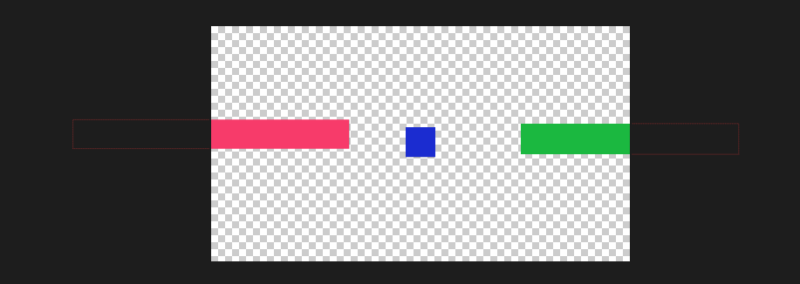
I don’t know if these examples will help explain, but in the checkerboard pic, I arranged the red solid to be positioned at 0 pixels on the X axis. 1920 for the green. And then used distribute to place the blue.
The blue square appears closer to the red, but it’s position is 960.
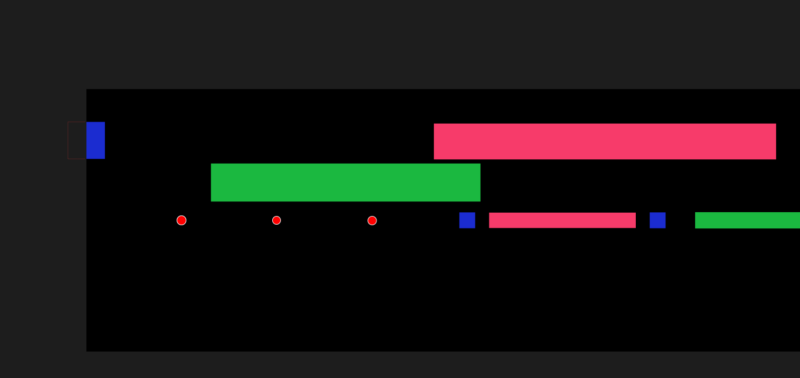
On the black background I added shape layer circles in the same positions as each solid’s anchor point, then placed a black solid underneath. They are evenly distributed.
The only way I can figure a non-manual solution is to use an expression. I’ve just put this together:
var distance = 20;
var solidBelow = thisLayer.index+1;
var Y = value[1];
var layerBSize = thisComp.layer(solidBelow).width*thisComp.layer(solidBelow).scale[0]/100;
var LayerSize = thisLayer.scale[0]/100*thisLayer.width;
var X = thisComp.layer(solidBelow).position[0]+layerBSize/2+distance+LayerSize/2;
[X,Y]
Distance is the gap between this solid and the previous one.
You should be able to paste this onto each solid’s position and they will respond accordingly. You could also create a null with sliders and control each colour’s gap through that.