Creative Communities of the World Forums

The peer to peer support community for media production professionals.

Activity Forums Adobe After Effects GIF Animation extremely compressed (how?)

  • GIF Animation extremely compressed (how?)

    Posted by Felix Rauhut on April 1, 2025 at 1:34 pm

    Hello,

    I have created an 18-second animation for my company in After-Effects (consisting only of texts and shapes), which I should convert into a gif, which may only be max. 300 kb. Here I am reaching my technical limits, because the quality should be maintained in form and color (especially the color scheme must be correct because of the corporate design)

    I have tried the following so far:

    After-Effects Export Settings

    Animation as MP4

    Animation in low bitrate (0.19)

    FPS screwed down to 10, wanted to set 8, but 10 seems to be the limit

    Photoshop Export Settings

    Mp4 loaded, via web legacy export “GIF 128 no dithering”, colors set to “128” and “selective” no dither… but I don’t know much about that either.

    Finally, I threw the finished gif into an online compressor. But so far I’ve only gotten 519kb out of it…

    Perhaps an experienced “gif master” can help me here and perhaps explain to me why gifs have to be created in too small a size nowadays, when images are embedded on websites in several megabytes.

    Thank you and best regards,

    Felix

    Translated with DeepL.com (free version)

    Felix Rauhut replied 1 year, 4 months ago 3 Members · 3 Replies
  • 3 Replies
  • Vasyl Iskovych

    April 1, 2025 at 1:52 pm

    Hello.

    Please send me a video or a project from which you want to get an animation.

    I will try to do it.

  • Graham Quince

    April 4, 2025 at 9:31 am

    I looked into all the options for making GIFs a while back and was quite disappointed with Photoshop. I think the best way is to make a MP4 then upload it as a private video to Giphy and then save a local copy.

    https://www.youtube.com/watch?v=Hisfh4Me5AA

    Some contents or functionalities here are not available due to your cookie preferences!

    This happens because the functionality/content marked as “Google Youtube” uses cookies that you choosed to keep disabled. In order to view this content or use this functionality, please enable cookies: click here to open your cookie preferences.

  • Felix Rauhut

    April 4, 2025 at 11:02 am

    Thanks for your quick replys. Highly appreciate it 🙂

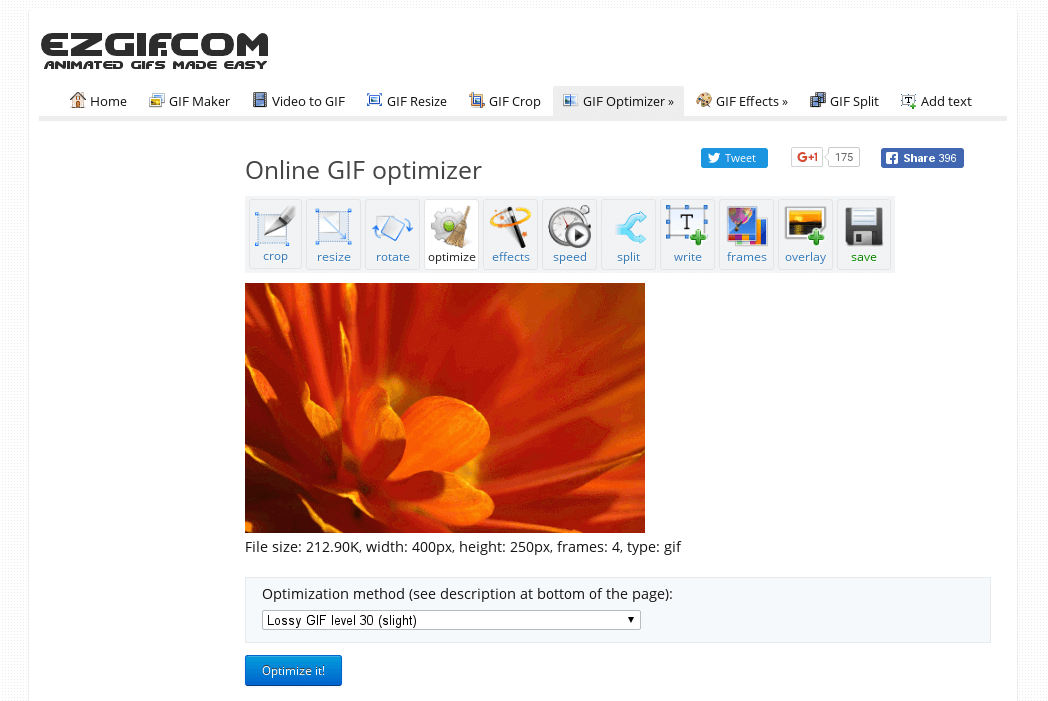
    Maybe I will come back here and get in touch with you, but for now, I solved the problem using this site: https://ezgif.com/optimize

    Here I get the option to remove frames, change the timing and compress the hell out of it. I had to try and error a lot but in the end I got it under 300kb.

    Cheers,
    Felix

We use anonymous cookies to give you the best experience we can.
Our Privacy policy | GDPR Policy