Andrew Mehta
 8
COW Coins
8
COW Coins
Forum Replies Created
-

-
What part of the old process didn’t work for you? What MacOS version are you running? Do you have any Pro Apple Software installed, in addition to Media 100 and Adobe software?
-
Andrew Mehta
November 3, 2020 at 12:07 am in reply to: How to Open or View Old Media 100 Media FilesI have some M1QV files playing back okay on my 2014 Macbook Pro, so there is some hope. Still most of my Media files are typically named NT1-V90 or something…

-
Andrew Mehta
November 2, 2020 at 11:24 pm in reply to: How to Open or View Old Media 100 Media FilesSomething else I’d recommend for Mojave – put the media on an external HFS+ formated disk when using Media 100. Sometimes Apple’s new Apple File System [APFS] doesn’t play as nicely as the traditional HFS+ hard drives for storing Media 100’s media. APFS is good enough for checking if a file opens in Quicktime Player 7 Pro, and for converting it with Apple Compressor or Edit Ready or indeed converting it with Quicktime Player 7 Pro, however, for Media 100 use, I found sometimes it played the footage okay, sometimes I just got a black screen, because it had forgot the media location – so I’d have to set the media location again…and just using a HFS+ drive for my media solved that issue so it was never a problem again, =). I’m typing off the top of my head. My actual problem was shown in this youtube video: https://www.youtube.com/watch?v=gDlu4DLTb1M
Some contents or functionalities here are not available due to your cookie preferences!This happens because the functionality/content marked as “Google Youtube” uses cookies that you choosed to keep disabled. In order to view this content or use this functionality, please enable cookies: click here to open your cookie preferences.
-
Andrew Mehta
November 2, 2020 at 11:17 pm in reply to: How to Open or View Old Media 100 Media FilesForked data is related to Mac OS9 – it never had file extensions, so there was an extra data resource with info about the file, and then the file itself. Often when people copied the files, the resource bit wasn’t copied, and they ended up with files that the operating system didn’t know how to handle, because of the missing info on what file type it was, etc. If your footage was done on Mac OSX, chances are, you’re not suffering any datafork issues.
Can you open Media 100? If so, try starting a new blank project, and then importing the files in.
Alternatively, download Quicktime Player 7 from Apple’s website here:
https://support.apple.com/kb/dl923
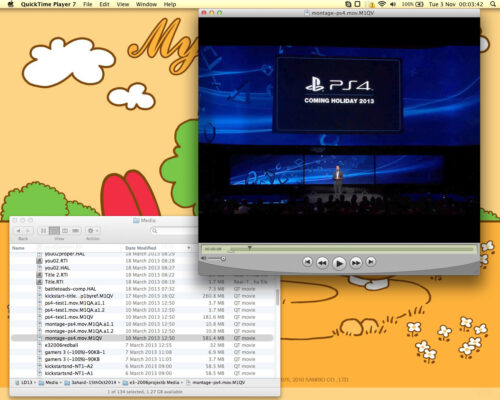
…it will install to the Utilities folder, within your Application folder. It can play old Media 100 files, as long as the codecs have been installed on your system.
The codecs are automatically installed on your system when you install Media 100.
Alternatively, they can also be downloaded here:
http://www.media100suite.com/files/media100-codecs-intel.zip
You can also upgrade it to Quicktime Player 7 Pro using the following registration info:
Registered to: Apple Retail
Registration Code: 6YX4-ZJTG-UZET-AYFT-ENUF
Once upgraded, you can use it to convert to other codecs on your system.
-
Andrew Mehta
November 2, 2020 at 11:04 pm in reply to: Bought an old iBook and downloaded Media 100 2.6.2, need an activation key…Did you manage to get the old files opened? =). What operating system version number is the iBook running? Today’s free Media 100 Suite 2.1.8b works on OSX Snow Leopard 10.6.6 (there’s a bug with NTSC Media100i 601 codec footage on 10.6.8 that is fixed in OSX 10.8 Mountain Lion) through to MacOS Mojave 10.14.
Media 100 Suite marks a reboot of the version numbering. So Media 100 version 2 is very different to Media 100 Suite 2. You can get an idea of the version numbering here: https://www.media100.com/pages/media-100-release-history
It went from 1 to 13, and then Suite 1 to Suite 2. The current version is Suite 2.1.8b. It can be downloaded for free here: https://www.media100.com/pages/download-media-100-suite-for-free
If you are running an operating system earlier than Apple’s OSX 10.6.6 then you will likely need an earlier version of Media 100 software.
Rich is the person who maintains http://www.media100.com so you’ve likely already contacted the best person to provide you with any activation keys for earlier software, and I suspect he’s probably already told you about the latest version I’ve mentioned here too. ^_^.
You can also download Apple’s ProRes codecs and use them with Media 100. That will then allow you to convert the footage into a modern format for use on MacOS Catalina or Big Sur, in other video editing apps, etc. Media 100 Suite 2.1.8b supports all sorts of codecs from Apple ProRes, to the classic Media 100i codec, or even Media 100 HD Uncompressed. That said, Media 100 is best for opening your old editing programs… for actual conversion of footage, you may wish to export a quicktime file from Media 100, and then convert that quicktime file in something like Quicktime Player 7 Pro, Apple Compressor, or Edit Ready, or some other encoding software.
Where are you up to so far in the process?
All done now? Or still needing any help?
-
Three bits of feedback.
1) What’s the best way to provide feedback? Creative Community Conversations forum? Letters to the COW Team forum? Ron’s LinkedIn?
2) Will you have a way for old links to redirect to new links? For example – this legacy link: https://forums.creativecow.net/readpost/4/867607 …appears to be post number 867607 within forum 4. Is there a way to translate a post number like that to its new SEO url? In this case the new URL is: https://creativecow.net/forums/thread/ultrastudio-for-thunderbolt/#post-423732
3) Will there be some way to either limit a search to just one forum, or to filter the search results, to just show results from a particular forum?
Many thanks! Keep up the good work, =D.
-
Super happy to hear you resolved it, =),
and all it took in the end was opening and closing projects, =D.Thanks for your kind words.
I was just drawing on Jaeson and Floh there really.And thanks for returning to share the solution, =D.
You’re adding to our community’s collective knowledge, =D. -
Hello Larry.
Did you solve this yet?
I shared the question on the Facebook Group and Jaeson Koszarsky chipped in with the following:
Media100 stores some information in the Library/Application Support/Media 100 folder on the system drive. Try restoring effects info from a time machine backup.
Searching this forum, I also see back in 2015, Floh wrote:
You should find it in YourHomeFolder->Library->Preferences->Media 100 Suite Preferences->Media 100 ColorFX Sets. This is a single file containing all your saved ColorFX presets.
The full context of that thread is here: https://forums.creativecow.net/thread/4/867875#867876I’m running an older MacOS (10.9.5) so it may be somewhere else on your system, yet this is where I found mine:

Obviously if you’ve lost your presets, it may not be there, =S. But if you have a backup of the file from a hard drive back up, putting your former preset file in that folder, may bring your former presets back.The Library folder can sometimes be hidden on modern MacOS, so you may need to toggle showing the library folder.
-
Great to hear it got sorted! =).