Forum Replies Created

Page 7 of 13
  • Bret Hampton

    October 5, 2020 at 10:54 pm in reply to: Batch-sync multiple clips to an audio track

    This can all be done in Premiere w/o plugins.

    In your media, select video clip and ALL audio clips, right click then Create Multicam source sequence.

    The audio clips will find and align with the master audio track.

    However if the speeds are different that will interfere.

    Do NOT use Merge Clips. Multicam is the accepted way to go

  • I suggest you still get AJA or Blackmagic because you can have separate monitor using your GPU properly to display video, esp for broadcast, streaming etc.

    I just tested my AJA Kona LHi (not current model but should still work) and was easily able to make a 9/16 video on it. Not sure why you think that won’t work but it does for me.

    Also get the best GPU available you can afford and you’re good to go!

  • First thing is copy the entire card not just the one file to a drive so you have backup. don’t change or rename anything.

    Then get SD card recovery software like Rescue Pro Deluxe. Often SD cards come with such software.

    Sometimes the card hasn’t finished writing header information telling the card what kind of file is on it. This can happen if the camera gets jostled too hard, battery dies, anything that might prevent writing to card.

  • Bret Hampton

    October 2, 2020 at 7:51 pm in reply to: Conversion 1440x1080i 25fps to 1920x1080p 24fs

    Joseph

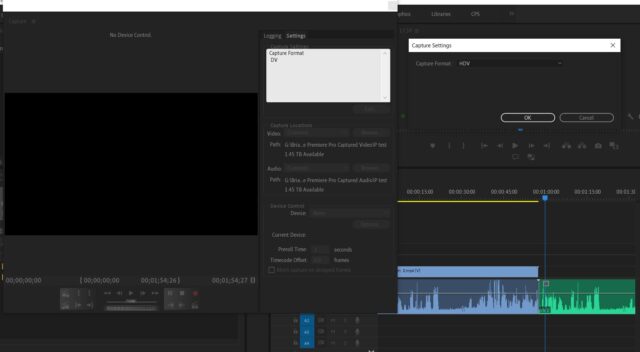
    1440×1080 IS HD. It’s what’s called ‘thin raster’ vs ‘full raster’ 1920×1080. Just capture HDV and drop into regular 1080 timeline. It will “unsqueze” to fill the frame. This was the way HDV and I think DVCPro made HD work many years ago because those cameras sensors and recorders couldn’t do 1920.

    Are these MiniDV or HDV tapes? I don’t think it’s possible to record 1080 on MiniDV so try and keep your terminology consistent so we can help.

    I would keep everything 25fps until final output. 25 is 4% faster than 24 or 29.97. Just create 25fps sequence, do all your cuts, then export 23.98. 24 is normally just for theatrical projection as almost all tv displays 23.98.

    Do some tests to verify this works, plus since these tapes are most likely interlaced you need to know your conversion to progressive doesn’t introduce artifacts.
    Converting to ProRes is the way to go. I don’t think scene detection info carries across if you do it first though.

  • Bret Hampton

    September 30, 2020 at 8:40 pm in reply to: Mac Collected Project Issues on Windows

    Sometimes Mac filenames don’t place nice with Windows. Mac users are often used to making up filenames with symbols Windows can’t read.

    The way many people deal with this is always use this naming convention on either OS. This insures both can open/save files

    Program_Date_Job_Part_1

    Very simple, never leave blank spaces. Always separate words with underscore. Numbers only, no symbols.

    Try duplicating a questionable file, then renaming it as above to test.

  • Bret Hampton

    September 24, 2020 at 5:41 pm in reply to: Preparing 5.1 sound for DCP

    Talk to the people making your DCP. My understanding is they can take 23.98 and it will encode as 24 because DCP projection is 24 to ensure compatibility worldwide.

    The speed difference between the 2 is 00.01 %, it’s not even 00.1%. I doubt most mortals can hear that small of a pitch change, so nothing to worry about.

  • Bret Hampton

    September 17, 2020 at 12:37 am in reply to: AVI files not playing well

    Hi

    We need a lot more details. Exactly what camera, GoPro, Sunpak? Which model. Which Premiere version (don’t say latest, that just came out yesterday) Exact version like 14.0.3 or whatever.

    What do you mean you ‘brought them into Media Encoder”? Did you encode in some other format to get them to play? Which format?

    Sorry about all the questions but difficult to answer without them.

    Generally AVI is hardly used anymore in my experience. I’d expect it to record Cineform, H264, something newer. Most edit programs like video that easily plays back, like ProRes, Avid DnX, Cineform. H264 not so much, same with AVI. Your best bet is convert them all to the first two I mentioned. Files will be bigger but without your issues.

    You can try Facebook group Adobe Premiere Pro Editors on Facebook as these issues come up all the time there.

  • Bret Hampton

    September 14, 2020 at 9:13 pm in reply to: Broadcast Export Problem on Premiere Pro (mac)

    Hi Jordan

    Yes, this is a DF issue. However it’s not wrong. The way drop frame works is it drops counting of 2 frames every minute except every 6 min. So with a 2 min video the length will always be 2:00:02, never 2:00:00.

    The count will be 1:59:58, 1:59:59, 2:00:02. That’s exactly two minutes and this has been true ever since the 50s when drop frame was invented. Has nothing to do with source material, only the final output to XDCAM 29.97. If you use non-dropframe it would read 2:00:00 exactly.

    If your sequence is set to dropframe you can scroll frame by frame and you’ll see it happening like that

  • Bret Hampton

    September 14, 2020 at 8:06 pm in reply to: H.264 codec question

    Hi Alex
    The reason for editing with ProRes (not called ProRed) or Avid DnX is to make your editing experience smoother, with less issues.

    H264 uses whats called long GOP (Group of Pictures) to encode such small files. That’s great, but it makes your computer work much harder playing back because it has to decode this.

    Injesting to Premiere (via Media Browser, don’t copy/paste; use Media Browser to keep Metadata and long video files properly connected) and making ProRes doesn’t change the quality nor is it uncompressed. Nearly all codecs compress, hence the name-Codec means Compressor/Decompressor.

    It’s not digital zooming or changing the pixel size or aspect ratio, it’s converting to a friendlier editing format. Both these codecs are broadcast and feature film professionals format of choice for many years not.

    This will make your editing a breeze.

    You can also consult the Facebook Group Adobe Premiere Pro Editors on Facebook. These guys are mostly pros like me. They can answer almost any question. Between Creative Cow and them, you can get the info you need.

    https://www.facebook.com/groups/adobepremierepro

    Good luck!

  • Martin
    Thank you very much. I knew I had to have two layers but didn’t know how to mask.

Page 7 of 13

We use anonymous cookies to give you the best experience we can.
Our Privacy policy | GDPR Policy