Creative Communities of the World Forums

The peer to peer support community for media production professionals.

Activity Forums Adobe Premiere Pro Conversion 1440x1080i 25fps to 1920x1080p 24fs

  • Conversion 1440x1080i 25fps to 1920x1080p 24fs

    Posted by Joseph Freeman iii on October 2, 2020 at 7:14 pm

    What would be the “Best Practices” workflow for a project to be re-edited from material captured at 1440x1080i @25 fps (MiniDV tape) and the final delivered as ProRes422HQ 1920x1080p 24fps?
    NOTE: External Audio was recorded to Camera Audio.

    This is the workflow I believe would provide the most flexibility and quality.

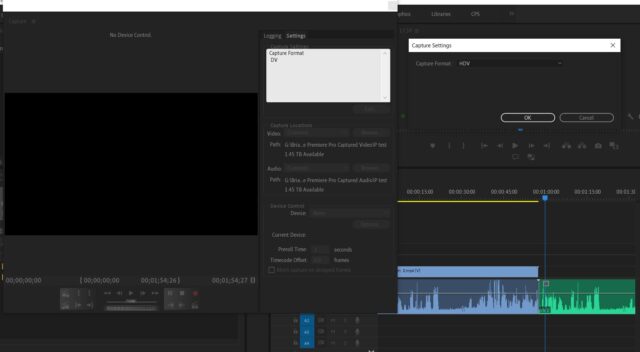
    – Capture HDV in Premiere Pro (cc2020) to TimeLine# (corresponds to Tape #)
    – Resize captured clip to 1920×1080
    – Perform Auto Scene Detection Cut
    – Export Media at ProRes 422HQ @24fps , Audio (Match audio settings), progressive
    (One Master ProRes MOV file per corresponding Tape)
    – Use ProRes422 files as original media and edit to create the new project.

    Is this the optimum workflow? Any “Gotchas” I’m overlooking?

    Any suggestions would be greatly appreciated.

    Joseph Freeman

    Bret Hampton replied 5 years, 7 months ago 2 Members · 1 Reply
  • 1 Reply
  • Bret Hampton

    October 2, 2020 at 7:51 pm

    Joseph

    1440×1080 IS HD. It’s what’s called ‘thin raster’ vs ‘full raster’ 1920×1080. Just capture HDV and drop into regular 1080 timeline. It will “unsqueze” to fill the frame. This was the way HDV and I think DVCPro made HD work many years ago because those cameras sensors and recorders couldn’t do 1920.

    Are these MiniDV or HDV tapes? I don’t think it’s possible to record 1080 on MiniDV so try and keep your terminology consistent so we can help.

    I would keep everything 25fps until final output. 25 is 4% faster than 24 or 29.97. Just create 25fps sequence, do all your cuts, then export 23.98. 24 is normally just for theatrical projection as almost all tv displays 23.98.

    Do some tests to verify this works, plus since these tapes are most likely interlaced you need to know your conversion to progressive doesn’t introduce artifacts.
    Converting to ProRes is the way to go. I don’t think scene detection info carries across if you do it first though.

We use anonymous cookies to give you the best experience we can.
Our Privacy policy | GDPR Policy