Forum Replies Created

Page 48 of 49
  • Ok, I will check it

    thanks

  • Kouraib Abdmalek

    July 11, 2023 at 10:17 am in reply to: About viewport frame rate limit.

    Hi Hoa Neo,

    please when you open the program go to project setting and change the fbs to 25 then go to render setting and change the frame rate to 25 as in the screenshots below.

    hope this helps

    thanks

  • Hi Andy,

    Can you post your file here or send it via email to let me check? please attach the textures too.

    alasma3i10@gmail.com

    thanks

  • Kouraib Abdmalek

    July 10, 2023 at 7:01 pm in reply to: Unroll and wrap an object at the same time.

    Hi john,

    It’s good that you saved the day with your client, I will execute the solution and send you the result soon

    Thanks

  • Hi Andy,

    I think the problem is in the height values. Click on Displacement, then lower the height value. If you are using a material for one of the rendering engines, then also click on Displacement and change the min level and max level values to be close to each other so that the displacement level decreases.

    I hope this is useful to you

    Thanks

  • Kouraib Abdmalek

    July 9, 2023 at 10:16 pm in reply to: several plugins missing

    You did well Georgios, the solution is exactly as you mentioned. I just wanted to point out that the Magic bullet plugin was included by Maxon in R23 and later, so it is better to open the file with an old version and delete this effect from the render setting because it is not activated in the old versions, and do not do that in R25 because it may need this effect in the future

    Thanks

  • Kouraib Abdmalek

    July 9, 2023 at 7:11 pm in reply to: Export Render Queue in Cinema 4D?

    Hi Brad,

    This depends on the rendering farm that you are going to, for example, I contacted for you the GarageFrame support team, and they directed me to the documents page to verify this myself, but I prefer that you save the rendering queue before you send the file to the render farm

    Hope this helps

    Thanks

  • Kouraib Abdmalek

    July 8, 2023 at 1:25 pm in reply to: Unroll and wrap an object at the same time.

    Hi John,

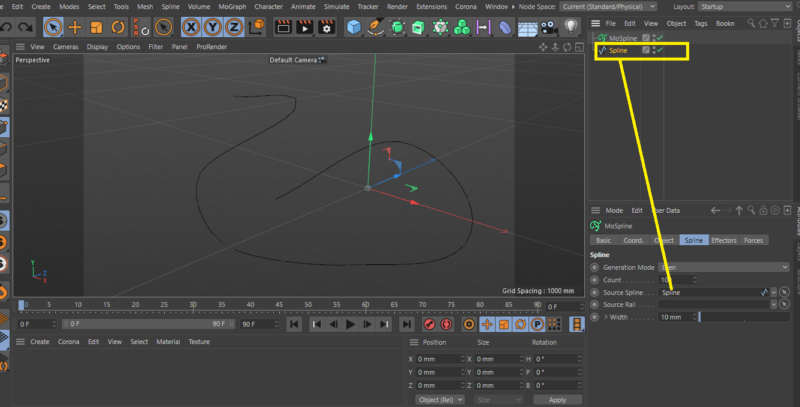
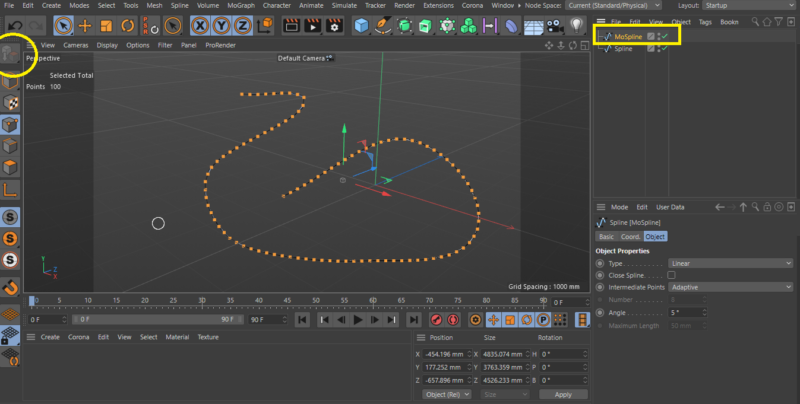
    I have looked at the file closely, so we cannot open the tape and wrap it at the same time around the pipe while maintaining the same motion path of the tape backwards as in the attached file, because the path of the tape when it is wrapped around the pipe at some point when it approaches an angle of 180 degrees this path intersects with the line that connects the head of the tape with the source of the tape as in the attached screenshot below, so we have two options either to make the tape rotate around the pipe or to make the tube rotate so that it seems to wrap the tape around itself, please tell me which of the two options is most suitable for you and I will be happy To help you get it done right

    Thanks

  • Kouraib Abdmalek

    July 7, 2023 at 10:11 am in reply to: xRefs and motion clips

    Hi David,

    The use of the x-refs in animation projects on cinema 4d for some they seem to work OK but for many they cause all kinds of quirks, xrefs are a good solution for smaller files and when you will work together with other 3d artists, But when you used in large projects, especially when it comes to moving rigged characters there’s just a lot of little inconsistencies
    that often crop up when you least want them to, and are rather unpredictable,
    I don’t have a specific solution to your problem, but I will give you some advice that may be a reason to overcome what happened to you:

    – set the file path to absolute instead of the default relative, also you can tried putting the xref file directly into the folder where your scene file is, maybe that could work.

    when you used XRefs for character rigs and for chunks of set during development, don’t nest them, nor make huge XRefs and save Xref’d copy of the scene now and then as insurance.

    Hope that helps

  • Kouraib Abdmalek

    July 7, 2023 at 7:35 am in reply to: Unroll and wrap an object at the same time.

    Hi John Cuevas,

    Hello, I have downloaded the file, I will check it and get back to you soon.

    Thanks

Page 48 of 49

We use anonymous cookies to give you the best experience we can.
Our Privacy policy | GDPR Policy