

Activity › Forums › Maxon Cinema 4D › all points same distance [SPLINELINE]
-
all points same distance [SPLINELINE]
Posted by Mauricio Barrientos on August 5, 2023 at 3:49 pmhi hellow, good morning:
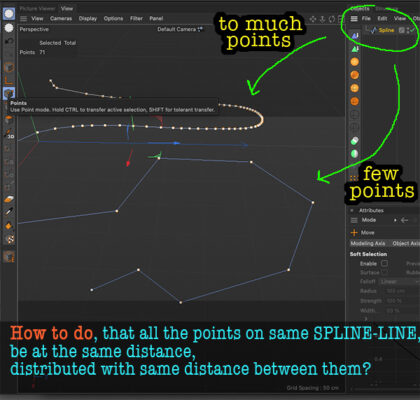
How to do, that all the points on same SPLINE-LINE, be at the same distance, distributed with same distance between them?
.
 Kouraib Abdmalekreplied 2 years, 3 months ago 4 Members · 9 Replies
-
9 Replies
-

George Charoupas
August 5, 2023 at 10:26 pmHello Mauriocio,
I am not aware of an internal Cinema 4D function that can do that.
The only way I can think of is by using a python script.
What you can do is:
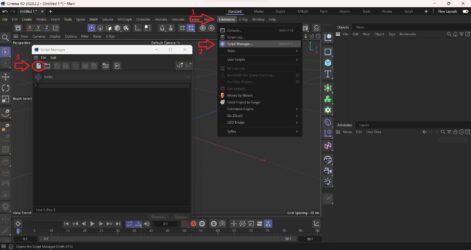
1) In the menu select the “Extensions”
2) Then select “Script Manager”
3) Press the “New Script Button”
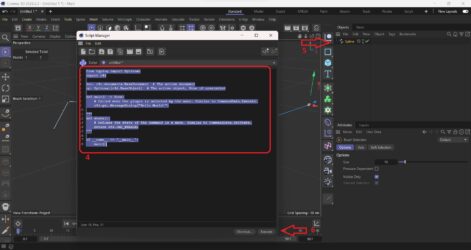
4) Select all the text and replace with the text thats inside the fix spline.txt (check my attachments)
5) Select your spline that needs to get “fixed”
6) Press execute.
A new spline will be created that will have all its points equally spaced BUT:
a) If there are not many points, they final spline might be different!!
b) There is a chance that the new spline will be “Linear” type. Change it to whatever you like.
c) This script works in my Cinema 4D version 2023. If you have an older version, the python SDK might be different and therefore it might not work.
Please let me know if this worked for you.
-

Mauricio Barrientos
August 6, 2023 at 1:24 amwow … i apreciate so much really .. i apreciate your help.
but i am using an old cinema 4D R 19
but i will try maybe on trial version .
thanks and thanks again
bless
-

Kouraib Abdmalek
August 6, 2023 at 8:57 amHi Mauricio,
to make the spline points the same distance just
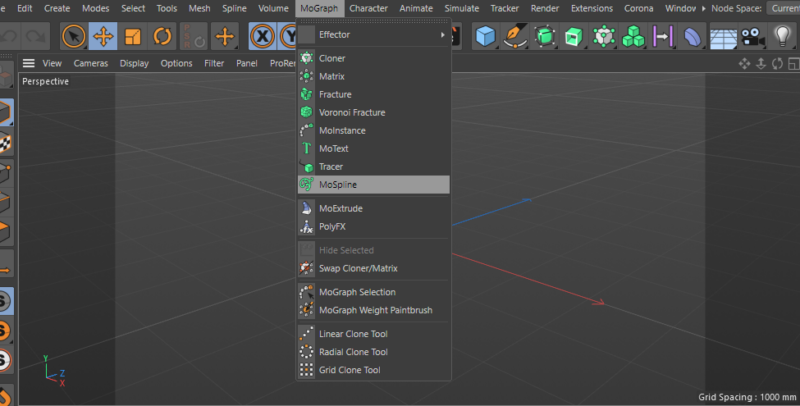
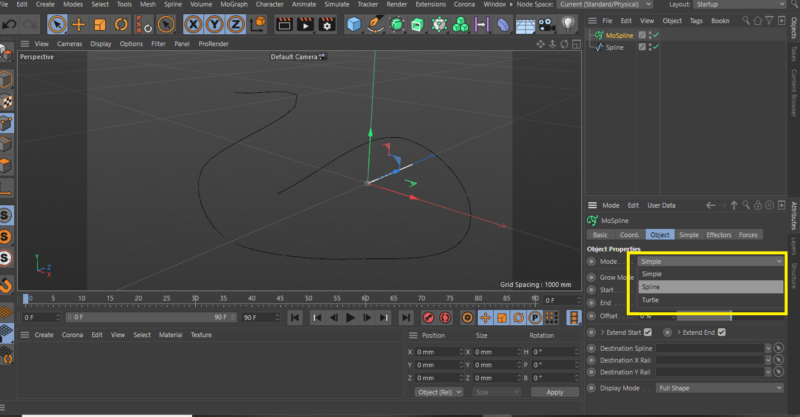
1- go to “MoGraph” then choose “Mospline”
2-in “object” change the mode to “spline”
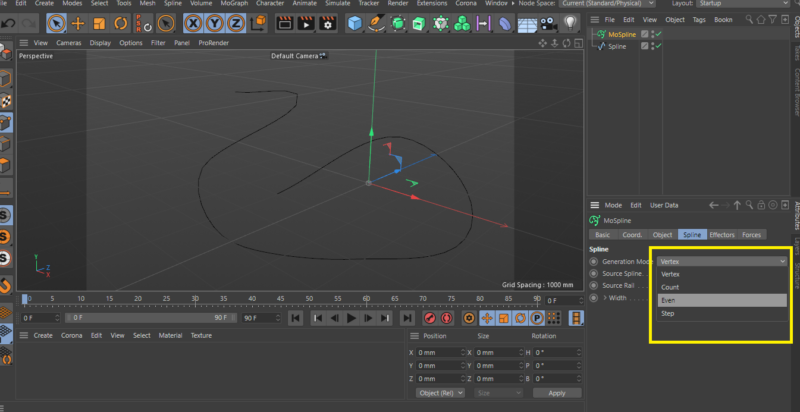
3- in “spline” change the generation mode to “Even”
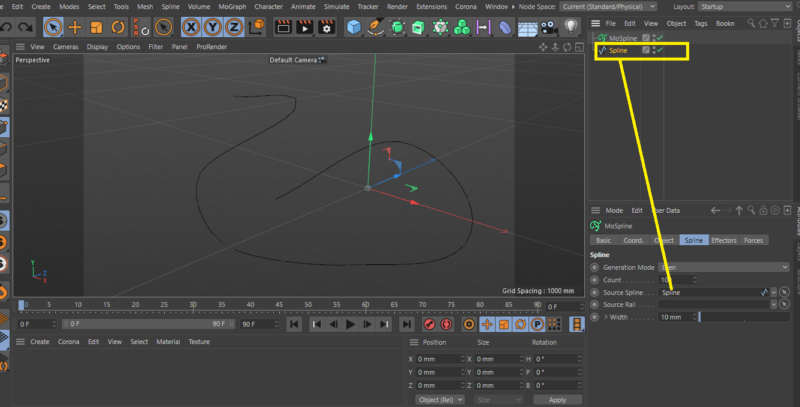
4-put your spline in “source spline” (drag and drop)
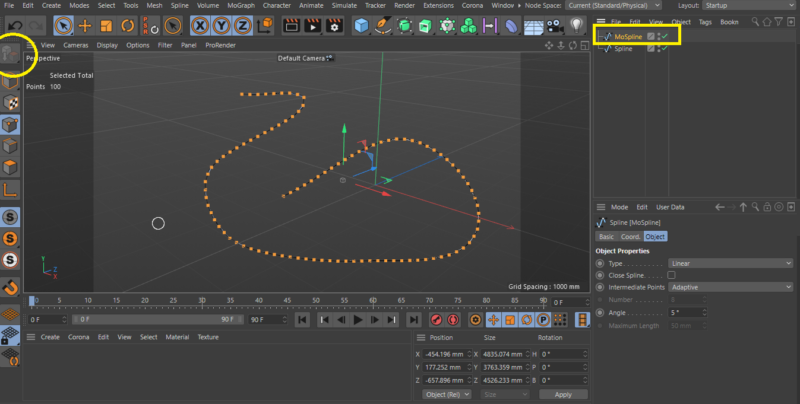
5-click on Mospline and make it editable (ctrl *c)
like in the screenshot below
hope that will help
thanks
-
Kouraib Abdmalek
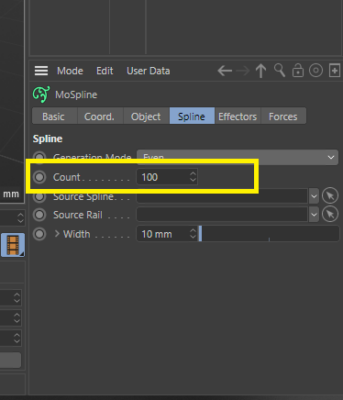
August 6, 2023 at 9:02 amyou can also control the number of points in “count”
thanks
-
Mauricio Barrientos
May 23, 2024 at 1:32 amAgain thanks. I’ll return to watch again and follow these steps years later.
Thanks again!!
-
Kouraib Abdmalek
May 23, 2024 at 8:45 amYou’re welcome, Mauricio! I’m so glad this was helpful to you.


Reply to this Discussion! Login or Sign Up