Forum Replies Created

Page 2 of 32
  • Ken Bennett

    July 22, 2022 at 6:59 pm in reply to: How to Delete Old Plug-ins in FCPX 10.6.3?

    You can’t delete them from the FCPX interface. Where do these folders reside? I didn’t find them in the contents of the FCPX app.

    ???

  • Ken Bennett

    June 20, 2022 at 8:42 pm in reply to: Migrating Plug-ins from iMac to Mac Studio

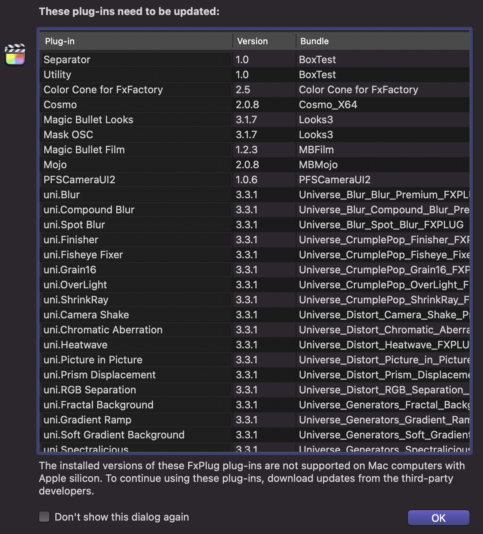
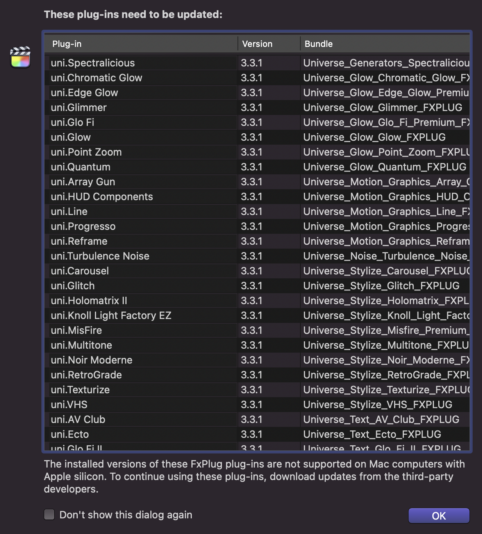
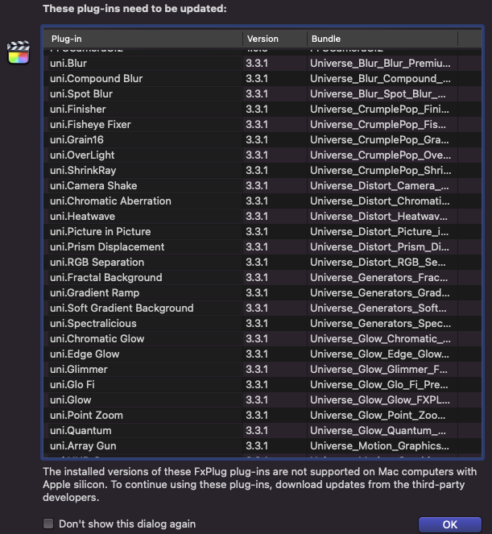
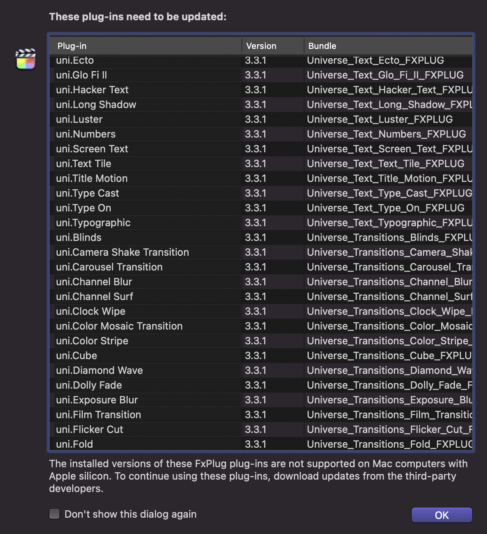
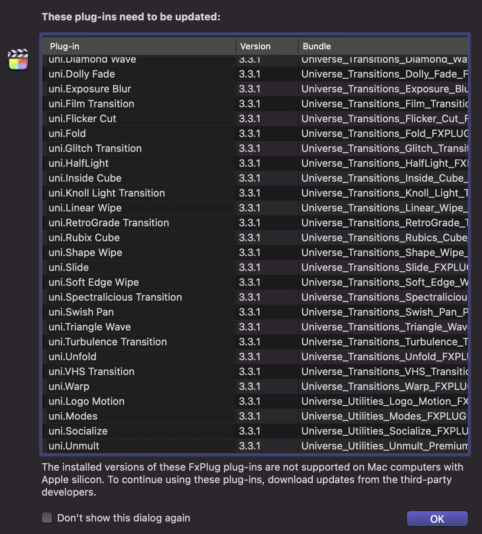
    Here is the list of Plug-ins I get when I launch FCPX 10.6 that either need to be updated or deleted (because they are incompatible with FCPX 10.6 of Mac Studio M1 Max). I located the area where the plug-ins are located from your links provided. But I don’t see any of these. And what is Universe? This is getting very confusing.

    Help and Thanks.

  • Ken Bennett

    June 14, 2022 at 4:54 am in reply to: Mac Studio Does Not Recognize My RAIDs??

    Thanks Jeremy. That’s what it was.

  • Ken Bennett

    June 13, 2022 at 10:23 pm in reply to: Mac Studio Does Not Recognize My RAIDs??

    I have done nothing at this point. If it’s a driver issue do I need to check with Promise or Apple? And, is this all thats needed?

    THX

  • Ken Bennett

    June 5, 2022 at 9:08 pm in reply to: Monitor Issues with New Mac Studio

    Derek, your links donʻt go at any websites.

  • Ken Bennett

    May 20, 2022 at 2:51 am in reply to: Mac Studio: 32GB or 64GB?

    On my current iMac when I run FCPX or Motion I usually shut down the web browser. I edit 4K video and all video source is from an external RAID. My iMac is 9 years old so I plan on hanging on to the new Mac Studio for probably that long.

  • Ken Bennett

    May 20, 2022 at 12:28 am in reply to: Mac Studio: 32GB or 64GB?

    No. I’m OK with the M1 Max. But I’m getting it with a 2TB SSD. Just trying to justify upgrading to 64GB.

  • Ken Bennett

    October 25, 2021 at 5:22 pm in reply to: Final Cut Pro 10.6 update out NOW!

    It appears I’ll be stuck with Catalina and FCPX 10.5.4 since I have an iMac 27″ Late 2013 that I recently installed a new 2TB SSD in it.

  • Ken Bennett

    April 7, 2021 at 10:58 pm in reply to: Transferring VHS tape to FCPX?

    Mark- I have one such VCR that can record to it’s internal HDD or Burn straight to a DVD. It’s a work-a-round because I can open up the DVD files on the burned disc and drag the video files onto the timeline of my old Vega Pro. Then render out an MP4 digital file. I found a small device that can take either the VCR’s AV (RCA) composite or HDMIs output and then record right to an SD card as an MP4 file. Then I can drop that into FCPX to either tweak, edit and Share it out for digital delivery.

  • Ken Bennett

    March 31, 2021 at 10:36 pm in reply to: Transferring VHS tape to FCPX?

    Mark- I still have several good working VCRs both consumer and pro in boxes from back whe I was doing VHS shooting and delivery.

Page 2 of 32

We use anonymous cookies to give you the best experience we can.
Our Privacy policy | GDPR Policy