Linear is After Effect’s range selector expression. You need five elements and it looks something like this:
linear( animatedValue , animatedValueLow, animatedValueHigh, PropertyLow, PropertyHigh)
It’s a really useful expression, but for your described outcomes, there’s a simpler solution.
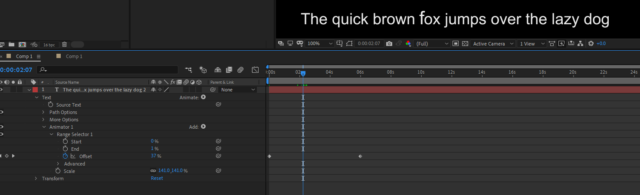
1) On your Text properties, add a Scale Animator
2) In Animator 1, set the End value to 1%
3) Keyframe the Offset property from 0% to 100%
4) In the Scale (not the layer’s scale) set the scaling to 110%
When you play this back, you’ll see the text animates up and down. If you then expand Advanced, you can set easing values as a percentage.