Graham Bernard
Forum Replies Created
-

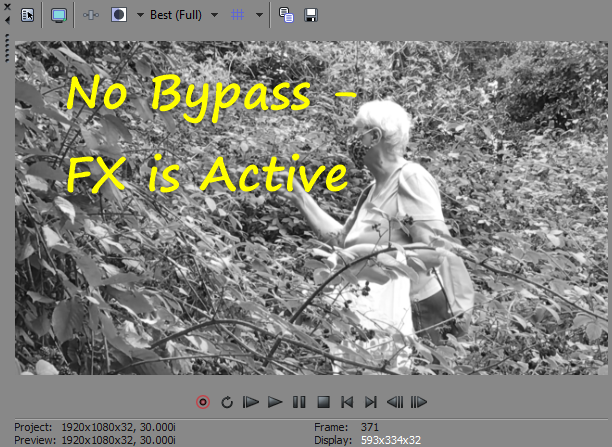
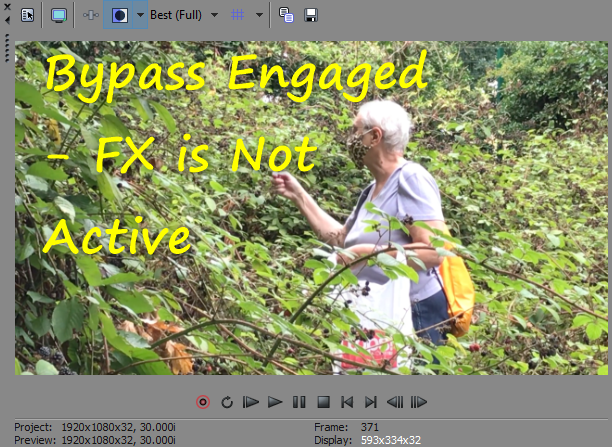
I’m using a VegasPro Black and White FX.
FX Active and Not Active. My Snapshots Functions are working as they should. You can see the Buttons:

-
I would think that you need to do “motion tracking” and not
anchor point on a mask.
Eh? Why would you think that when John wants to use Masking in Pan/Crop? I don’t get your logic?
-
The FX button is set to Enable.
No, it’s not. In that first SS you’re ENABLING BYPASS – So, that Button ENABLES a bypass of ALL FXing, yeah, I know . . . .
-
How do I select multiple anchor points on a mask?How do I select multiple anchor points on a mask?
Not possible.
-
I’d need some more info and screenshots.
-
I assume it’s long gone then.I assume it’s long gone then.
Well, 2013 was three years prior to when SONY sold many of its lines to MAGIX, so, maybe a time to move over to VP or investigate the MAGIX option. Did you register your software before 2016 switch over to MAGIX? I did and still have acccess to some “ancient” s/w 😂.
Look, do get onto the Movie Studio Forums from MAGIX and see what you can upgrade to and what spec your PC needs to be. Here’s a link:
Ugh… well that didn’t work! 😩 So, go MAGIX Vegas Movie Studio.
-
You’d have more success getting an answer on a Movie Studio Forum. This is the Vegas Pro forum. If you purchased the software from MAGIX, get back to them on the installation/product options.
Good luck! 🙏
-
More cheese? How about the MAIN Timeline?
-
Mouse Wheel works for me!
However:
Is there some button I have accidentally clicked on that is preventing me from doing so? I hope this is clearer…
Eh? What do you mean?
</div>
-
Shift+B is Build Ram Preview. It’s a quick method of Previewing your work AND Is limited by the amount of BUILD RAM PREVIEW you’ve set aside in Preferences. Being a RAM option it’s volatile and WILL disappear if your Timeline is altered. Now, if you wish to have less volatile Previews then use SHIFT+M, and this is PreRendering. Then there is the further option to Render-Out for ongoing editing?
I’ve tried all these methods and select to use them based on what exactly I need AT THAT TIME.
So, what are you trying to achieve:
Volatile/Ephemeral Previews? This will give a quick and dirty view of your work thus far. It can range from a few seconds, to, if you have the RAM to TENS of Seconds or even minutes! 🤩
More Stable Previews? PreRenders > SHIFT+M
Previews that you’re needing to use for editing? Render-Out or intermediary renders.
I think you’ve confused Build RAM Previewing with PreRenders.