Forum Replies Created

Page 9 of 11
  • Bruce Brent

    October 12, 2012 at 6:36 pm in reply to: Processor fan

    Thayalan, just for your info, here’s an example of the latest Intel CPU and some of the best rated coolers (air & water).

    https://www.legitreviews.com/article/1801/12/

    *** Any way of cooling the CPU chip just adds more life to it.

  • Bruce Brent

    July 15, 2012 at 8:58 pm in reply to: how to do this transition or what is it called?

    Midhun, at this NEW position you’re talking about, you want the WAVE fx, which is in the “Video FX” tab. Lots of sliders that can change the number if waves, the amplitude of each and positioning of them.

  • Bruce Brent

    July 15, 2012 at 8:09 pm in reply to: how to do this transition or what is it called?

    Midhun, simple, simple simple…….just delete frames, then skip/leave some frames you want to display, then delete more frames (29.97 frames equal one second, so delete as many frames to show the jump you want to project).

    Another way to show what I mean is to run the clip, stop and delete as many frames you want to remove. Then, run more of the clip you want to show, then stop and delete the next number of frames you want not to show. That way, the action is seen, then deleting frames eliminates the action, then the next set of frames you want to keep shows the resulting action in a new size(zoomed in/out, position, etc.).

    Good luck and keep creating to make your videos fun!

  • Bruce Brent

    July 8, 2012 at 6:14 pm in reply to: Best computer setup for Vegas Pro 11 -64 bit

    Is Vegas Pro 11 equipped to recognize and use more than a quad core? If so, will a six core make rendering any quicker?

    Recommendations as to Intel i7, as well as RAM, MB, case and especially a Nvidia GTX model/version (increased renderings that work from a personal point of view) would help many readers as well as myself. Any other hardware tips would be much appreciated.

    I’ve noticed Sony’s website for Vegas Pro 11’s GPU’s (make and model) are a little out of date. Anyone with knowledge of the recent released graphics cards and their ability to reduce rendering in Vegas Pro 11 would also be appreciated.

  • Dave, I have a Canon Vixia HF S21 and I love it.

    I’ve compared the Panasonic HDC-TM900 against the HF S21. The Canon has better color rendition.

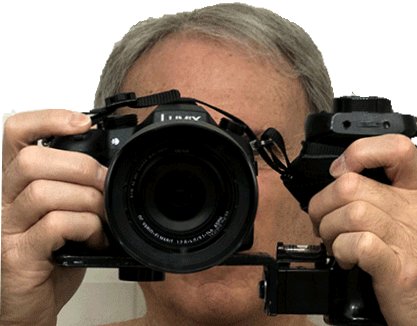
    You will need some sort of support as the Canon, is small and light weight. A simple bracket with a good handgrip will make your shots much more stable.

    My 2¢

  • Bruce Brent

    March 2, 2012 at 6:00 pm in reply to: how many gigs HD?

    Gilles,

    Based on your camera model, the specs show:

    720 mode in the highest quality (VBR) you should get 24mbps, without the VBR setting, you should get 21mbps.

    At 24mbps, that means 32gb=180 minutes of video.

  • Bruce Brent

    February 28, 2012 at 4:02 pm in reply to: Will Windows 8 benefit Sony Vegas Pro?

    Stephen, Dave & John, thank you for each of your inputs. Much appreciated by me as well as the rest of those who might have been interested in this subject.

  • Hi again Hans,

    Both Movie Studio & Pro will render for the Playstation Portable, but Sony Playstation has a new firmware update as of September 20th. That may solve the issue.

    Make sure you render side-by-side half, not full.

    Since I don’t have the Studio version (I use Pro), you’ll have to experiment, take the rendered file to DVD Architect and burn from there. Keep experimenting. When you get your project to work on your Playstation…..PLEASE, come back to this forum and inform via a post so others can benefit from your experience.

  • Hanks,

    Watch this video, it’ll answer all your questions.

    https://www.sonycreativesoftware.com/3dworkflowwebinar

  • Bruce Brent

    March 14, 2011 at 5:45 pm in reply to: Convert old footage to 3D

    Paul,

    Yes, there’s two ways.

    First and cheapest is see this: https://www.youtube.com/watch?v=xCP2e884jCc

    Second: Purchase Roxio’s Creator 2011 (no need to get the pro version).

    Just that easy!

Page 9 of 11

We use anonymous cookies to give you the best experience we can.
Our Privacy policy | GDPR Policy