Forum Replies Created

Page 1 of 4
  • Bas V breugel

    February 2, 2023 at 6:50 pm in reply to: How to categorize 10 animation styles?

    Hi Eric,

    I see ‘Frame by frame’ as animating in Photoshop exporting to AE. Stopmotion more clay puppets or real live studio recording.

    Characters animation is maybe a broad term.. I mean animations like Dekay and Motion Markus.

    DeeKay https://vimeo.com/477589942

    Motion Markus https://vimeo.com/user2658213

    Some contents or functionalities here are not available due to your cookie preferences!

    This happens because the functionality/content marked as “Vimeo framework” uses cookies that you choosed to keep disabled. In order to view this content or use this functionality, please enable cookies: click here to open your cookie preferences.

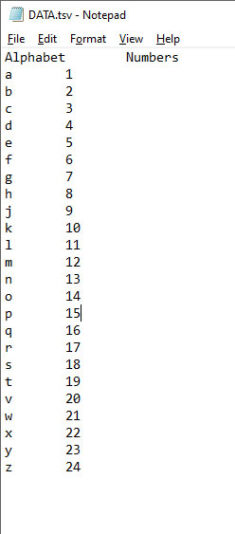
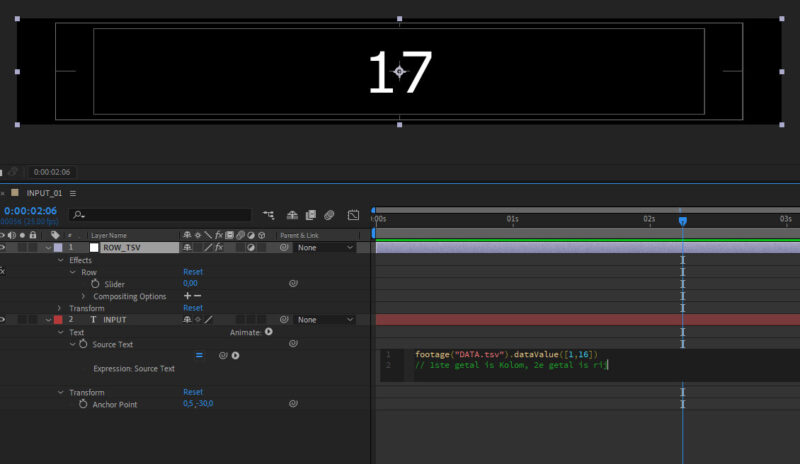
  • Hmm very vague, just like that it does work. Seems like whenever the slider goes to pull from a blank cell in TSV it breaks.

    footage(“DATA.tsv”).dataValue([comp(“MAIN comp”).layer(“COLUMN_TSV”).effect(“Column”)(“Slider”),thisComp.layer(“ROW_TSV”).effect(“Row”)(“Slider”)])

    But I’ll take that, just making a backup layer containing the //code to copy paste whenever I accidently ‘slide’ too far.

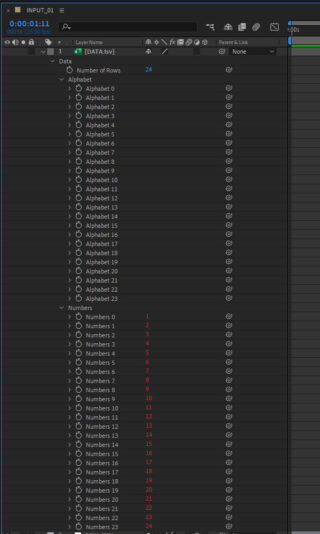
  • Hmm, data seems to be all right. And when manually changing values it reads out the DATA.tsv perfectly.

  • Bas V breugel

    July 22, 2021 at 8:55 am in reply to: Camera follow and auto rotate motion path?

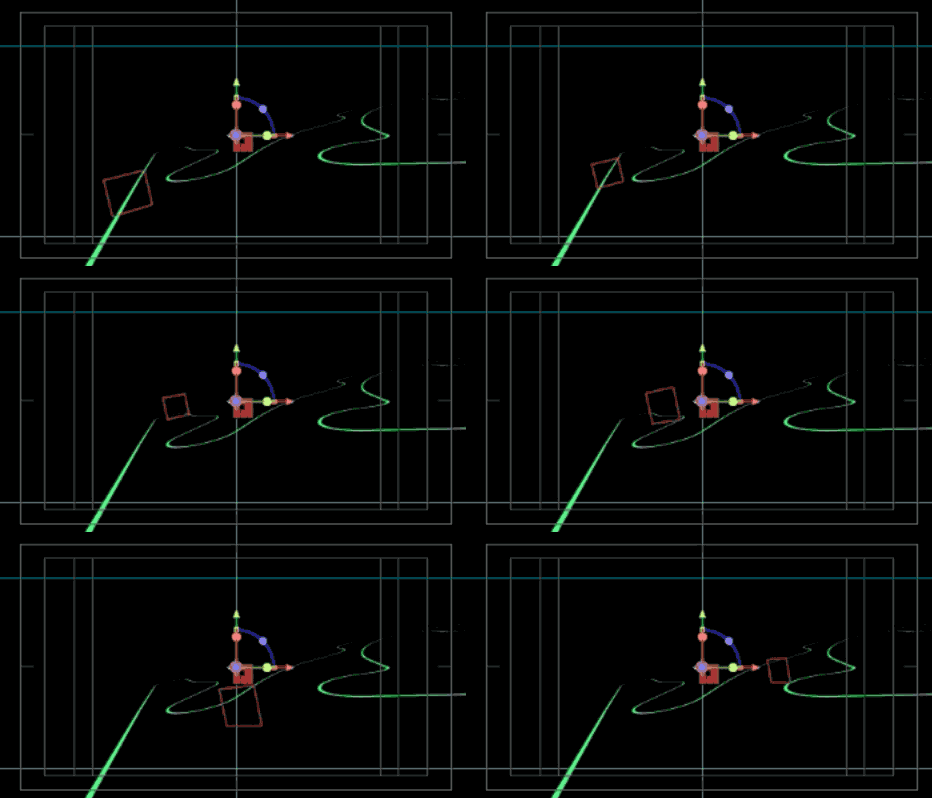
    Great point Michael, this could potentially work. Only the null flips somehow in the corners. As you can see in attached gif

  • Bas V breugel

    August 2, 2018 at 7:14 am in reply to: (AE 2D) Render PC build. Your take on this config?

    Hi Michael,

    Nope, for now no GPU. I won’t use those heavy third-party effects on this render pc. This list shows AE native GPU accelarated effects, also not that many which I will be using. And a GPU will probably use more power and a higher energy bill versus a very slight performance update on the projects that will be rendered.

    Projects will be full of expressions on sourcetext and shape;s (graphs and diagrams).

  • Hienoa! Paljon kiitoksia Kalleheikki! ????????

  • Thanks Dan.

    Figured out that the error was from the bar graph. It took the value fom the text.

    Now changing the expression in the scale property in the bargraph shape layer. So that the bar graph know that “No shots taken” equals “0”

    transition = 1
    xa = 0;
    xb = parseInt(thisComp.layer("Shot_Percentage").text.sourceText);
    if(!xb){
    xb=0;
    }
    y = 100;

    if(time < (inPoint+outPoint)/1){
    ease(time,inPoint,inPoint+transition,[xa,y],[xb,y]);
    }else{
    ease(time,outPoint -transition,outPoint,[xb,y],[xa,y]);
    }

  • Thanks! I adjusted your expression slightly because i forgot to mention I’ve made a horizontal bar graph. And now the amount it grows to is not from a slider but straight from complayer.

    transition = 1
    xa = 0;
    xb = parseInt(thisComp.layer("Shot_Percentage").text.sourceText);
    y = 100;

    if(time &lt; (inPoint+outPoint)/1){
    ease(time,inPoint,inPoint+transition,[xa,y],[xb,y]);
    }else{
    ease(time,outPoint -transition,outPoint,[xb,y],[xa,y]);
    }

  • Aah something more like this I guess?

    textLayer = comp("1_RACING_INPUT").layer("01_country");

    str1 = textLayer.text.sourceText;
    str1 = str1.toUpperCase();

    if (str1 == 'ARG') stopFrame = 90;
    if (str1 == 'BRA') stopFrame = 100;
    if (str1 == 'USA') stopFrame = 112;
    t = Math.min(time,framesToTime(stopFrame));

    Only it gives AE the expression error, orange bar.

  • Hi Neil, thanks for your time! You are right that the flag comp now links to the time where is the flag.

    But its not driven by the text input. I guess somewhere AE needs to know that ARG equals 7 (00:07:00)

Page 1 of 4

We use anonymous cookies to give you the best experience we can.
Our Privacy policy | GDPR Policy