If you’re asking what the difference between automatic and static is, auto creates the simplest proxy collider it can, so ignores your cut out detail, static takes all vertex’s’s into account.
I don’t think so, but you can use the render region tool to select the area that that mask is (ie just the middle) then use that at render time and you will only render the middle section. may save a little time.
generally use a mix of noises in bump channel, very small and medium-small, then some more noises in roughness and spec. be subtle. maybe more noises in albedo/col channel, very slightly different shades of white/ grey.
maybe check scene scale, dynamics need proper scale. is hollow object checked on in the voronoi fracture object? if so turn off. is there any intersecting geometry in the original model?
June 30, 2022 at 3:37 pm
in reply to: Area Pattern
maybe one way is to do something like this tut. Basically saying scale my layer according to the colour value of a control layer. https://youtu.be/4OQN2mHQuD0?t=462
Some contents or functionalities here are not available due to your cookie preferences!
This happens because the functionality/content marked as “Google Youtube” uses cookies that you choosed to keep disabled. In order to view this content or use this functionality, please enable cookies: click here to open your cookie preferences.
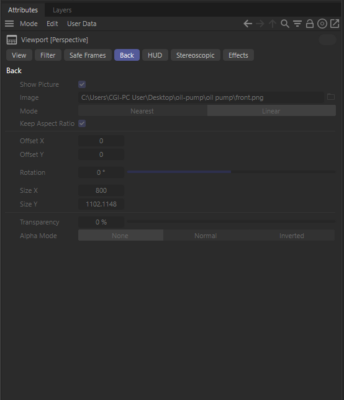
there is an image reference in the perspectives ‘Back’ section, but its greyed out. thats all i was saying. to the original issue, i can replicate so I dont know, very stange