Creative Communities of the World Forums

The peer to peer support community for media production professionals.

Activity Forums Maxon Cinema 4D Viewport Back-Image Problem

  • Viewport Back-Image Problem

    Posted by Sean Jenkinson on June 30, 2022 at 7:35 am

    Hi,

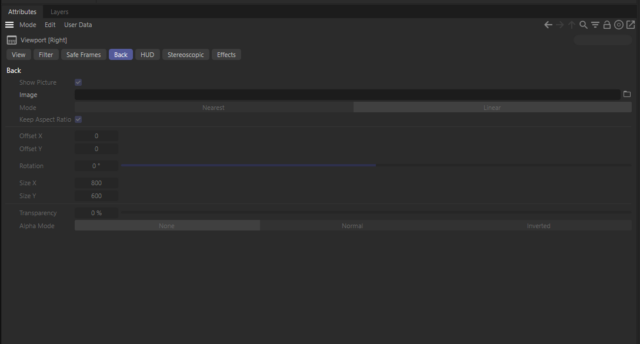
    I’m having trouble with back images in different viewports in C4D.

    I’m doing a tut on hard surface modelling and I have an image which contains two separate elevations of the object. In the Tut the image is simply shifted in the second viewport to the correct position.

    When I shift it… it shifts in the original view port too. I tried duplicating the original image and saving it with a different name, then loading it into the second viewport but the same thing happens… like C4D doesn’t even recognise it as a new image. Then I tried dropping it into a new folder, so its in an entirely different location, with a different file name. Same problem occurs.

    Also… the image displays in all viewports, even though I’ve only loaded it into one.

    What am I not understanding here?

    Thanks.

    SJ.

    Sean Jenkinson replied 4 years, 1 month ago 2 Members · 12 Replies
  • 12 Replies
  • Andy Kiernan

    June 30, 2022 at 8:24 am

    is this how you’re loading in the ref images? tried in a fresh scene? upload a scene (just ref images) and I can have a deeks.

  • Sean Jenkinson

    June 30, 2022 at 8:53 am

    Hi Andy,

    Many thanks for your reply. Much appreciated.

    Here’s a zip of my scene and the two images I’m trying to use.

    Thanks again for your time.

    SJ.

  • Sean Jenkinson

    June 30, 2022 at 9:00 am

    Hey Andy,

    In response to your questions…

    Yes, I’ve used that panel to upload my images.

    I’ve tried a new fresh scene too. Right now this problem occurs in every new scene I set up.

    SJ.

  • Andy Kiernan

    June 30, 2022 at 9:01 am

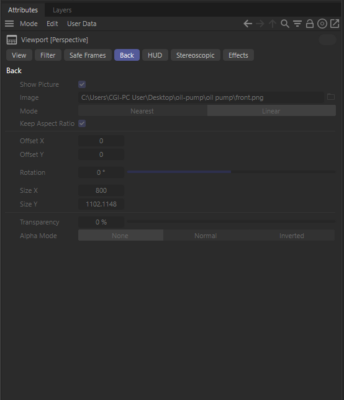
    ok, i dunno how you managed to get an image in the perspective view (its greyed out for me). Your file didnt seem to work at all so I used your images and made another. Does this work for you?

  • Andy Kiernan

    June 30, 2022 at 9:02 am

    if you need an image in perspective view, better using a background object or a textured polygon i think

  • Sean Jenkinson

    June 30, 2022 at 9:14 am

    Hey Andy,

    Not sure what you mean here. I didn’t load any images into the perspective view. Feels like this is an answer to someone else’s question that somehow ended up in my thread.

    If there’s an image in the perspective view then it’s part of the same problem. I only uploaded images to the front view and the left view.

    Thanks man.

    Sean.

  • Sean Jenkinson

    June 30, 2022 at 9:16 am

    I don’t see any images at all in this file.

  • Sean Jenkinson

    June 30, 2022 at 9:19 am

    Also still getting any image I upload displaying in all views.

  • Andy Kiernan

    June 30, 2022 at 9:23 am

    there is an image reference in the perspectives ‘Back’ section, but its greyed out. thats all i was saying. to the original issue, i can replicate so I dont know, very stange

  • Sean Jenkinson

    June 30, 2022 at 9:27 am

    Ok, well thanks for looking at it anyway.

Page 1 of 2

We use anonymous cookies to give you the best experience we can.
Our Privacy policy | GDPR Policy