Forum Replies Created

Page 1 of 3
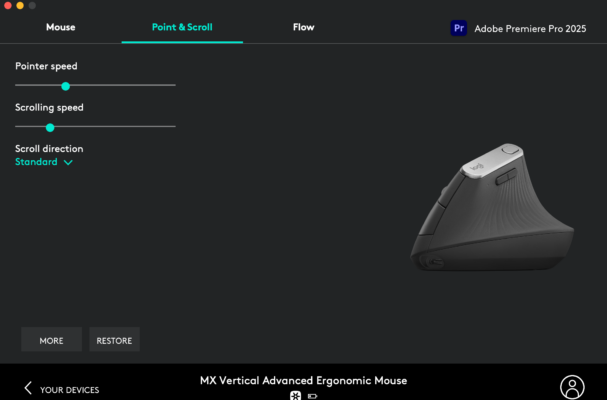
  • Are you using Logitech mouse? I noticed that in logi options you can set the scroll speed per application. If you set it to a low value for premiere pro the problem is fixed. 🙂

  • This is a known bug since 2018 I believe.. I cant believe it is now 2025 and it is still not fixed in the latest release…. Adobe, get your sh*t together!

  • Same problem here… Have you found a solution?

  • I was really excited to see your script. However there is one MAJOR issue. It only works for one layer ata time. Can you make it work across multiple layers? Just bought the script. But now it is still kind of useless to me as I need to move markers over 100s of layers.

  • Yesterday I shared it on many pages and tipped it 2$. From 10 We’re now already passed 50 now. Let’s keep it going!.

  • Simeon In ‘t veld

    August 29, 2018 at 9:44 pm in reply to: New to After Effects, need some simple work

    I would start to get an account at digital tutors.com or lynda.com to lear things in a proper and orderly fashion. This goes much faster that through Youtube and is in my opinion a very worth it investment.

    One approach is to just get started. Make a website. show some fancy graphics/make a showreel (show what you got!) And contact different agencies/bureaus and companies and just bluntly ask if they could use an extra hand for small animation stuff etc. Let the world know you’re doing this and work will come. Get as much people in your network as you can and work will come.

    Another thing you can do is create many stock elements/after effects templates. Make them as original and high quality as you can and upload these to stock agencies such as envato,shutterstock and blackbox. Here you can sell your asest. And the good part is since it is digital, if you make something good you may sell it many times. (TIP: VJ elements/loops tend to work well.)

    Good luck with both animating/creating and with your PhD!

  • Simeon In ‘t veld

    August 29, 2018 at 9:36 pm in reply to: Long render time

    You can try to recreate the effect in after effects instead and link the after effects file to your premiere sequence. see if that speeds things up.

  • This is definetely a task far after effects instead of premiere. Do the effect with motion tracking in after effects instead and then import the after effects sequence into premiere. good luck!

  • Simeon In ‘t veld

    August 29, 2018 at 9:31 pm in reply to: Moving clip on sequence crashes Premiere

    Is the problem with any clip in any project? Maybe try a legacy version of premiere.

  • Simeon In ‘t veld

    August 29, 2018 at 9:30 pm in reply to: Export Slog-3 footage from Premiere

    I see what you are saying but the point is not whether you can see a difference or not, The point is maintaining the S-log color information so that you are not grading the grey compressed footage but actual S-log after export.

Page 1 of 3

We use anonymous cookies to give you the best experience we can.
Our Privacy policy | GDPR Policy