-
“Edit Range” option missing in AE Essential Graphics
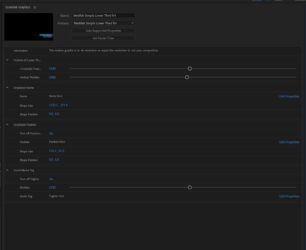
I’m trying to create a MOGRT for a lower third using the Essential Graphics window in After Effects and I’ve run into a problem… I want to limit the range that can be selected on a slider but it seems that the “Edit Range” button has disappeared?? Not sure if it’s just an issue with me or whether other people have run into the same issue?… or whether I’m doing something wrong (possibly quite likely) ?
The property that I’m trying to limit the range of is just a simple X and Y position of a pre-comp. See below screenshot with it circled red where the “Edit Range” option usually is (well I think it is anyway).
I have been able to simply use a clamp(value,0,1000) expression however the slider still can be moved to ridiculous values of 36000 (the clamp just limits the pre-comp from actually being moved beyond those limits set). The trouble with this is that because the slider goes to 36000, it makes it really hard to move the object small amounts if you get what I mean.
If someone can please help, that’d be fantastic!