Robert Müller
Forum Replies Created
-

Hi,
you cant have odd dimensions for your video in H.264, thats just how the codec works. If you want to embed a specific sized video in a website, maybe you could double the output resolution and have it displayed half the size in your player? Apart from that there is nothing you can do using H.264 or most other standard codecs I guess
-
Robert Müller
November 9, 2020 at 1:14 pm in reply to: Repeater has NEVER worked. Does anyone know how to use this thing?first of all, theres an easy way to get the correct angle transformation for your repeater. Take the degree on a circle you want your result to have( so for a full round 360°) and divide it by the number of copies (in your case 6, so 60°). After that, since this seems to be a custom path as Filip already pointed out, you just have to try manipulating the anchor point of the repeater, not the shape or layer itself. Its not that complicated and Im shure you will quickly get the desired result 🙂
-
You could also convert the spatial interpolation to linear, like here:
https://www.youtube.com/watch?v=LfdRuOWuXag
If you need a bezier in your motion path you can adjust the handles by hand and get rid of the ones causing the boomerang effect
Some contents or functionalities here are not available due to your cookie preferences!This happens because the functionality/content marked as “Google Youtube” uses cookies that you choosed to keep disabled. In order to view this content or use this functionality, please enable cookies: click here to open your cookie preferences.
-
Check the spatial interpolation for your keyframes if its linear oder some type of bezier. On a position property you would see the path and can fix the issue with the tangent handles, but here you should change the interpolation mode to linear. This happens quite often when after effects tries to interpolate between to keyframes with the same value
-
You could draw a shape or mask path around the infinity symbol and reference this path with the “pointOnPath” expression on the position of your arrow layer. Then add auto orient to the layer and the arrow should orient along the path
http://expressions.aenhancers.com/path-property.html#pathproperty-pointonpath-percentage-0-5-t-time
-
Look through the paths in that layer, there should be a rectangular one right before a “Merge path” opertor. This is your artboard and AE adds it for every shape group. You can just delete it
-
Robert Müller
October 1, 2020 at 3:38 pm in reply to: Expression linked to a layer that needs to independent from which comp he’s atI don’t recognize the authority of luck.
I have made a system that works already, an expression that checks if my comp “picture1” is located in P-C or in the MAIN comp, and update the other expression so that it references the comp correctly. It works. But out of curiosity, I will keep looking if there is another way to do this.I would like to see your set up so far because what you are describing is not possible to my knowledge using just expressions. If you have to composition containing the same nested composition, how would an expression even be able to tell in which comp it resides, since it is actually in 2 at the same time? If you remove the precomp from one of the compositions, then you might be able to check – if you state the names of all the possible comps in which the precomp could be in to check against. And what do you men by copying, copying the whole composition or just duplicating it, eg referencing the same composition just twice?
-
Robert Müller
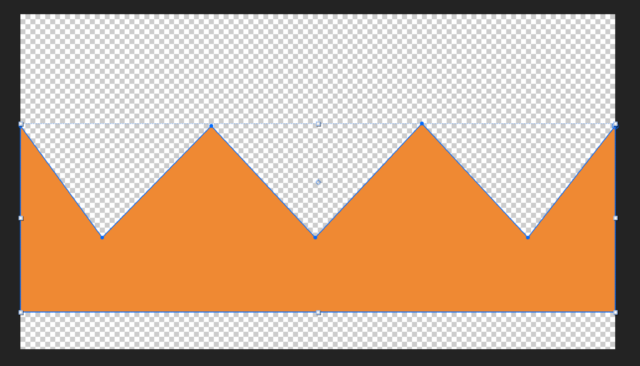
September 30, 2020 at 9:25 am in reply to: Need help figuring out how I can warp an 3D Objekt in AEAre you using CC Cylinder for your crown? Then you could work with a shape like this to turn it into a crown

-
Robert Müller
September 30, 2020 at 8:56 am in reply to: Expression linked to a layer that needs to independent from which comp he’s atInside “picture1”, I put an expression on layer(x) to make the opacity either 0 or 100 (…)
So just that I understand, “picture1” is ALSO a composition and not just a layer like a picture or a solid? You should clarify that if you are already listing your compositions.
If thats the case and your working with essential graphics and master properties you are out of luck, in this case you need to specify the composition in which your other comp is nested.
If “picture1” however is just a layer you could just reference it in your expression using “thisLayer” instead of “comp(“compname”).layer(“layername”)”
-
Robert Müller
September 25, 2020 at 11:41 am in reply to: Image in AE viewport looks better than final rendering.Additionally, what graphic format is the image in? Ive run into anti aliasing problems using vector based formats like pdf or illustrator objects containing rasterized pictures