Forum Replies Created

Page 3 of 6
  • Jean Tertrain

    December 28, 2023 at 1:12 pm in reply to: Blur mask not corresponding

    Thanks Jamie. Where is the “Keyframe menu” please ?

    I don’t even have the “(” you mention on my keyboard.

    Second question :

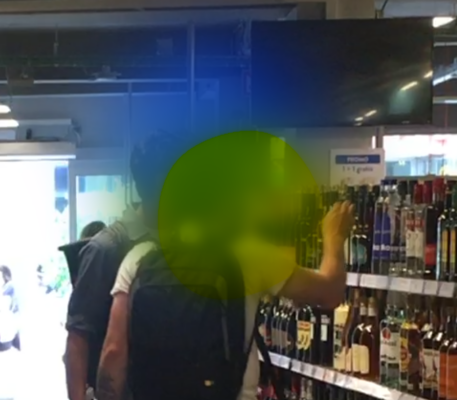
    How can I make my two blur mask merge into each other ?

    As you can see, the yellow one “resists”, and the blue one is absorbed.

  • Jean Tertrain

    October 23, 2023 at 8:41 pm in reply to: Cannot import a… .mp4 file in Davinci

    Dear specialists,

    I found out. The problem was that I was importing the video from an external disk. Moved my filed on my computer and it worked like a charm.

    Many thanks for all your kind help,

    Namaste.

  • Jean Tertrain

    June 5, 2023 at 8:49 am in reply to: Colors not right after export

    Ok Riccardo but how can I get a video that is more loyal than the actual export to my image ? That’s my only concern.

  • Jean Tertrain

    May 31, 2023 at 10:49 am in reply to: Colors not right after export

    Hey Riccardo,

    Thank you so much for your kind help.

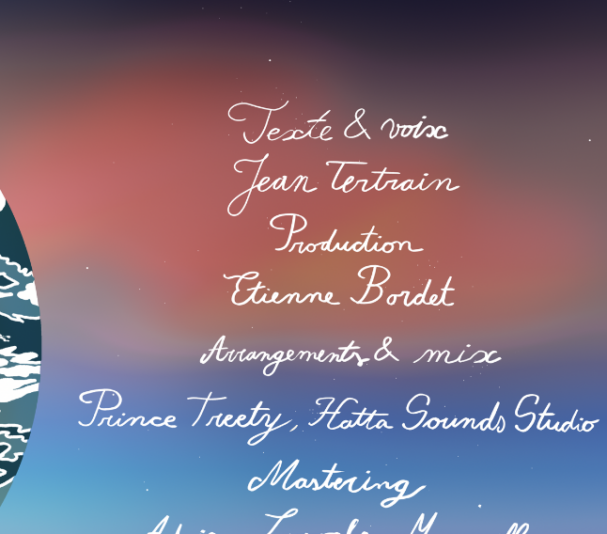
    Do you mean there is no way for me to get a video that is loyal to my image… ? I’m shocked.

    My graphist spent hours to create the artwork but there is no way to have a proper video file… ?

    As you mention it, my 4K export still looks less good than the original.

    Can I get a better rendering by importing a different image format at first ?

    I cannot believe I have to work now with such a lesser quality file….

  • Jean Tertrain

    May 29, 2023 at 11:15 am in reply to: Colors not right after export

    Hello there, could someone help me please 🙂

  • Jean Tertrain

    May 25, 2023 at 7:25 pm in reply to: Colors not right after export

    Hey,

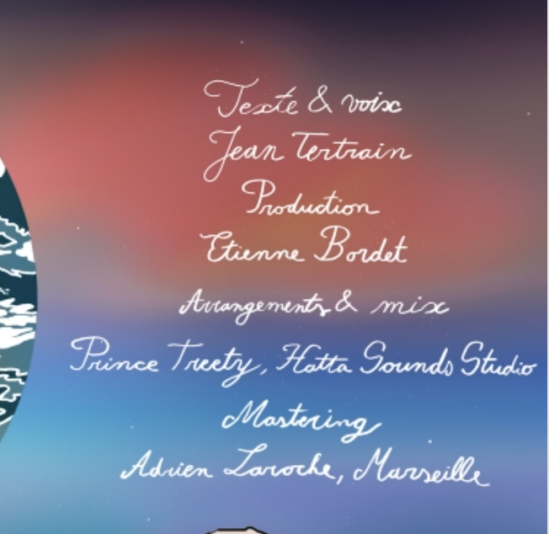
    I just exported it as Quicktime .H264, 40 000 Kb/s.

    It’s still the same.

    As you can see it has nothing to do with the original :

    ps : I would appreciate to keep the format square.

  • Jean Tertrain

    May 25, 2023 at 12:23 pm in reply to: Colors not right after export

    Bro, you’re simply the best.

    Colors are now loyal before and after.

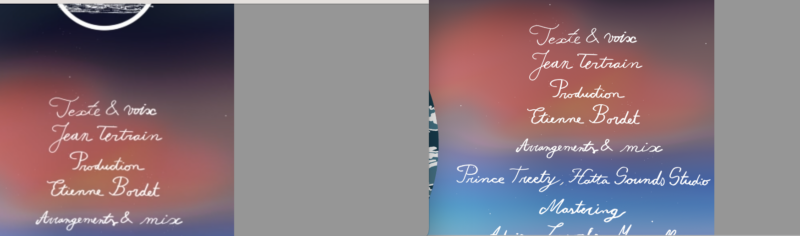
    A single problem remains, as you can see, in the export the text looks slightly blurred (left pic).

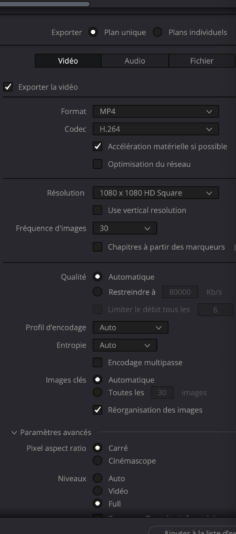
    Here is the comparaison and the window of my export settings :

  • Jean Tertrain

    May 22, 2023 at 5:08 pm in reply to: Colors not right after export

    Hey Michael, thank you.

    The image was created on Photoshop, and my monitor is an iMac 2017 with a retina screen.

  • Jean Tertrain

    May 17, 2023 at 9:45 am in reply to: Colors not right after export

    Hello Michael, thank you for your experience feedback on the subject 🙂

    So what do I do now ?

    Have a beautiful day,

    Jean

  • Jean Tertrain

    May 16, 2023 at 4:23 pm in reply to: Colors not right after export

    Thank you Riccardo for the conversion but this file is way to compressed.

    Anyone know how to use a .png file in Davinci Resolve ?

Page 3 of 6

We use anonymous cookies to give you the best experience we can.
Our Privacy policy | GDPR Policy