Forum Replies Created

Page 1 of 5
  • Jean Tertrain

    May 15, 2026 at 4:12 pm in reply to: Deflickering

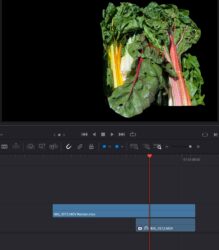
    Dear experts, here is the result :

    https://youtu.be/oyKT5VfoyZE
    I exported the clips on one timeline with the Deflicker effect in Color (to a ProRes HQ file).

    Brought the exported clip back in the timeline.

    Put again the Deflicker effect on it, exported it, and here it is.

    Some contents or functionalities here are not available due to your cookie preferences!

    This happens because the functionality/content marked as “Google Youtube” uses cookies that you choosed to keep disabled. In order to view this content or use this functionality, please enable cookies: click here to open your cookie preferences.

  • Jean Tertrain

    May 15, 2026 at 1:11 pm in reply to: Deflickering

    You’re the best !

    Thank you.

    Bonne journée.

  • Jean Tertrain

    May 15, 2026 at 1:01 pm in reply to: Deflickering

    Thanks a lot Mads for the shared knowledge and the live human experience, it makes this online place more lively and interesting.

    It is very hard for me to understand the advice here because as you know you can either render within the logiciel, either render by exporting the file, which one do you mean here please ?

  • Jean Tertrain

    May 15, 2026 at 12:46 pm in reply to: Deflickering

    Hey Mads,

    I kindly appreciate and thank you for the message.

    I’m afraid I would be looking for a cheaper solution if that’s not too naive to ask.

  • Jean Tertrain

    January 30, 2026 at 12:47 pm in reply to: Sharpening an Instagram reel image

    thank you Mads, i ll do that and give it a higher Mb/s also (50 for starters) 🙂

  • Jean Tertrain

    January 27, 2026 at 11:12 am in reply to: Sharpening an Instagram reel image

    i’m sorry if my question if both dumb and naïve

  • Jean Tertrain

    June 17, 2025 at 3:27 pm in reply to: Long to render

    Thank you both 🙂

  • thank you Michael for your dear presence and rigourous feedback each and every time, it is a blessing such quality help for nothing

    so you are right, again, but restarting DV et my computer did it this time…
    thank you again !

    please have a bright day

    jean

  • Thank you Michael. Effectively, the colorspace of the timeline had a slight difference.

    One output color space was on Rec.709 A et the other one on Rec.709 (Scene).

    So I put them both on Rec.709 (Scene) but the problem remains.

    I am looking at the file within DV on the same monitor, but on two different sequence and the grading still does not appear the same. Could vertical resolution (one is a 2160×3840) affect the color ?

  • Jean Tertrain

    March 16, 2025 at 10:03 am in reply to: my DVR is sick

    (is there an edit button when you access the forum through a phone ?)

    i think it’s getting better :

    https://youtube.com/shorts/b-fwvrAWxj4?si=DOINSSSCFdHgJON4

    Some contents or functionalities here are not available due to your cookie preferences!

    This happens because the functionality/content marked as “Google Youtube” uses cookies that you choosed to keep disabled. In order to view this content or use this functionality, please enable cookies: click here to open your cookie preferences.

Page 1 of 5

We use anonymous cookies to give you the best experience we can.
Our Privacy policy | GDPR Policy