Forum Replies Created

Page 1 of 2
  • Ian Ellerby

    March 29, 2023 at 11:29 am in reply to: Trapcode Particle to appear when only on white colour

    Hi

    Eventually found the solution to making particles only appear on the white areas directly, courtesy of post by Doug Y, thanks Doug!

    https://support.maxon.net/hc/en-us/articles/115011090208-Particualr-Why-are-particles-appearing-outside-of-my-Light-Layer-Source-

    – Set the ‘Emitter Size Z’ parameter to 0.

    Thanks Creative Cow!

    Ian

  • Ian Ellerby

    February 28, 2023 at 9:45 am in reply to: Trapcode Particle to appear when only on white colour

    Thank you Michael for you reply

    I will file a ticket to Maxon.

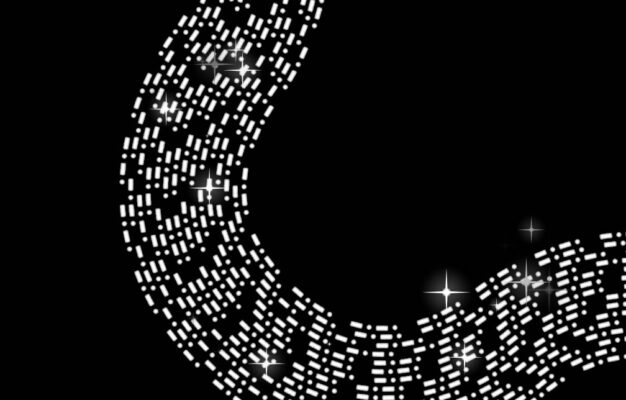
    Your advice about using the same texture as layer emitter unfortunately only partially worked, the particle stars are appearing in the ‘relative’ area of the white morse code now, but not staring birth on the white area, see jpeg, so I need to find that reason.

    Thank you again

    Ian

  • Ian Ellerby

    October 20, 2021 at 8:44 am in reply to: Swimming frog in AE

    Thanks Graham, I have thought about this, the size of intended projected frog will quite large, probably 6 foot swimming across a floor, and the viewer would very close to it, yes I have my pond with ripples and reflections, but the focus would be on the frog, if there is a slight chance the result is cartoonish I can’t get away with that. I haven’t had much Puppet tool work, maybe try that, when I have in the past tried copying nature it’s so hard to pull off, I always try and go back and capture real life.

    Thanks Ian

  • Ian Ellerby

    October 20, 2021 at 8:37 am in reply to: Swimming frog in AE

    Thanks Walter, I have tried this already, and the result is ok, but not good enough for the project. I haven’t found really good footage to work with as well. But will continue looking.

    Thanks Ian

  • Johnny
    Got it, to some degree! I animated the End Range Selector, animated the Amount, and used Ramp Down in Shape.
    Trouble with Kerning now, but at least I’m heading in right direction.
    Thanks
    Ian

  • Sorry Johnny, not having a great deal of success, I’ve been able to increase the size of the font from one end of the path to the other as you suggested and I’m using Ramp Up in shape properties to do this, but I’m unable to have this animated so whenever the text starts at one end of the path it is one size, as it moves along the path it increases in size, so one end of the path is always one height and other end a larger size, the characters are growing as it moves along the path.
    Thanks Ian

  • Hi Dave
    Thanks for your reply.
    Not sure how this works, as the scale property increases the whole line of text, not just the part which is running along the path. I still need the starting text to be the original size, and always so, and as it runs along the path each character increases size to pre determined size at the end of path. If that makes sense.

    Thanks
    Ian

  • Ian Ellerby

    August 3, 2015 at 1:27 pm in reply to: Change opacity over time with a fade not flicker

    Hi Johnny
    That’s brilliant, a great solution, thanks very much for helping, do appreciate it.
    Ian

  • Ian Ellerby

    July 2, 2015 at 7:46 am in reply to: Off-set text along curved line

    Thanks Dave and Kevin, had thought this, but was hoping for some magic in AE, creating these precise curved masks freehand will be tricky, (for me anyway) I think I’ll try and replicate the shapes in Illustrator-stroke-outline paths-copy and past paths in AE, let you know how I get on.
    Thanks Ian

  • Thanks very much Dan, it looks good. Sort of understand what you’ve done.
    Do appreciate your help. I’m sure a lot of guys new to expressions do also.
    Thanks Ian

Page 1 of 2

We use anonymous cookies to give you the best experience we can.
Our Privacy policy | GDPR Policy