Forum Replies Created

Page 26 of 112
  • Graham Quince

    May 8, 2022 at 10:52 am in reply to: Fill the inside of a hollow/outline font

    Hmm, that sounds odd. Can you post the font / tell us the name. I’m trying to see if I have a similar font, to better advise, but I can’t see an obvious one. Usually it’s a choice in the Character panel whether or not to include fill.

    Have you tried Layer > Create > Create Masks / Shapes from Text

    Then you would have a bit more control.

  • Graham Quince

    April 16, 2022 at 6:33 pm in reply to: rendering uncompressed video for youtube upload.

    YouTube is going to compress your video massively no matter what, I would be very surprised if you can spot a difference by the time it’s on YouTube.

  • Graham Quince

    April 16, 2022 at 6:31 pm in reply to: AE/Media Encoder not letting me render 4K footage

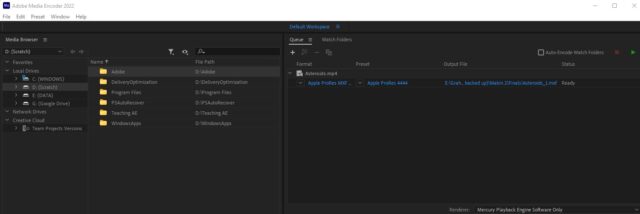
    Are you rendering in Media Encoder or After Effects? If AE, try selecting QuickTime, then go into the settings for it, it should be there.

  • Graham Quince

    April 16, 2022 at 10:08 am in reply to: rendering uncompressed video for youtube upload.

    Hi James,

    I’ve just reponded to your other post, but in case anyone is searching and finds your question:

    I’d suggest rendering out using the H.264 codec set to Match Source, High Bitrate – YouTube is going to compress your video anyway and this option has always been successful for me.

    Graham

  • Graham Quince

    April 16, 2022 at 10:06 am in reply to: AE/Media Encoder not letting me render 4K footage

    Hi James,

    I’d suggest rendering using one of the Apple ProRes codecs. This will give you a very high quality lossless video and has the benefit that should you need to compress the video, you’ll be able to render from this video, instead of re-rendering your comp.

    I did notice from your other post though that this is intended for YouTube. I’d suggest rendering out using the H.264 codec set to Match Source, High Bitrate – YouTube is going to compress your video anyway and this option has always been successful for me.

    Graham

  • Graham Quince

    March 23, 2022 at 10:44 am in reply to: random movement with pause after every move

    That’s a little above me, but if you post in the Expressions forum, you might get some help there.

  • Graham Quince

    March 23, 2022 at 10:43 am in reply to: Freeze Roto Brush for ALL frames

    I always reccomend rendering out an intermedia once you’ve applied Rotobrush. It is a great effect, but very processor intensive. Render out using the Quicktime Apple ProRes options to retain an alpha channel.

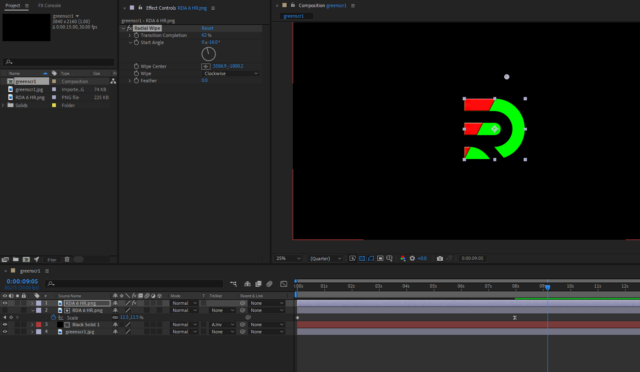
    • Duplicate your logo layer
    • Turn it on
    • Apply the Radial Wipe effect
    • Move the Wipe Centre to above the logo
    • Alter the angle and keyframe the transition complete value
  • Graham Quince

    March 23, 2022 at 10:37 am in reply to: Typography Effect

    The looks like Fractal Noise with the brightness and contrast keyframed to fade it up with Quick Chromatic Aberation effect added and the values cranked up.

    QBA isn’t included in AE, but it is free from Plugin Everything https://www.plugineverything.com/qcav2

  • Graham Quince

    March 23, 2022 at 10:35 am in reply to: How to create stinger/invert colour shine effect?

    Position your white text layer directly beneath the moving bar layer, and set its Track Matte to Alpha Matte. This will use the bar’s shape to display just that portion of the white text layer.

Page 26 of 112

We use anonymous cookies to give you the best experience we can.
Our Privacy policy | GDPR Policy