Creative Communities of the World Forums

The peer to peer support community for media production professionals.

Activity Forums Adobe After Effects How do I create a “partial” blurry radial wipe for a shape

  • How do I create a “partial” blurry radial wipe for a shape

    Posted by Bobby Sifon on March 21, 2022 at 4:41 pm

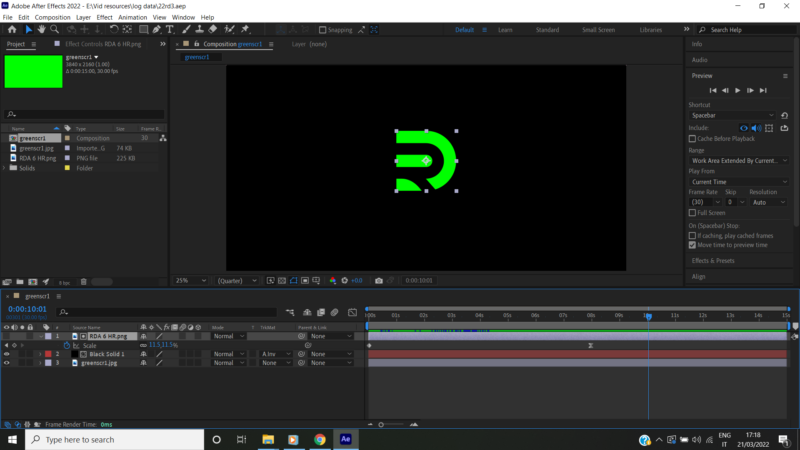
    Guys I transformed this logo shape from red to green because I wanted it to be a green screen animation. See image below!

    I changed the shape from red to green using the ‘none’ to ‘Alpha Inverted’ in the timeline.

    Then I created an 8 sec zoom out animation as indicated by the file below.

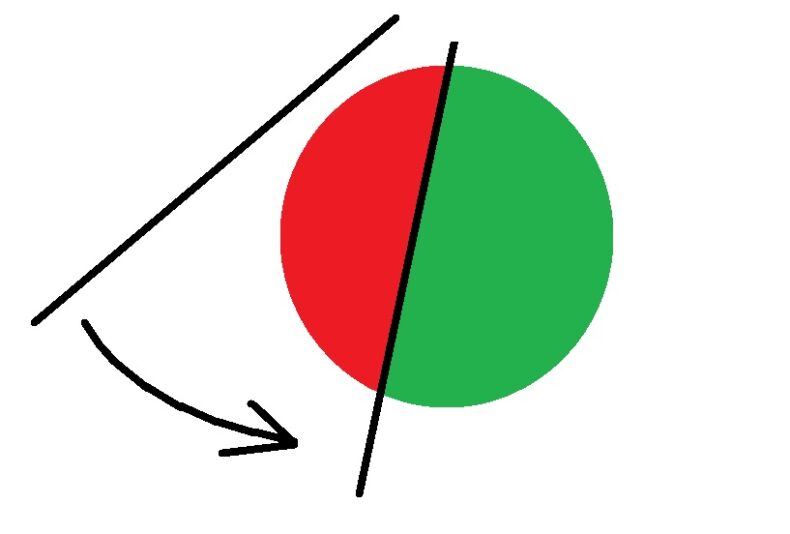
    Let’s suppose the circle in the second image is the RDA logo shape.

    what I want to do next is create like a blurry reveal animation wipe [or “partial” radial wipe] from left to right as shown in the circle image below. I want it to move in an angular anticlockwise pattern revealing back the red shape as it once was and eliminating all the green. I want this to start at about two seconds from where the previous animation ended.

    Sorry guys I’m kinda new to Ae so a step by step explanation would be nice

    I appreciate the help

    Thx

    File contents:

    https://files.fm/u/rjuvmhbj5

    Bobby Sifon replied 4 years, 1 month ago 2 Members · 2 Replies
  • 2 Replies
  • Graham Quince

    March 23, 2022 at 10:42 am
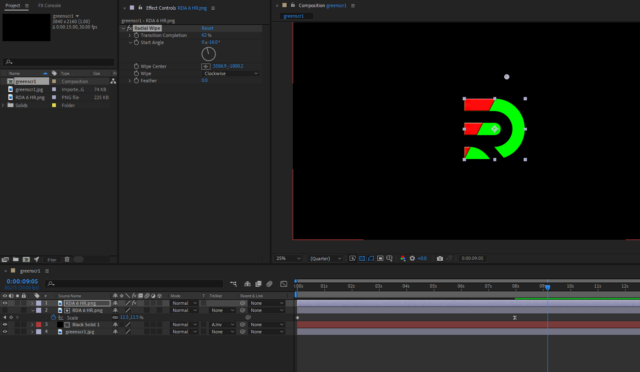
    • Duplicate your logo layer
    • Turn it on
    • Apply the Radial Wipe effect
    • Move the Wipe Centre to above the logo
    • Alter the angle and keyframe the transition complete value
  • Bobby Sifon

    March 24, 2022 at 3:05 am

    Graham is there a way to add a slight bevel to the shape after this?

    I tried but it doesnt seem to be working

We use anonymous cookies to give you the best experience we can.
Our Privacy policy | GDPR Policy