Forum Replies Created

Page 6 of 23
  • Devrim Akteke

    September 23, 2025 at 12:31 pm in reply to: Problems exporting AAF

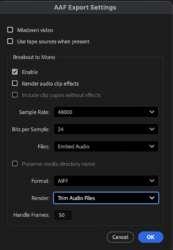
    There are some weird problems with exporting AAF from Premiere.

    I duplicate the sequence and delete all the video before exporting the AAF for a long time.

    You may try that one

  • Devrim Akteke

    September 22, 2025 at 6:19 am in reply to: MXF files from Sony FX9 and FCPX

    Hi,

    There shouldn’t be any problems regarding importing FX9 footage into FCP. It should be ok since 10.4.2. I don’t know, maybe you did, but running Disk Utility’s First Aid and checking for upgrades – just thinking out loud.

  • Devrim Akteke

    September 19, 2025 at 7:14 am in reply to: Unable to open auto save

    I guess it is not your projects that are corrupted, but the Premiere Pro install. At least Auto-saves.

    Did you have a chance to uninstall and install Premiere Pro?

  • Devrim Akteke

    September 18, 2025 at 5:52 pm in reply to: Unable to open auto save

    Hi,

    Terrible issue. I am unsure how to solve it, as the solution may vary across different systems.

    There could be something causing trouble in the cache.

    Steps I would take;

    1- I would try to open auto-saved projects 1 by 1 from the newest date and time.

    2- Uninstall it, restart the computer, and install it again.

    Hope it helps.

  • Devrim Akteke

    September 16, 2025 at 2:48 am in reply to: Bug – Premiere Exporting White

    That is very odd. One of the bugs of Premiere.

    Did you try creating a new Sequence, even a new project, and copying and pasting the timeline content onto that new sequence? It may solve it.

    It is strange that even after you delete the effects and renders, they still remain; all these sophisticated software and latest hardware get stuck at some point.

  • Devrim Akteke

    September 15, 2025 at 4:42 am in reply to: Best Final cut pro music settings

    I don’t think naming affects the quality of the video. However, it is good to avoid using some characters in the computer world. Instead of – you can use _ and using non-English characters in some languages is not recommended. You can name the title as you wish on the website, of course.

  • Devrim Akteke

    September 14, 2025 at 10:16 am in reply to: Best Final cut pro music settings

    Ahh, no, AIFF is only the Mac version of it.

  • Devrim Akteke

    September 12, 2025 at 3:37 am in reply to: Transition help need

    Hi,

    Well, as Mads pointed out, I cannot remove that because I didn’t post it; it is in your post. Sorry for not being helpful on this.

  • Devrim Akteke

    September 10, 2025 at 11:33 am in reply to: Transition help need

    The numbers I used in the sample I sent are:

    960×540 — 0x540 — 1920×540 — 960×540

    This is for horizontal, I am changing only X values and keeping the Y values intact.

  • Devrim Akteke

    September 9, 2025 at 4:14 pm in reply to: Can’t relink files

    Hi,

    So what is the process? Did you transfer these files from a different machine, or was it too long before you worked with these materials, and maybe you updated FCPX in the meantime? This error normally happens due to the Audio channels. Let’s say if the original files had 4 channels of audio, but the new files had 2 channels of audio, it won’t relink. As you are saying, these are the same files; maybe an update to FCPX may have caused this error. Unfortunately, I had this error several times before and never had a solution yet. You can check the number of channels of offline files, and after importing the files, you can check and see if they show the same or different in the inspector.

Page 6 of 23

We use anonymous cookies to give you the best experience we can.
Our Privacy policy | GDPR Policy