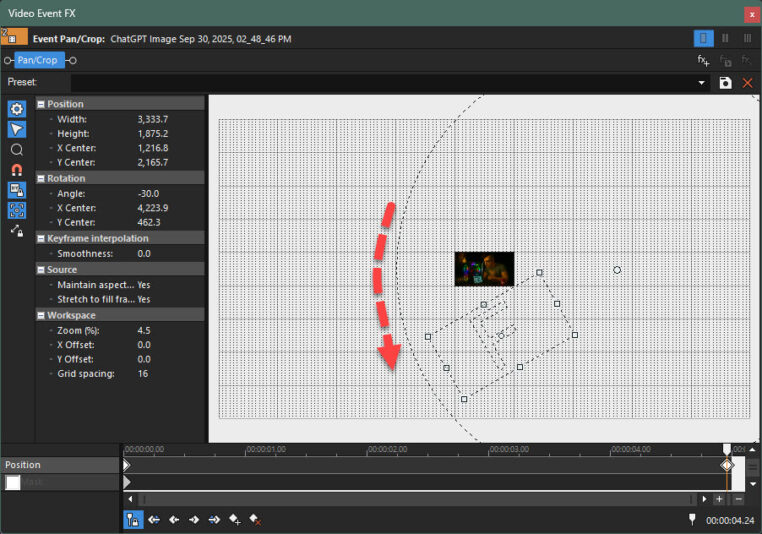
Thanks for .veg file.
It took me a while to work out what was wrong!
The problem is your Event Frame is changing aspect ratio as it moves from one key-frame to the next.
It can get very complicated to explain, so here is the method I recommend.
I have also uploaded a file you can experiment with. When you open my .veg file, substitute image with one of your own 16×9 images – make sure it’s 16×9 aspect ratio, so you see what I saw. My .veg was made with VP23. If you are using older version, let me know and I’ll make with your version of VEGAS Pro!
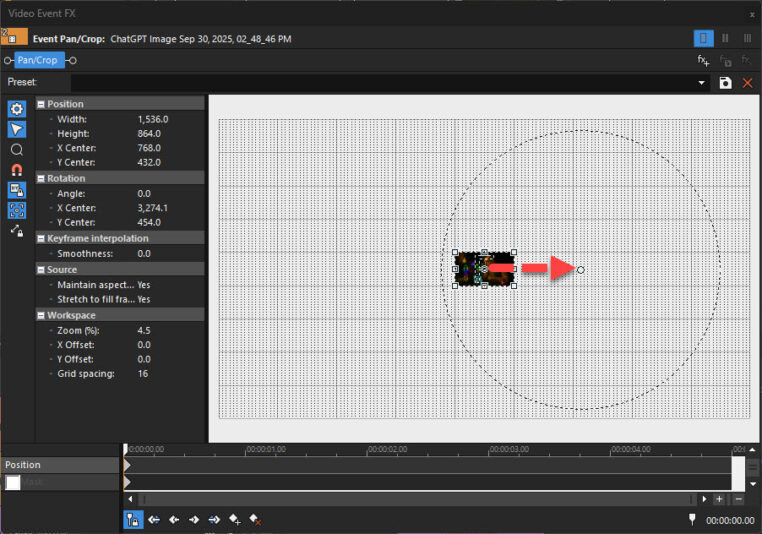
Using my method, you are going to move the Center of event frame, way outside to the right.
1. Clean slate project. Zoom way out in event pan crop for first image. Then grab hold of center dot and move to right. What distance you choose is up to you.
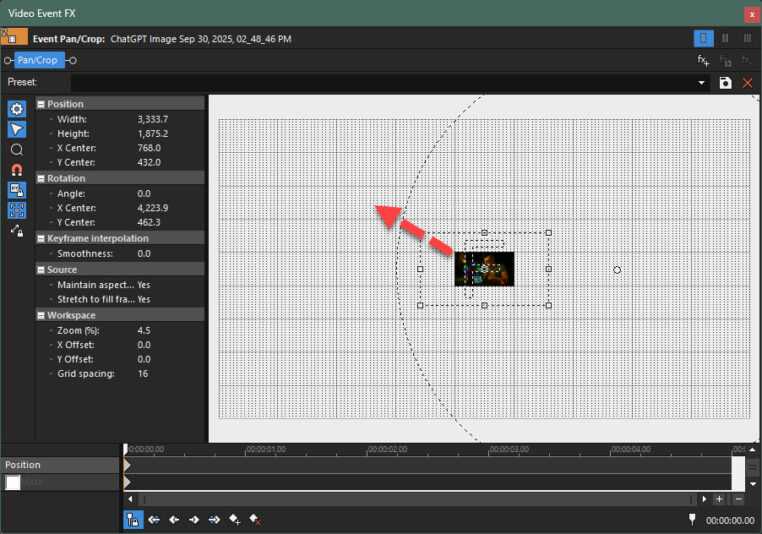
2. Drag corner of image diagonally to “zoom out” and make image smaller.
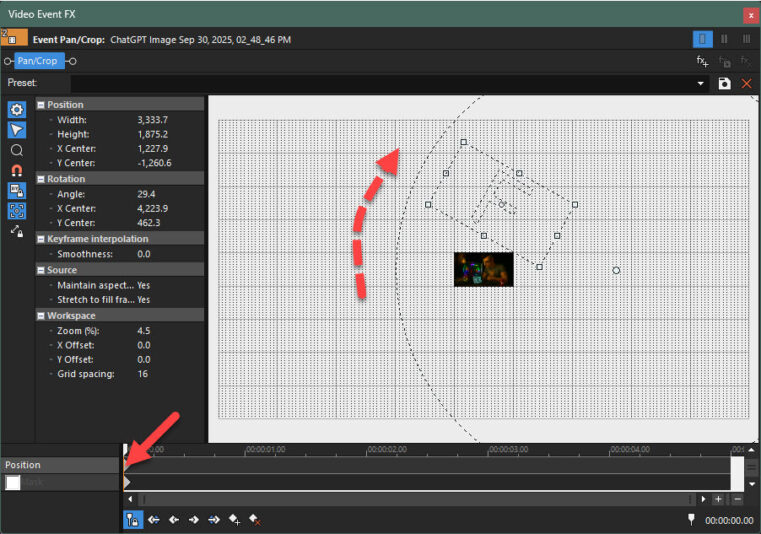
3. Hover near circle until spin icon appears and spin upwards. Make sure it creates an actual Key-Frame. Click on key-frame if it does not auto-create.
4. Move along 5 seconds, then spin circle down. That’s it.