Forum Replies Created

Page 1 of 13
  • Chip Hess

    April 23, 2023 at 6:02 pm in reply to: 16 Tracking Error

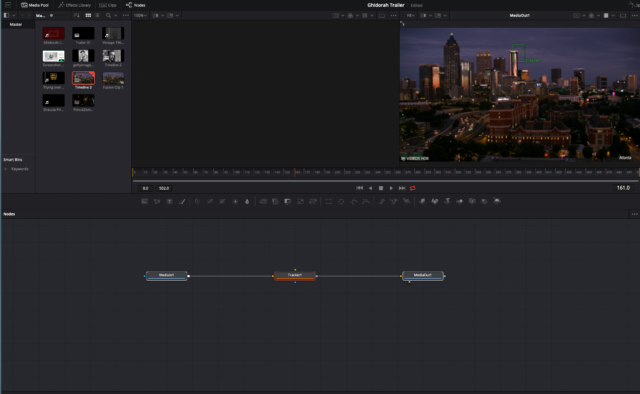
    Good point on decoding. Turns out the tracker was not properly connected! I simply deleted and pulled in a new one and that was it. Another forum pointed out the tracker might just be sitting ‘on top’ and sure enough that did it.

  • Chip Hess

    April 20, 2023 at 5:54 pm in reply to: 16 Tracking Error

    I set the track point, hit track and the error in the screen shot pops up. Nada. I’ll try more troubleshooting and return here if I again hit the wall. Thanks !

  • Chip Hess

    April 20, 2023 at 4:02 pm in reply to: 16 Tracking Error

    Transfer data, yes. Tutorial I watched showed tracking first then adding object. But I have been unable to complete the track. If that’s incorrect, I am all ears! Used color for awhile, still ‘getting wet’ with Fusion!

  • Chip Hess

    April 19, 2023 at 11:37 pm in reply to: 16 Tracking Error

    Attached is my tree, couldn’t be much simpler! Guess I’ll try new timeline suggestion…

  • Chip Hess

    April 15, 2022 at 3:36 pm in reply to: Cached Frames?

    Thanks!
    I did a search on the Adobe forum, and found this

    Preferences > Memory, and make sure “Reduce Cache size when system is low on memory” is NOT checked.
    I found this fixed it!

  • Chip Hess

    August 31, 2021 at 3:38 pm in reply to: How to create a 15-minute countdown in After Effects?

    This is great. Now if we would want to change the duration to something less or greater than 15 minutes, what would we change? Just the Comp length?

  • Chip Hess

    August 13, 2021 at 3:23 pm in reply to: Sync Audio

    I wish I knew about the TC!

    Guess I’ll find out how much the DP knows 😉

    They are still shooting.

    I have had varying success in the past with waveform sync, so …fingers crossed!

    Thanks much for the replies.

  • Chip Hess

    August 11, 2021 at 3:54 pm in reply to: Sync Audio

    I don’t have much input right now, as the shoot progresses. The cam will have scratch audio, the TC situation is unknown. Crossing my fingers on the experience of the DP!

    My main question is the 1-2-3 steps in Avid to sync this in the most efficient way possible. Rather brutal deadline. I know you can autosync and create auto sequences in Resolve, is there a corollary in MC? Just need the order and method for this so I don’t waste time.

    Thanks!

  • Chip Hess

    July 16, 2021 at 6:10 pm in reply to: Depth of Field Adjustments

    Renderer, that was it!

    Thx very much, I knew it was something simple.

  • Chip Hess

    March 30, 2021 at 4:35 pm in reply to: OFFLINE

    When I do a Reveal File, I get “Unable to find media for selected clips”.
    However, using name of clip and searching in Finder, I find both the original Camera file and the created MXF media. It seems as if the connection was lost at some point last weekend.

    I guess the question becomes, how do I reconnect the MXF media.

    I have been away from Avid awhile, this project has been done in fits and starts,

    according to the producers finances. This came to of the blue this weekend.

    Everything displayed properly until then.

Page 1 of 13

We use anonymous cookies to give you the best experience we can.
Our Privacy policy | GDPR Policy