Forum Replies Created

Page 6 of 37
  • Ben Balser

    December 6, 2025 at 2:54 pm in reply to: FCP mp4 full pathway for an mp4 output

    I use HEVC video all the time and love it. It’s a great codec. I use MP4 for delivery a lot, too, and love it. I don’t think you need ProRes HQ 4K, may be overkill. What’s the physical size and resolution of the screens? How far from them will folks be standing? This will affect the effective resolution they’ll be able to perceive. I think you need to trust HEVC and MP4 more. A decade ago MP4 was not as mature as it is today. It’s a very robust codec. But start with and edit in the resolution you’ll be delivering in. What is that resolution requirement? And stay away from ProRes “LT” anything. FCP’s compression engine is as good as any other NLE out there.

  • Ben Balser

    November 14, 2025 at 2:05 pm in reply to: Creating classic analog video feedback effect?

    Very old post, I know, but you’d have to shop around for a plugin that does this.

  • Ben Balser

    November 14, 2025 at 2:04 pm in reply to: Motion export DIFFERENT than project file

    Very old post, but more information would be needed. I use Motion several times a week and have never had this issue. Screen shots, please. If this is still an issue.

  • No sure what you mean by third party app stores. But if it’s not from a well established, reputable developer, I’d not trust it.

  • Ben Balser

    November 14, 2025 at 1:59 pm in reply to: Blast from the Past

    Why is anyone still on FCP 7? It’s been, what, like 12 years? I’m genuinely curious.

    So, what is your question? I don’t see a question.

  • Ben Balser

    November 14, 2025 at 1:59 pm in reply to: Unsigned Big PCM

    As this was answered in the Apple forum, there’s no volume difference between the two audio codecs you’re referring to. Changing from one to the other will NOT have any influence on the sound level. That is purely determined by the gain settings during the source recording and/or the mastering in the edit. But if you needed to do this, and it would make zero change in volume (I’m retired audio engineer), you should look at creating a custom preset in Compressor (if it’ll even let you do that).

  • Ben Balser

    November 5, 2025 at 7:45 pm in reply to: Magnetic mask playback

    Personally I’d never put two magnetic masks on one clip. Duplicate the clip on top of itself, apply one mask per clip. Some effects won’t work with multiple instances on one clip. And yes, the magnetic mask is very playback intensive.

  • Ben Balser

    November 5, 2025 at 7:38 pm in reply to: mp4 rendering settings

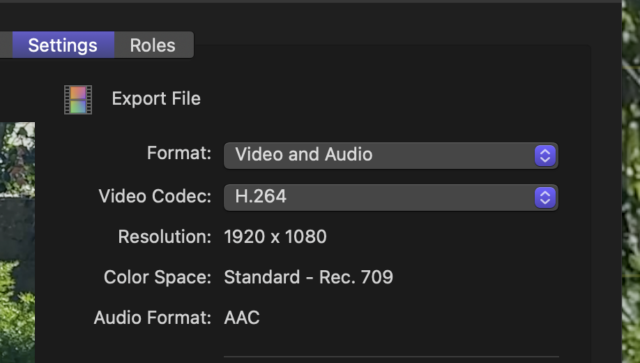
    You set this in the Export window, not the Project creation window, since you’re setting an output.

  • Ben Balser

    November 4, 2025 at 5:37 pm in reply to: Missing Magnetic Mask mattes

    So you add a Magnetic Mask effect to a clip.

    You run the Analysis so the clip if fully tracked.

    Then what do you do next?

    Do you see the MM effect vanish from inside the inspector?

    I’m testing and am not seeing any MM effects on clips disappearing. Their header over the clip is collapsed, but the effect is still on the clip, as evidenced in the Inspector.

  • Ben Balser

    October 30, 2025 at 3:02 pm in reply to: Missing Magnetic Mask mattes

    I’d like to see screen shots when you add the Magnetic Masks, and then screen shots when you’ve quit and re-opened FCP and they’re missing. (I asked this on the Apple forum, also), of the Inspector and the Timeline.

    Have you updated anything or moved anything on your hard drives lately?

    Are other plugins being used on these same clips?

Page 6 of 37

We use anonymous cookies to give you the best experience we can.
Our Privacy policy | GDPR Policy