Forum Replies Created

  • Andy Winn

    July 29, 2025 at 5:24 pm in reply to: Red-Eye Reduction with Picture in Timeline Project

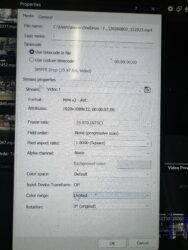
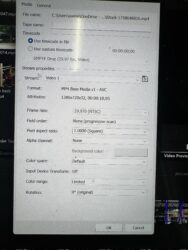
    Sorry to email you directly, but I thought you may be able to assist me with my last question for this project. I have rendered the project (though I am not going to try and correct the red-eye using your suggestions), but as it is played back in .mp4, there seems to have a redish/blue “hue” around some of the footage. It is slight, but it is not as crisp as the actual footage (both stills and videos) shows in the timeline. It is almost a slight (very slight) 3D type effect on the video around the objects of the video, but it makes it look somewhat “off”. Should I render it differently? I used the standard Magix AVC/AAC MP4 format Internet HD 1080p 29.97 fps. It may simply be that it is lagging in the playback.

    Suggestions?

  • Andy Winn

    July 29, 2025 at 5:13 pm in reply to: Red-Eye Reduction with Picture in Timeline Project

    That is a great suggestion. Thank you and I will try that now. Grateful.

  • Andy Winn

    July 13, 2025 at 7:40 pm in reply to: Optimal Project Settings for Multiple Imports

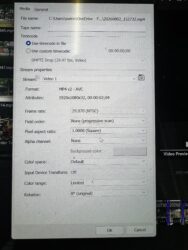
    Okay, I know I will sound like a “newbie” (and…to be honest…though I have worked with Vegas for years, I only do so when I do a project for fun every 5ish years), is the setting you’re one of the drop-down preset Video tab template option that looks like:

    Template: HD 1080-30p (1920×1080, 29.70 fps).

    Field Order: None (progressive scan)

    Pixel Aspect Ratio: 1.000 (square)

    HDR Mode: Off

    Frame Rate: 29.970 (NTSC)

    Pixel format: 8 bit (full range)

    I have never really changed this suggested option, so I would love to know if this is best.

    Thank you so much.

    Andy

  • Andy Winn

    July 13, 2025 at 7:30 pm in reply to: Optimal Project Settings for Multiple Imports

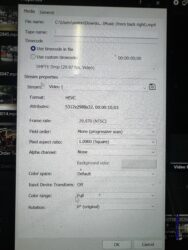
    Wow. This is extremely helpful. I will adjust the entire project settings based on your suggestion. I am using 21.0 and had a follow-up question for you. Based on your response, it seems that you are able to import .HIEC files to your project. I have not been able to do that…the program does not like that and I often receive a prompt that says that it cannot open the file. So, I have had to do a lot of “batch converting” using Tunebro or Handbrake for videos. Am I missing something that would make it easier?

  • I am trying to duplicate your suggestion regarding cutting a hole in the video on track 1 using a Bezier mask (found in Pan/Crop), but have not been able to find the Bezier mask option in the Pan/Crop. I have wanted to do something similar to this in the past.

  • Andy Winn

    June 20, 2007 at 12:01 pm in reply to: Vegas Froze Multiple Times

    Thank you, I will definitely try that in the future.

  • Andy Winn

    June 20, 2007 at 12:00 pm in reply to: Vegas Froze Multiple Times

    Yes, they were on an exteral drive. However, the still pics would work at times and at other times they would not. When I attempted to render the file, the rendering process stopped when the program reached certain still pics. It seemed to stop at pics that were taken years ago, while the recent pics from digital cameras worked fine.
    Thanks for your suggestions.

  • Andy Winn

    May 30, 2007 at 12:49 pm in reply to: Text Question

    Thanks so much for your response! Do you mind going into a little more detail on what I would do to create it as a graphic?

  • Andy Winn

    May 28, 2007 at 6:50 pm in reply to: Converting Video for Ipod

    Thanks, however, I have had a diffucult time finding that format. I use Vegas 7.0e and tried to render it with the mp4 option, but it would not recognize it on my ipod.

We use anonymous cookies to give you the best experience we can.
Our Privacy policy | GDPR Policy