Hello again Rob!
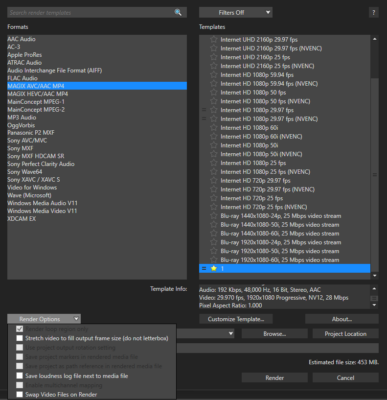
Is adjusting the Pan/Crop menu out of the question? I see that the clips you are using are in 4:3, and while the “stretch videos to fill output frame size” helps in some cases, it hasn’t been a reliable solution in my experience.
There is a “stretch to fill” setting within the Pan/Crop tool as well, or you can manually zoom in and copy the keyframe to every other clip. Alternatively, you can fill the screen using the “Track motion” feature.
If you’re not familiar with these features, I am tracking this thread so I can give you a walk-through.