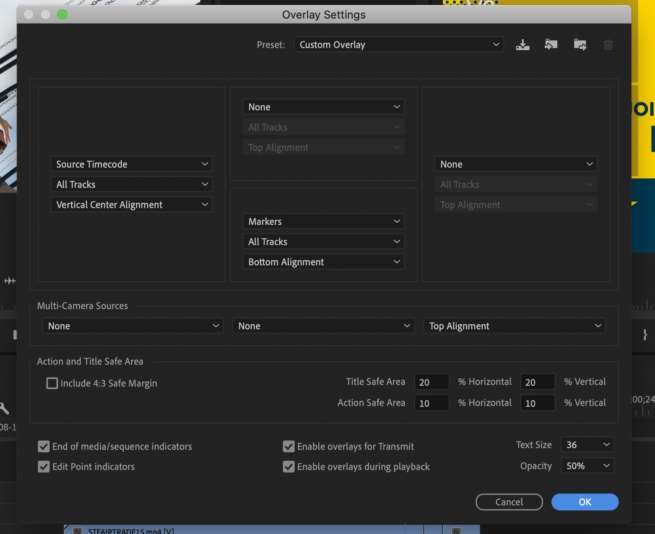
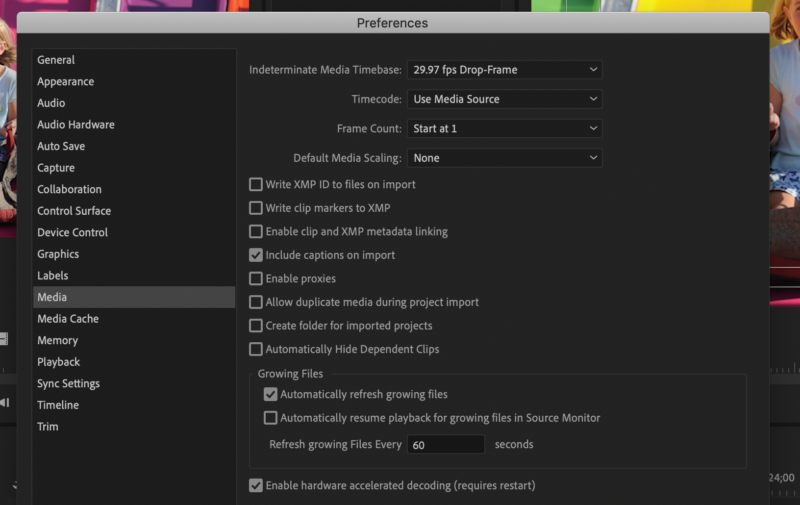
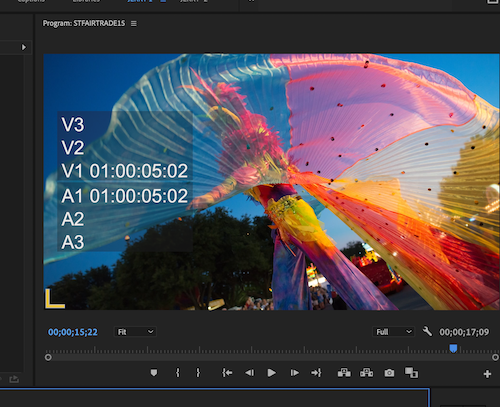
you will need to enable OVERLAY in the program monitor. then go to preferences and set as in the pic i send. your timeline will not let timecode jump around. you can reveal clip timecodes by turning on OVERLAY.
What is your final delivery screen size? If it 1920×1080 then the “wonderful life” footage will probably look better. Was the footage of you shot in 4k? Fitting you into 1920×1080 won’t change the way you look. I would leave your settings as is. The black and white footage looks pretty good to me. You could save your project and then change your sequence size to 1920×1080 Progressive and see if there is a difference in the black and white footage.
If you want the clip to fit the screen then you will need to enlarge it. You are making it 3 times bigger so you will see jagged edges and more grain. I am surprised it looks as good as it does.