Forum Replies Created

Page 1 of 33
  • Jason Jantzen

    February 24, 2022 at 9:58 pm in reply to: Y position oscillates between numbers with holds
  • Jason Jantzen

    February 23, 2022 at 8:54 pm in reply to: Y position oscillates between numbers with holds

    One thing I noticed is the Y position height is constant. Is there a way to randomize the rampValue to achieve a different height each time and maintain the triangle shape? I tried to add a wiggle to the value, but not only does it change the heigh but also the shape.

  • Jason Jantzen

    February 23, 2022 at 8:25 pm in reply to: Y position oscillates between numbers with holds

    That works perfectly! I can adjust the rampTime to create a more triangle wave look or turn it way down to get a more square wave. Thanks again, Dan! Screenshot shows designer artwork under the animated emitter with your expression added to the emitter’s position property.

  • Jason Jantzen

    February 22, 2022 at 5:03 pm in reply to: Random Y position with controls

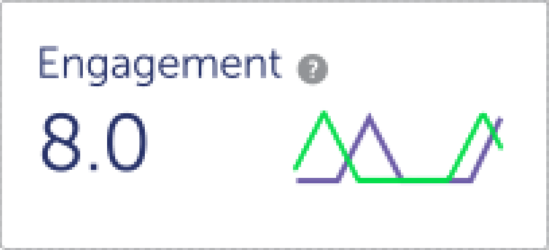
    You’re right! I guess I can’t copy/paste graphics into a post. I would think no more than 5 dots would be needed to make a variety of little graphs like these.

  • Jason Jantzen

    August 23, 2021 at 2:01 pm in reply to: [help] Scale Wiggle expression

    I got this one from Dan Ebberts website https://www.motionscript.com/

    You can adjust the values to whatever you want for the range. I have some arbitrary numbers in there from whatever values I needed the last time I used it.

    segMin = .3; //minimum segment duration

    segMax = .7; //maximum segment duration

    minVal = 50;

    maxVal = 200;

    end = 0;

    j = 0;

    while ( time >= end){

    j += 1;

    seedRandom(j,true);

    start = end;

    end += random(segMin,segMax);

    }

    s = random(minVal,maxVal);

    endVal = [s,s];

    seedRandom(j-1,true);

    dummy=random(); //this is a throw-away value

    s = random(minVal,maxVal);

    startVal = [s,s]

    ease(time,start,end,startVal,endVal)

  • Jason Jantzen

    December 1, 2016 at 12:32 am in reply to: Wiggle range whole numbers

    Thanks Dan! I tried inserting Math.floor in various places in the expression but I don’t understand the expression enough to modify it like that. This works perfectly 😀

    Jason Jantzen
    vimeo.com/jasonj

  • That worked perfectly! Thank you Dan!

    Jason Jantzen
    vimeo.com/jasonj

  • Hey Dan,

    I used a “counter with slider” expression I believe you wrote a while back to hook up the text value to the slider so I could round off the decimals and use the prefix MPH. Where would you add the “convertSpeed” linear function to that expression? Or am I going about this wrong?

    slider = thisComp.layer("Speed Control").effect("Speed")("Slider");
    numDecimals = 0;
    commas = false;
    dollarSign = false;
    percentSign = false;
    s = slider.value.toFixed(numDecimals);
    prefix = "";
    suffix = "MPH";
    if (s[0] == "-"){
    prefix = "-";
    s = s.substr(1);
    }
    if(dollarSign) prefix += "$";
    if(percentSign) suffix = "%";
    if (commas){
    decimals = "";
    if (numDecimals > 0){
    decimals = s.substr(-(numDecimals + 1));
    s = s.substr(0,s.length - (numDecimals + 1));
    }
    outStr = s.substr(-s.length, (s.length-1)%3 +1);
    for (i = Math.floor((s.length-1)/3); i > 0; i--){
    outStr += "," + s.substr(-i*3,3);
    }
    prefix + outStr + decimals + suffix;
    }else{
    prefix + s + suffix;
    }

    Jason Jantzen
    vimeo.com/jasonj

  • Jason Jantzen

    July 22, 2016 at 4:40 pm in reply to: Mask Path controls/ Weird behavior

    From the behavior you’re describing, it sounds like you have the Rotobezier button checked on the toolbar.

    Jason Jantzen
    vimeo.com/jasonj
  • Jason Jantzen

    July 15, 2016 at 6:28 pm in reply to: Most likely cause of ghost lines?

    If it’s a solid color, you could simply just replace it with and AE solid. I have this problem with Illustrator as well.

    Jason Jantzen
    vimeo.com/jasonj

Page 1 of 33

We use anonymous cookies to give you the best experience we can.
Our Privacy policy | GDPR Policy