Christoph Heimer
Forum Replies Created
-

Christoph Heimer
December 7, 2020 at 12:45 pm in reply to: How to insert clip between other clips in timeline?I have exactly the same problem right now.
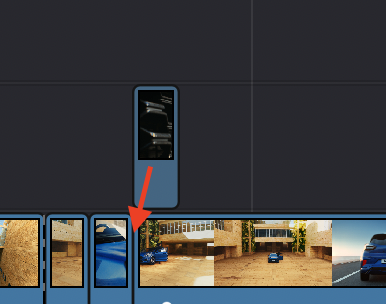
I have one short clip on top of a long clip and I want to drag it so that it snaps BEFORE the long clip. In Premiere this is a super easy task by clicking alt while dragging – but in Resolve it seems nearly impossible. With the aforementioned cmd+shift shortcut, it KINDA works but not as expected, as when I drag and click this combo, it never drags the clip down into the same layer, but always onto a new video track. Cmon, this has to be possible to do somehow?

-
Turning off the cache indicator doesn’t help at all on my mac pro from early 2014. It has gotten horrifyingly worse since I got a 5k display.
I don’t know what to do to speed up the timeline again, but this is almost unbearable. -
Thanks for all the good advice so far. But how is it possible to make the percentage “slider controllable”?
Basically what I wanna do is take this: https://vimeo.com/108922785 and add a fourth number, that is being controlled be a sum of two of the other numbers. But I can’t figure it out how to add the two numbers on top of each other. So I either need to understand that, or come up with a way to have a slider on my text layer that simply controls the number.
Some contents or functionalities here are not available due to your cookie preferences!This happens because the functionality/content marked as “Vimeo framework” uses cookies that you choosed to keep disabled. In order to view this content or use this functionality, please enable cookies: click here to open your cookie preferences.
-
figured it out, thanks!
freq = 1;
50*(2 + Math.cos(time*freq*Math.PI*1)) -
Cool! How can I adjust the expression so that it pulsates from 100 to 50 in value, instead of 100 to 0 ?
-
Sorry guys, I was stupid, I found a solution for now with a slider control linked expression.
Now the only problem I have is, if I have a really high number, lets say 82.350. And I want this number to be counted up.
Can anyone tell me how I can make AFX display such a number, instead of just putting out 82350 without the punctuation? -
Christoph Heimer
September 13, 2016 at 10:41 am in reply to: Anyone ideas how to do this with PLEXUS?You’re the f**king man, Kalleheikki!
Thanks so much, I wouldn’t have figured the trick with the lights out. Awesome, that’s why I love this forum so much.All the best.
-
Christoph Heimer
September 12, 2016 at 3:05 pm in reply to: Anyone ideas how to do this with PLEXUS?thanks man, thats awesome!!
But how would you now make it so that you have this basic ground floor layer and only some peakes popping out of it instead od this random “mess” 😉 ? -
Christoph Heimer
September 12, 2016 at 2:24 pm in reply to: Anyone ideas how to do this with PLEXUS?Wait, I don’t fully understand.
So I should create a layer with two circular masks, one smaller than the other.
Apply Plexus.
Now I have two dotted perfect circles within each other, like a ring.You want me to copy this layer three times and place it on top of each other?
What do you mean by “think of a hexagon shape for the profile of the original shape” ?
I still have Plexus2, is that a feature of V3?
If I put a line renderer on it, it just connects the dots of each circle, but not between one circle and the other.I made three copies within plexus itsselve, and added a facets renderer and some noise. It get’s me somewhere but not quite there. I attached the project file. Maybe you can try to explain it again in a bit more detail.
https://chfilm.de/download/plexus.aep
-
Yeaaa well, but still it’s not comparable to copy pasting clips from premiere to after effects and dynamic linking to aep comps.. Anyway, thank you all, you really helped me!