Forum Replies Created

  • Thank you, Tero. I should have been more specific.

    This is a film for cross platform. DaVinci was kind enough to provide compression specs for the most popular platforms… So, I guess your answer applies. Thank you for your time.

    Steven

  • Steven Adams

    October 11, 2021 at 1:40 am in reply to: SUBTITLES doubling up on one track

    Dean and Tom, Thank you both for your replies!

    Dean, I found that for some reason when I delete and restore the text box and do the same with the clip below the text box, it seems to take care of the issue. Are the text and the clip related to the same cache? I don’t know. But it’s an effective work around. How ever, I will give your suggestion a shot. Thanks so much!

    Steven

  • Steven Adams

    October 10, 2021 at 4:24 pm in reply to: SUBTITLES doubling up on one track

    Thanks for replying Tom,

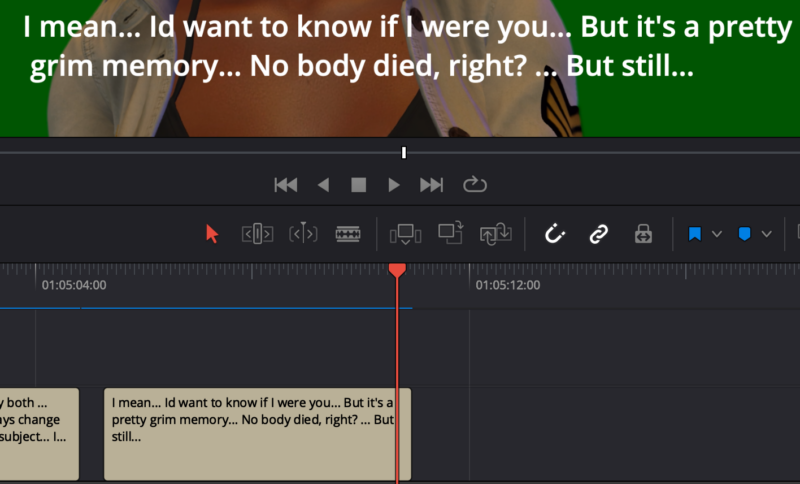
    Here’s what Im seeing:

    The image with proper text, obviously working normally.

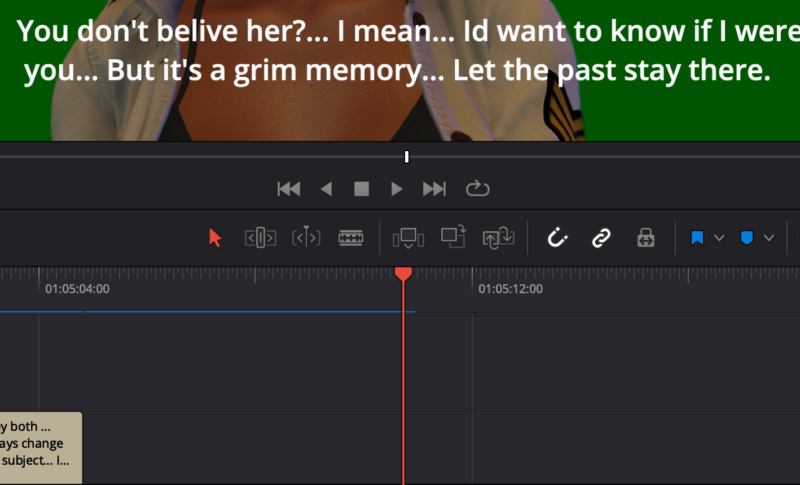
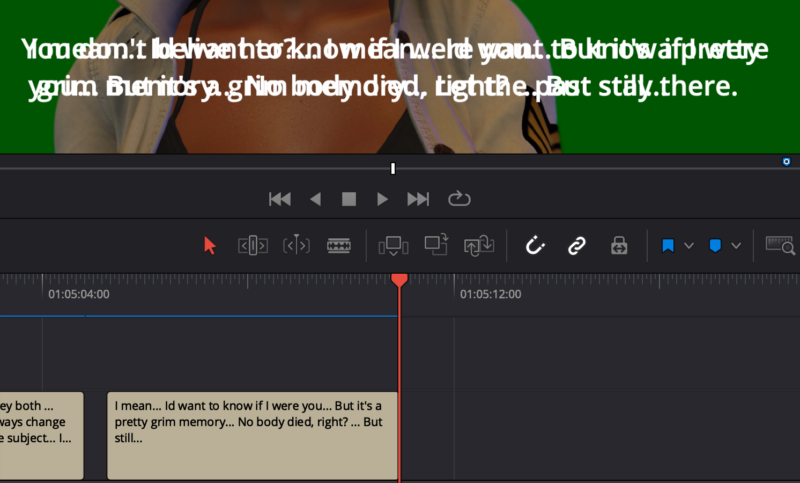
    When it gets to the last frame of the same box of text, it doubles up and adds text that I had deleted.

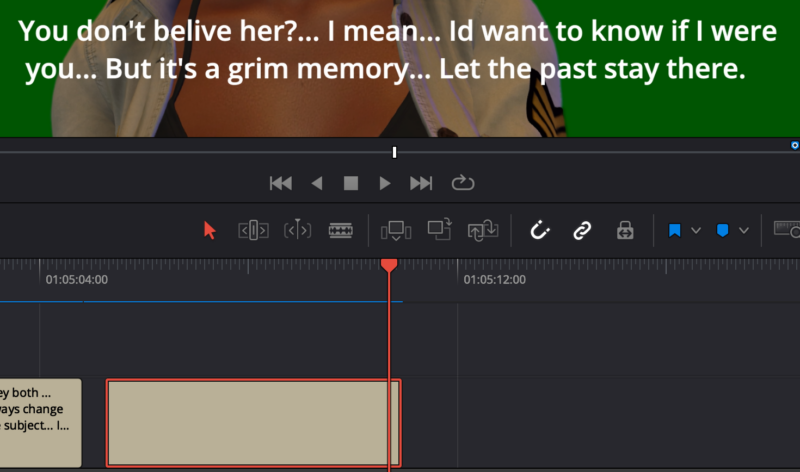
    Note in the image with no text in the box, there’s still text in the video.

    In the image of the inspector, note there is no text. “(0) CHARACTERS”.

    Note the image where there is no text box but dialog remains in the video.

    There are no other sub title tracks active in any of these examples.

    Any help is appreciated.

    Thanks, Steven

  • Michael,

    Thanks so much for taking the time to help me with my challenge! Your suggestion worked very well!!

We use anonymous cookies to give you the best experience we can.
Our Privacy policy | GDPR Policy