Creative Communities of the World Forums

The peer to peer support community for media production professionals.

Activity Forums DaVinci Resolve SUBTITLES doubling up on one track

  • SUBTITLES doubling up on one track

    Posted by Steven Adams on October 10, 2021 at 12:03 am

    Hi,

    I was experimenting with subtitles and suddenly they started doubling up, making them illegible. I tried several things to correct this … researching videos, forum posts. Restarting, deleting the track and starting over. The problem repeated its self.

    I would write a line of text… Delete it. (back spacing) … Write a New line of text. And then the problem began.

    Any help is greatly appreciated.

    Thank you,

    Steven

    Steven Adams replied 4 years, 7 months ago 3 Members · 5 Replies
  • 5 Replies
  • Tom Watson

    October 10, 2021 at 2:51 am

    I have never had any problems with Resolve Sub Titles. They have always worked well and as expected.

    Are you sure you have actually deleted all text?

    Does it have the same problem in another Timeline?

  • Steven Adams

    October 10, 2021 at 4:24 pm

    Thanks for replying Tom,

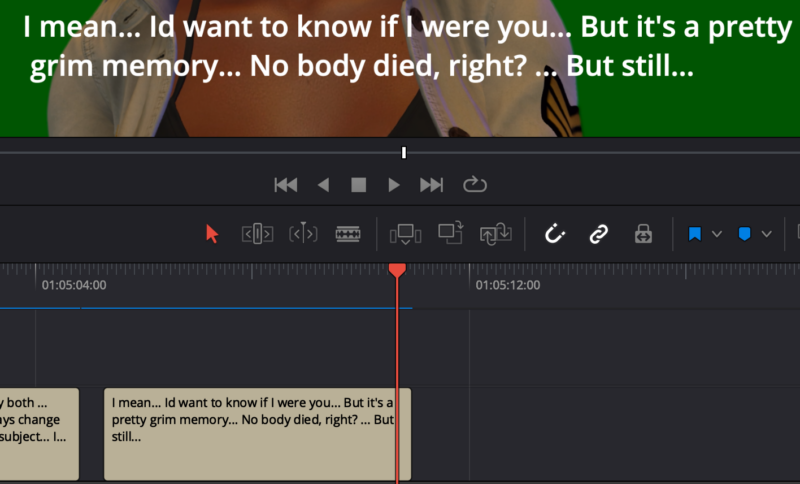
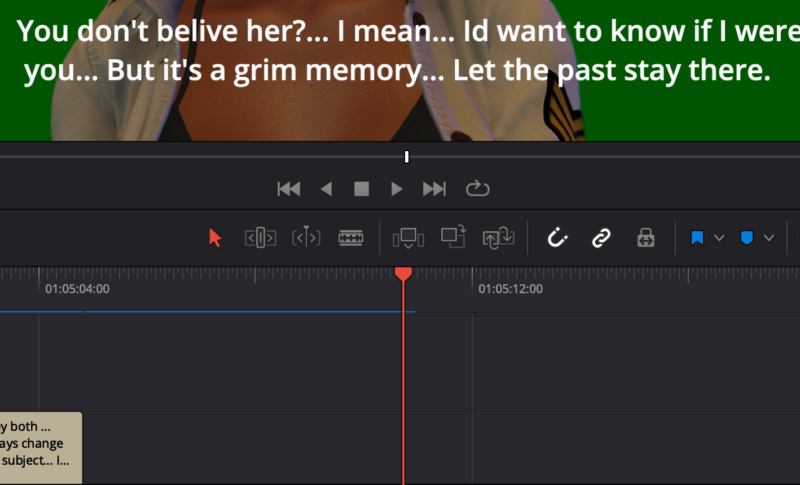
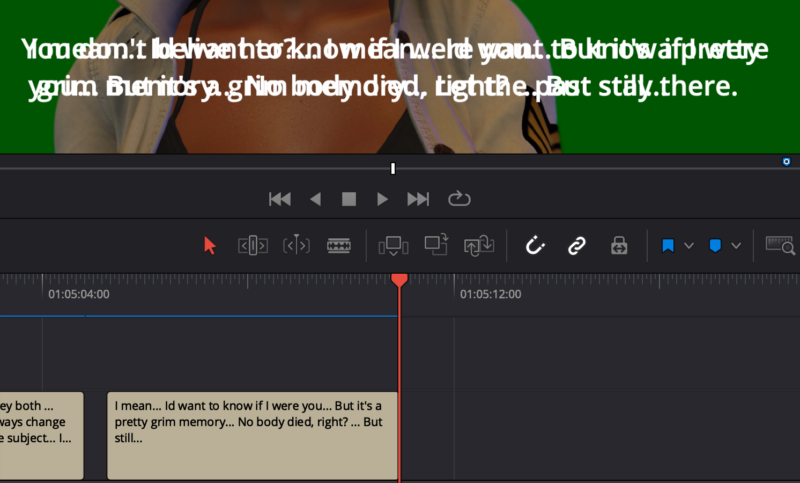
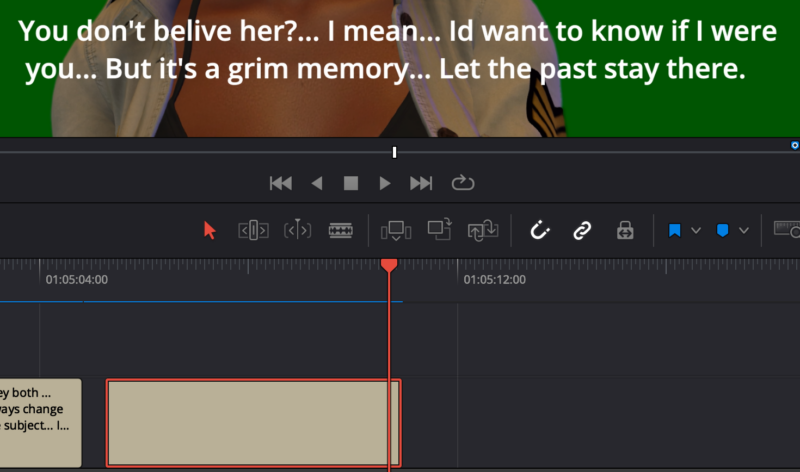
    Here’s what Im seeing:

    The image with proper text, obviously working normally.

    When it gets to the last frame of the same box of text, it doubles up and adds text that I had deleted.

    Note in the image with no text in the box, there’s still text in the video.

    In the image of the inspector, note there is no text. “(0) CHARACTERS”.

    Note the image where there is no text box but dialog remains in the video.

    There are no other sub title tracks active in any of these examples.

    Any help is appreciated.

    Thanks, Steven

  • Tom Watson

    October 10, 2021 at 4:51 pm

    The times I have had weird things like that happen I found the Timeline had become corrupted or the computer needed to be shut down and everything restarted.

  • Dean Baker

    October 10, 2021 at 11:39 pm

    Hi Steven,

    This happens with me from time to time, it is a cache issue. Try selecting the offending subtitle and clearing the cache (Playback -> Delete render cache -> Selected clips …). Hope this helps.

  • Steven Adams

    October 11, 2021 at 1:40 am

    Dean and Tom, Thank you both for your replies!

    Dean, I found that for some reason when I delete and restore the text box and do the same with the clip below the text box, it seems to take care of the issue. Are the text and the clip related to the same cache? I don’t know. But it’s an effective work around. How ever, I will give your suggestion a shot. Thanks so much!

    Steven

We use anonymous cookies to give you the best experience we can.
Our Privacy policy | GDPR Policy