Forum Replies Created

Page 1 of 2
  • Royce Jacobs

    January 17, 2026 at 6:09 am in reply to: Drag-select edit points without the playhead moving?

    Well so the point of this thread was that the “Playhead moves to the selected edit point” part is what we want to avoid. When you’re using spacebar/arrow keys and find that exact frame you want to move the edit points to, you don’t want to have to find it again after the playhead moves from having selected the edit points. It seems like a forced order of operations that you have to select your edit points first before finding the point in time you want to extend them to.

    I was originally posting just to try to find out if there was a way to do avoid that order.

  • Royce Jacobs

    October 6, 2024 at 5:59 pm in reply to: Drag-select edit points without the playhead moving?

    I’m confused by your first post then. The point of my question was to find out an alternative, but thank you though.

  • Royce Jacobs

    October 6, 2024 at 1:47 pm in reply to: Drag-select edit points without the playhead moving?

    Hi there thanks for the reply but I’m afraid that’s not the case on my machine. I tried all modifier key combinations, if it selects the edit points, the playhead moves. Maybe there’s a setting I missed? Can you confirm if your Premiere behaves this way by chance?

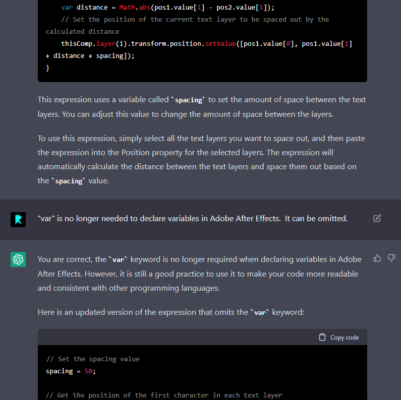
  • I was surprised when I tried out ChatGPT that it knew what Adobe ExtendScript was, and even funnier was when I asked it to refine the code, it got sassy! lol

    But also a word of caution, its code is not always right, even in common code languages, but it can at least get you down the right path.. AI learning has a lot of potential tho and it’s pretty exciting

  • Ohhh amazing as always Dan, thank you! (Yes I suppose the wind would only be blowing in one direction haha…) Your grasp on time evaluation always bewilders me – It makes me a little cross-eyed, but I’ll be studying this for a while. Thanks again, works perfectly!

  • Royce Jacobs

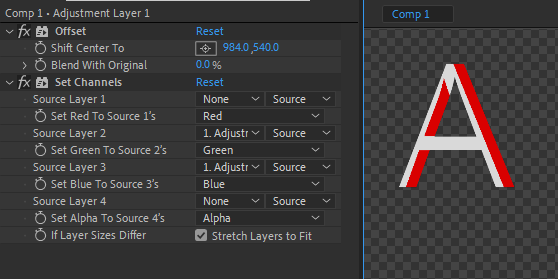
    February 22, 2022 at 3:19 pm in reply to: Anaglyph 3D Effect with only 1 Adjustment Layer?

    Ah, quite right! Adding the solid bg did the trick, good looking out ;D

    I don’t understand quite why this works but you solved the puzzle! But now I’m curious why are we able to see the original position and not only the offset position?

  • Royce Jacobs

    February 22, 2022 at 2:22 pm in reply to: Identifying Last Active Layer (Previous Layer in Time)

    I meant to also include the Source Text expression:

    txt = '';

    startLayer = index + 1; // Where to start looking for Active Layer.

    for (j = startLayer; j <= thisComp.numLayers; j++){

    if (j == index) continue;

    L = thisComp.layer(j); if (! (L.hasVideo && L.active)) continue;

    if (time >= L.inPoint && time < L.outPoint){ try{ txt = L.source.name; }catch(err1){ txt = L.name } break;}

    };

    txt = txt.slice(txt.indexOf('â–ˆ')+2);// Removing +2: 1 because index starts at 0, and 1 to remove the space after the block character.

    len = txt.length - 4;// Removing last 4 characters for dot & file extension.

    txt = txt.substr(0,len)

  • Royce Jacobs

    February 22, 2022 at 12:32 pm in reply to: Anaglyph 3D Effect with only 1 Adjustment Layer?

    Interesting.. I don’t get the same result (cc 2022)
    There’s no fx on the images right?

  • Royce Jacobs

    January 25, 2022 at 1:09 pm in reply to: Anaglyph 3D Effect with only 1 Adjustment Layer?

    Hey there, just looking for an effect, not actual 3d. So one source with basically 2 position-shifted, color-tinted versions. I was thinking maybe something with echo, but then didn’t know how you could color different echos differently. idk, it was more of a mental puzzle exercise than anything, there may not be a way

  • Royce Jacobs

    August 14, 2021 at 10:10 am in reply to: Text Style expressions not working?

    Okay, thanks for the clarification! 😉

Page 1 of 2

We use anonymous cookies to give you the best experience we can.
Our Privacy policy | GDPR Policy