Creative Communities of the World Forums

The peer to peer support community for media production professionals.

Activity Forums Adobe Premiere Pro Drag-select edit points without the playhead moving?

  • Drag-select edit points without the playhead moving?

    Posted by Royce Jacobs on October 6, 2024 at 8:21 am

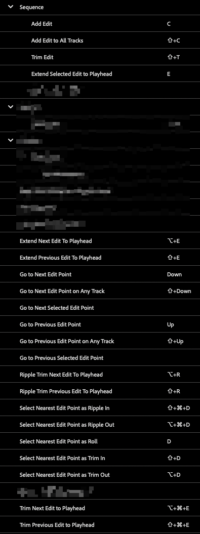
    Drag-selecting edit points with the Rolling Edit Tool (N) makes the playhead jump over to them and it makes me sad. So I have to select end points one-by-one and hit E (cumbersome with multiple layers of clips). I do understand Shift-Q/W will extend Next/Previous edit to playhead, but that means changing track targeting every time to make sure it’s not grabbing upper/lower-track clips way down the line. I just want to drag-select what I’m looking at without playhead movement. And to go searching for the destination point again after selecting seems like an unnecessary task… I’m usually near or right on the destination point when I decide to do the edit, so pre-selecting the edit points then finding the destination is not a natural sequence of events, in my brain anyways.

    No combination of modifier keys seems to make a difference and I see nothing in prefs to change this behavior. Even (ctrl) drag-selecting with the regular Selection Tool has the same effect.

    Am I possibly missing something? Thanks for any help 🙏

    Devrim Akteke
    replied 3 months, 3 weeks ago
    3 Members · 9 Replies
  • 9 Replies
  • Devrim Akteke

    October 6, 2024 at 12:11 pm

    Hi,

    You can use Command Drag or Control Drag on a Mac or a PC and select those edit points without moving the playhead.

  • Royce Jacobs

    October 6, 2024 at 1:47 pm

    Hi there thanks for the reply but I’m afraid that’s not the case on my machine. I tried all modifier key combinations, if it selects the edit points, the playhead moves. Maybe there’s a setting I missed? Can you confirm if your Premiere behaves this way by chance?

  • Devrim Akteke

    October 6, 2024 at 5:16 pm

    Yes, that’s the correct behavior. You should select an edit point first then shift select other edit points, this way playhead does not move.

  • Royce Jacobs

    October 6, 2024 at 5:59 pm

    I’m confused by your first post then. The point of my question was to find out an alternative, but thank you though.

  • Devrim Akteke

    October 6, 2024 at 6:16 pm

    Yes, I missed that one. Unfortunately, it is the way to go.

  • John Hepworth

    January 15, 2026 at 5:36 pm

    Is there no workaround for this? Like in the original post, I often am sitting where I want to extend to, and just want to lasso the relevant tracks and have them extend or whatever to my playhead.

  • Devrim Akteke

    January 16, 2026 at 5:41 pm

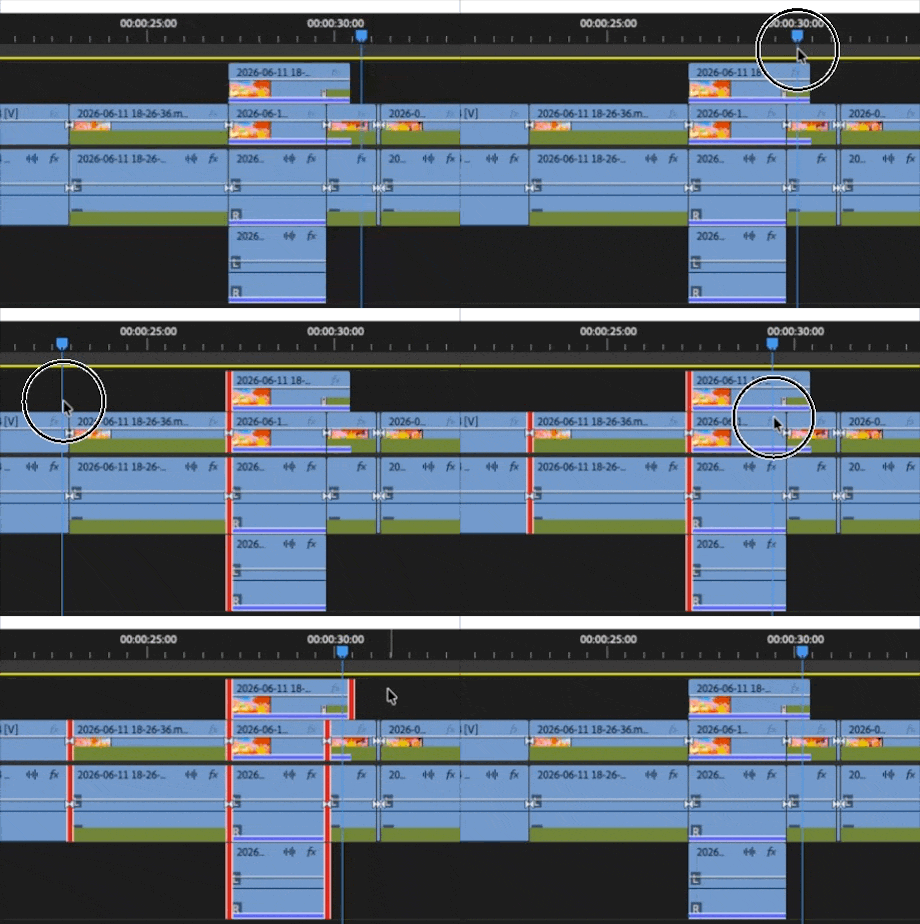
    So I have a video here to clarify what is needed. I drag-select the edit point with the command key. Playhead moves to the selected edit point, and I can drag the cursor to the time that I want to extend, and I can extend with a keystroke or by dragging the edit point. I can do a regular drag or ripple extend. Does this workflow work, or is it something else?

  • Royce Jacobs

    January 17, 2026 at 6:09 am

    Well so the point of this thread was that the “Playhead moves to the selected edit point” part is what we want to avoid. When you’re using spacebar/arrow keys and find that exact frame you want to move the edit points to, you don’t want to have to find it again after the playhead moves from having selected the edit points. It seems like a forced order of operations that you have to select your edit points first before finding the point in time you want to extend them to.

    I was originally posting just to try to find out if there was a way to do avoid that order.

  • Devrim Akteke

    January 17, 2026 at 10:29 am

    Well, yes, unfortunately, there is no way to avoid that.

    Adding a sequence marker may help to find the frame you want to extend.

We use anonymous cookies to give you the best experience we can.
Our Privacy policy | GDPR Policy