

Major Update to Blackmagic Cloud

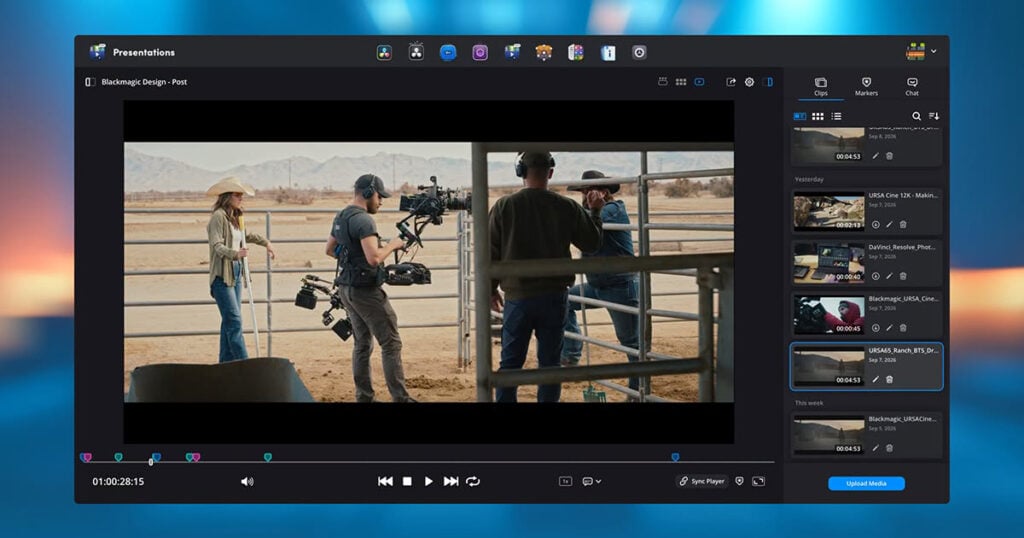
Blackmagic Design has announced a major update to Blackmagic Cloud which adds new features to Presentations, including marker annotations and replies, web uploads and downloads, subtitles and playback speed controls. Plus, faster bulk downloads from Cloud Storage and more!
Presentations is the client review workflow where your team can meet and review a timeline from DaVinci Resolve. It allows you to invite people from anywhere in the world to watch and comment on your video, regardless of whether they have DaVinci Resolve installed. With this update, you can now upload and download media directly from a web browser. This means you no longer need DaVinci Resolve to add a clip to a presentation. You can upload media from a phone, tablet or computer, making it easier when the person running the review isn’t the person doing the edit. Reviewers can also download clips to view in their own time, while administrators can disable downloads in a presentation when required.
This update also adds on frame annotations, replies and completion status for markers. Instead of describing parts of a frame with words, reviewers can add arrows, shapes, freehand drawing and different colors to show exactly what they mean. Editors and colorists can reply to markers to clarify feedback, then mark a note as complete so only the markers that still need attention remain in the DaVinci Resolve timeline.
Presentations also adds subtitle support to the player. You can switch on subtitles already in the timeline or upload subtitle files, instead of relying on subtitles burned into the video. You can adjust subtitle position, size and color, which is useful when reviewing with clients in other countries or working with translators.
Also included are new playback speed controls, which let you slow footage down to quarter speed for closer review or speed up long timelines. Video and audio conferencing can now be switched off as well, which is ideal for reviews where people prefer to log in and leave notes in their own time.
In addition, Blackmagic Cloud Storage now lets you download whole folders or multiple files at once, along with improvements to upload and download speeds. Single sign on has also been streamlined, giving larger broadcast and film studio customers a smoother login process for their teams. There are also general performance and stability improvements, including better layouts on mobile devices.
These new features are available now and are free for all Blackmagic Cloud customers, with Presentations included on the free plan. The features can be accessed by logging into your account.
Enjoying the news? Sign up for the Creative COW Newsletter!
Sign up for the Creative COW newsletter and get weekly updates on industry news, forum highlights, jobs, inspirational tutorials, tips, burning questions, and more! Receive bulletins from the largest, longest-running community dedicated to supporting professionals working in film, video, and audio.
Enter your email address, and your first and last name below!


Responses