


Ross Mcdowell
Forum Replies Created
-

its not that pressing 0 on the num pad isnt working. no matter what method I use to RAM preview..it generates the frames…but then wont play. It happens periodically…maybe 5 or 6 times a day. Closing AE and opening it again, doesnt fix the problem. Restarting does.
Also I have left more RAM for other apps and it seemed to be working better. I left 4Gb for AE and 4Gb for everything else…
But regardless the fact that audio scrubbing stops working and RAM preview also, as well as a number of other glitches. I think CS4 is the way to go for now until they fix these problems…
I’ll wait for CS6…
Thanks everyone for your suggestions…Ross McDowell
Animation Student -
The RAM preview is just one of the problems. To be honest I know of at least three to four other people that have just bought the new macbooks and are having the same issues. And two others that have an older macbook and having the same issues.
RAM Preview doesn’t work.
Computer becomes unusable.
Renders take 3 to 4 hours but after restart take 2 minutes.
Audio scrubbing doesnt always work.Apart from that yes…its great.
Its OK I am just not going to bother upgrading…not now anyway. CS4 is honestly fine and is doing what I need it to do.
Ross McDowell
Animation Student -
To be honest. When I click RAM preview and it doesn’t play…I would say that is a problem.
The two buggiest releases of AE ever.
Sticking with CS4…no worries.Ross McDowell
Animation Student -
Ah thank you Filip,
Thanks for getting back to me. I will give that a try as soon as I get a chance. Do you know of any resources for things like this such as color profiles etc? I have looked around online and havent had much luck apart from a few adobe white papers. It is all very interesting stuff.
Also to Dave sorry if my question was a little vague, I wasnt actually looking to apply it to any footage I am working on at the moment, but was just asking the question out of general wonder-ment.
Any more information would be awesome!
Thanks
Ross
Ross McDowell
Animation Student -
Ross Mcdowell
September 19, 2008 at 4:00 pm in reply to: Remove objects from static background (B&W footage)Howdy,
Thanks for your reply again,
I think its my fault for being totally unclear. The end result of what I am doing is to be able to take the subjects (baseball players) and place them into new environment. I know there is no perfect way to do it as green screens are used for a reason…but I would like to get closer or at least have some sort of starting point from which to clean the image up, rather than masking around each element and taking hours and hours.
Best
Ross McDowell
Animation Student -
Ross Mcdowell
September 19, 2008 at 2:07 pm in reply to: Remove objects from static background (B&W footage)Hi guys,
Thank you for your quick replies, I think maybe I was slightly misleading with my topic subject. I am not really trying to remove objects from a static background but rather the subject of the clips. Both of the suggested fixes are great but are not really what i am after…there must be a way to do it.
I am not after a perfect key, but just something close enough that all i have to do is fix ups…because at the moment rotoscoping the motion is taking far far too much time.
Its frustrating because I can see the common pixels and know there must be a method to exract the character…There must be a way to look at the frame before and after the current frame and then combine these two in some way and the set it as a difference matte or something….I dunno…Do you have any other ideas of how to tackle this problem?
Here is a sample image of the clip….
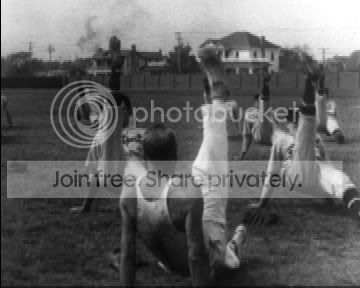
Ross McDowell
Animation Student -
hi there,
depending on his motion, if it is fairly static you can just track his face and then create an adjustment layer + mask that will blur out his skin and remove the wrinkles. or you can maybe use a color selection and select the skin tones and blur them. definately go for something along the lines of blurring…
i am really sorry for the vague answer, if no one else replies by tomorrow i can promise you a better and fuller reply (its 5am i need to get to bed)…. but maybe my vague reply this will spark an idea that will lead you to solving your problem 🙂
Best,
Ross McDowell
Animation Student -
Hi guys,
Thanks for your replies…I have no idea why, but I just cant get the same look as exporting it out at 12fps and then reimporting it…maybe it is all in my mind though. its so frustrating. thank you for the posterize time suggestions, i think it is the one i am gonna run with 🙂
thanks again
Ross McDowell
Animation Student -
scrap that, not working at all.
the initial motion after the audio drop takes it from one side to the other…not too sure why 🙁
bugger.Ross McDowell
Animation Student -
erm….
****************************
inc = 0.04;
swingTime = 0;
preValue = effect(“Slider Control”)(“Slider”).valueAtTime(time-inc);
curValue = effect(“Slider Control”)(“Slider”).valueAtTime(time);if (curValue
